


Sourcing country analysis – a guide to Library sources
12/03/2026

For those researching a country, you will find that country information tends to take two forms:
- Analysis – country reports are descriptive reports covering most areas of interest on a country. They contain an analysis of the business environment and include information on political, environmental, social, technological and risk factors. These are the best place to start your research.
- Datasets – raw data, e.g. GDP, inflation figures, etc.. These are generally downloadable to Excel.
In this post, we focus on sources for country analysis. For sources of data, please scroll down.
The Library’s best sources for country analysis are:
- BMI (formerly FitchConnect)
- Passport
BMI
BMI, from FitchSolutions, (formerly FitchConnect), contains in-depth country risk reports for over 200 countries. Content includes SWOT analysis, economic outlook, political outlook and 10 year forecasts.
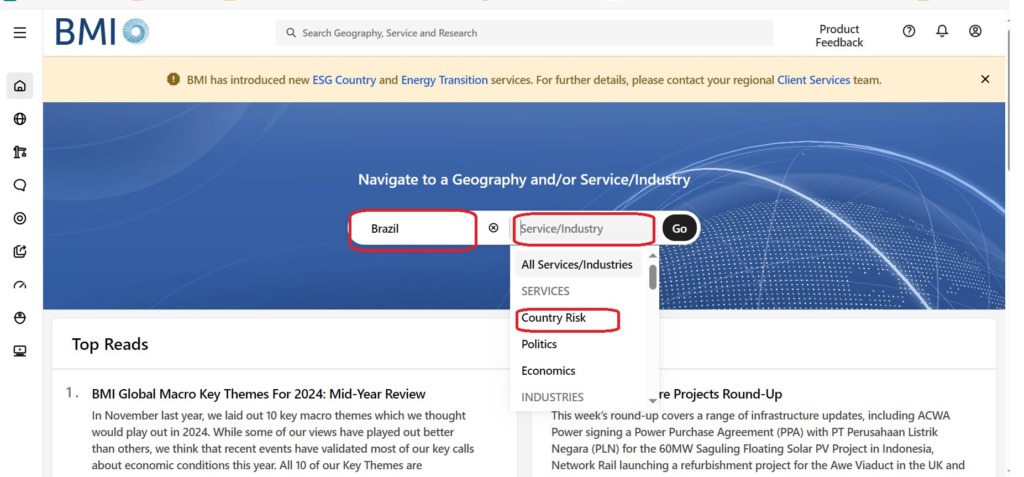
The easiest route to BMI’s country risk reports is to first click in the ‘Geography’ area of the navigation bar in the middle of the page, and enter your country (we’ve used Brazil in this example) then click in the ‘Service/Industry’ area and select ‘Country Risk’ from the drop down menu options listed. Click on ‘Go’.
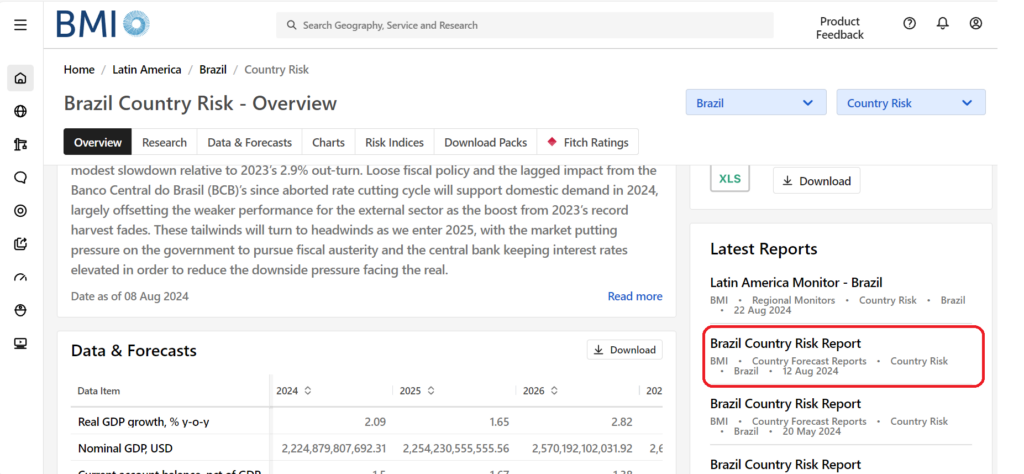
This will take you to the ‘Country Risk – Overview’ pages. Here you will see a key view, data & forecasts, charts/pictograms and a list of the latest reports, all for your country of choice. You may see the Country Risk Report in the list of Latest Reports,
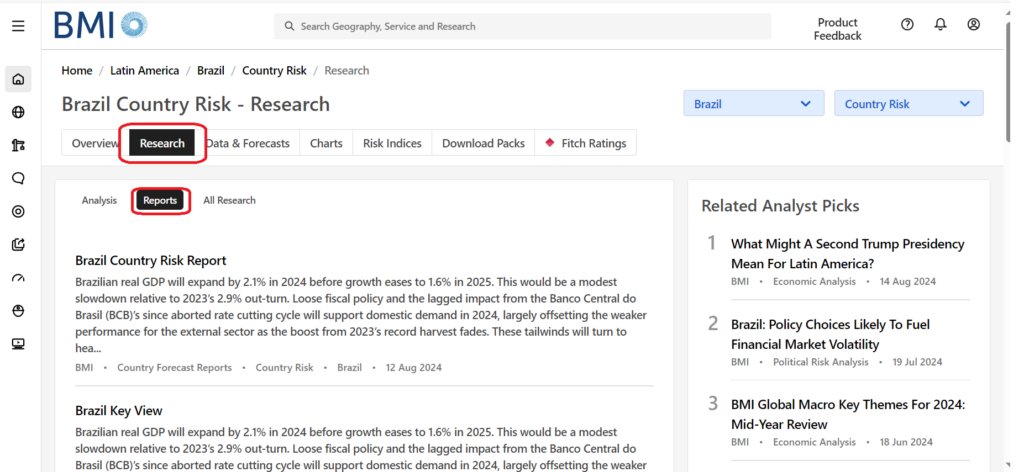
but if it’s not there, click on ‘Research’ in the tabs and then ‘Reports’. The Country Risk Report will appear in this list of reports and you should find Economic and Political SWOT analysis reports here too.
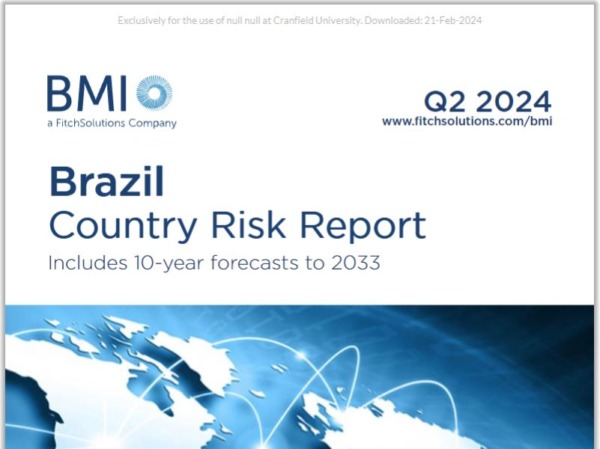
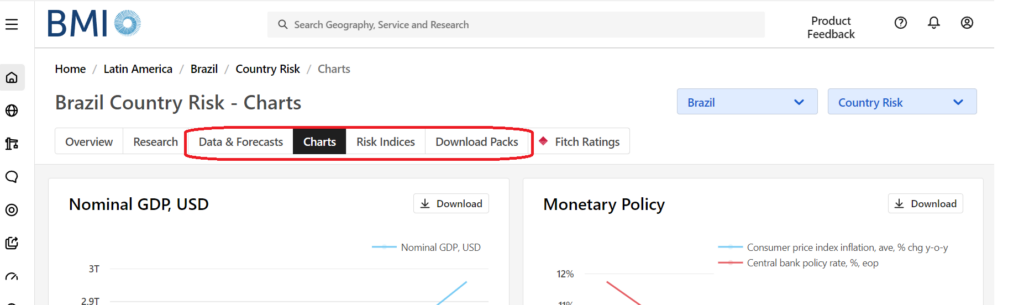
Click on your report of choice and, ta-dah! Now just sit back and read! A Country Risk Report will include a SWOT analysis, plus sections on economic outlook, trade, monetary and fiscal policy, currency, politics and detailed macroeconomic analysis and forecasts. Once in a report, you can read it on screen or download it as a PDF.
You may also have noticed in the previous screen some other tabs – Data & Forecasts, Charts, Risk Indices, Download Packs. Click on each of these for useful data to support the reports. Most of these can be downloaded to Excel, but if you want a copy of a Chart you will need to capture it as a screenshot.
Passport
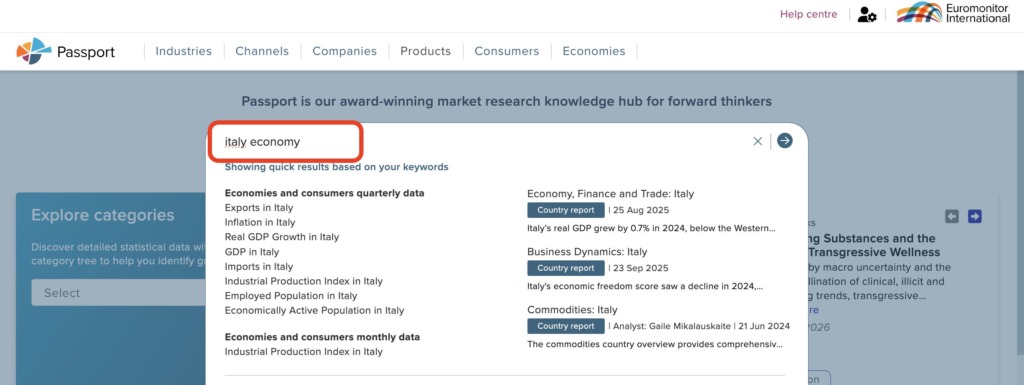
Passport provides PEST analyses, Business Dynamics and Economy, Finance and Trade reports for individual countries. To access these, the easiest option is to type your country name and the word ‘economy’ and click to search.
This will take you to the ‘Economy, Finance and Trade’ report for your country, see below. Download and print options are available, should you need them.
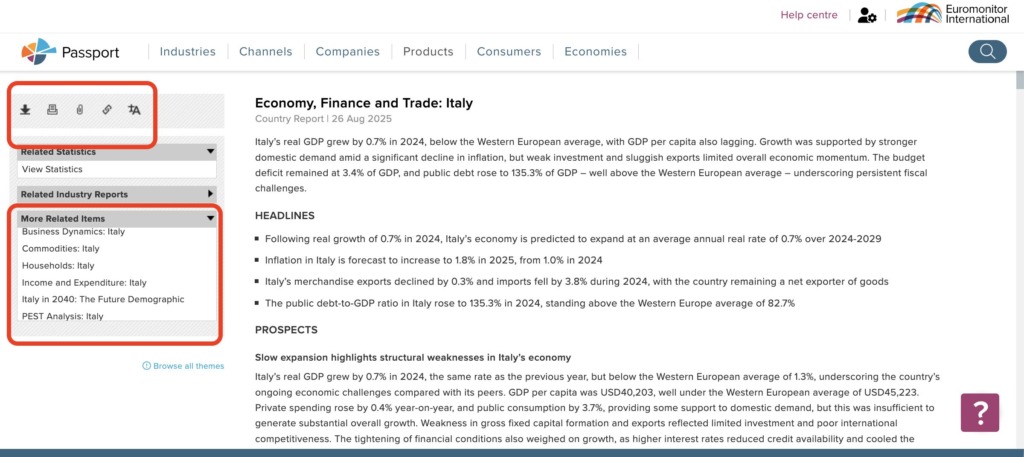
To access other relevant materials, look at the ‘More related items’ dropdown menu on the left of the screen. From there you will have access to PEST analyses and Business Dynamics.
If country coverage is patchy…
Usually the resources listed above will provide you with more than enough analysis for your research. If not, or if you are looking for something specific, the journal databases listed below can be useful. Both include some country profiles. Select this as your ‘publication type’ on the advanced search screen.
You may also be interested in…
Sources of macroeconomic data:
Other sources of macroeconomic data and analysis:
If you have any questions about sourcing country information – either data or analysis – please contact the Library.
Feature image from Pixabay. Available at: https://pixabay.com/photos/earth-internet-globalisation-2254769/

Categories & Tags:
Leave a comment on this post:
You might also like…

Introducing Kings Norton Library
Welcome to all our new students! We are looking forward to meeting you soon. You will find Kings Norton Library in the centre of the Cranfield campus, and it is open 24/7 to all staff ...

Setting your research on the right course: Four questions every researcher should ask
Whether you are just beginning your doctoral journey or are already well into your research career, successful research rarely happens by accident. Like any successful mission, it depends on good planning, informed decisions, and getting ...

5 budgeting mistakes students make (and how to avoid them)
Good financial planning isn't about how much money you have. It's about the habits you build. We asked Dr Lakshmy Subramanian, Course Director for the Banking, Economics and Finance MSc, about the budgeting mistakes ...

Finding your reading materials
Use Library Search Library Search is the first place to start when you are trying to find academic sources for your work. This is the search box on the library website homepage. It allows you ...

Formula 1 was the dream and Cranfield was the conduit
I still remember the exact moment Formula 1 (F1) got its hooks into me. I was in my first year of an aerospace undergraduate engineering degree when I watched a video about the sport ...
Introducing Barrington Library
Welcome to all our new students! Barrington Library supports all the students and staff at Cranfield Defence and Security on the Shrivenham site. We are looking forward to meeting you all soon, in person or ...