


Where can I find… Company financial ratios?
15/12/2024

Financial ratios are often used to measure the performance of a company. These can be found ‘ready-made’ in several of our finance resources.
Company ratios can be categorised into different types:
- Profitability ratios – e.g. profit margin or return on capital employed. These analyse profitability.
- Liquidity ratios – e.g. cash ratio. These indicate how quickly a company’s assets can be converted into cash in order to pay creditors.
- Solvency (or debt) ratios – e.g. debt equity ratio. These show how well a company can deal with its long term financial obligations.
- Valuation ratios – e.g. price earnings ratio. These are used to measure the attractiveness of an investment in a company.
Analysis of financial ratios can be used to show how well a company is doing relative to its competitors. In this post, we are highlighting resources where the ratios come pre-calculated. Bear in mind however that ratios are calculated using standard formulae from data in the company’s financial statements – and if you are doing some in-depth analysis, you will be expected to do such calculations yourself.
If you need quick ratios, the best resources to look at are:
- Capital IQ
- Fame
- Bloomberg.
On Capital IQ, ratios can be found with the Financials menu. Simply type a company name into the search box, load up the company profile and look to the left hand menu. You will find the Ratios option under the Financials/Valuations heading. Both current and historical rations are available.
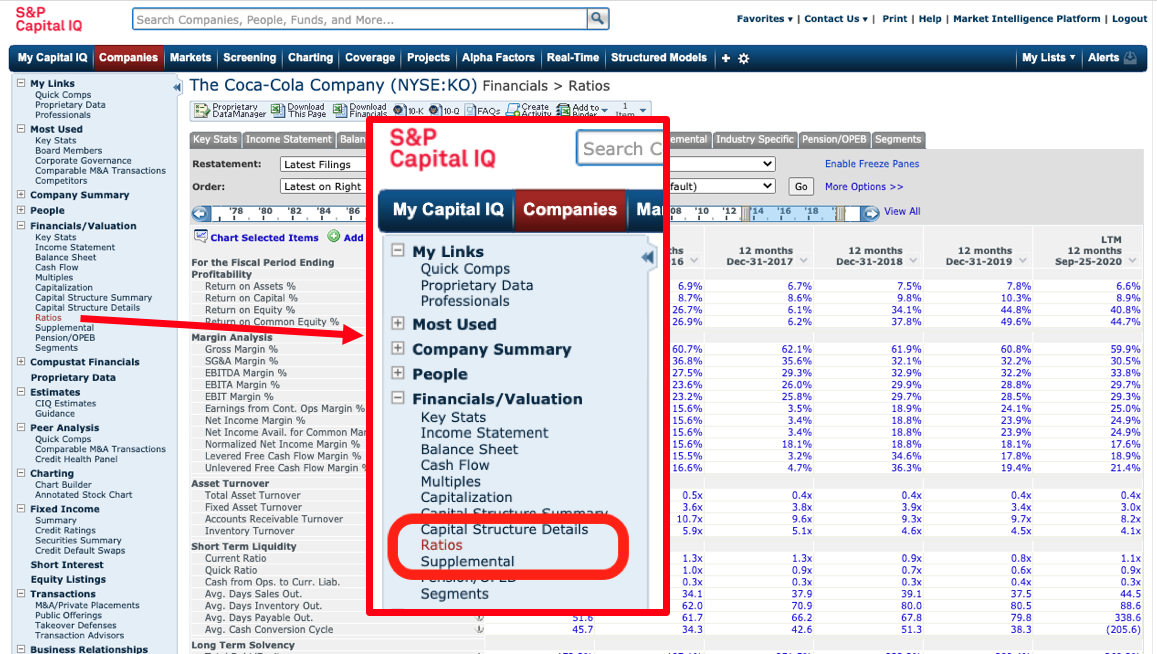
Use the menu situated directly above the data table to download to Excel.

On Fame, ten years of financial ratios are available. To view the ratios section, use the dots icon on the left-hand side to open up the table of contents. From here, select ‘Financials’ > ‘Ratios’.
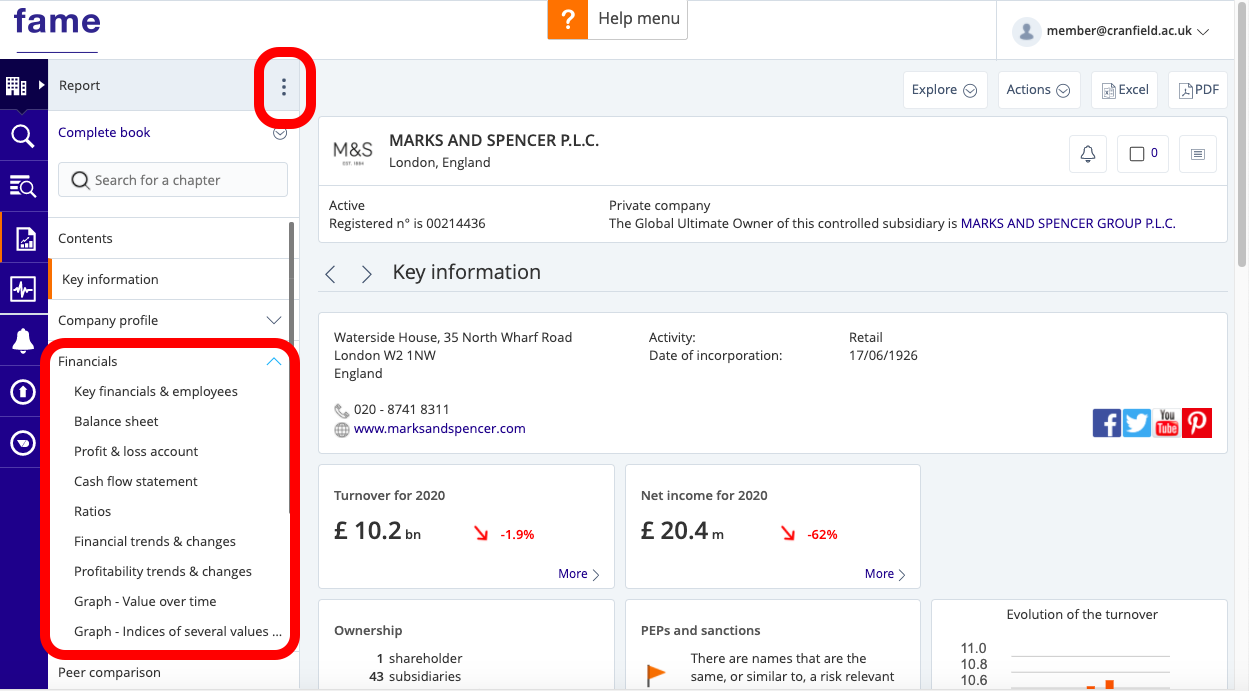
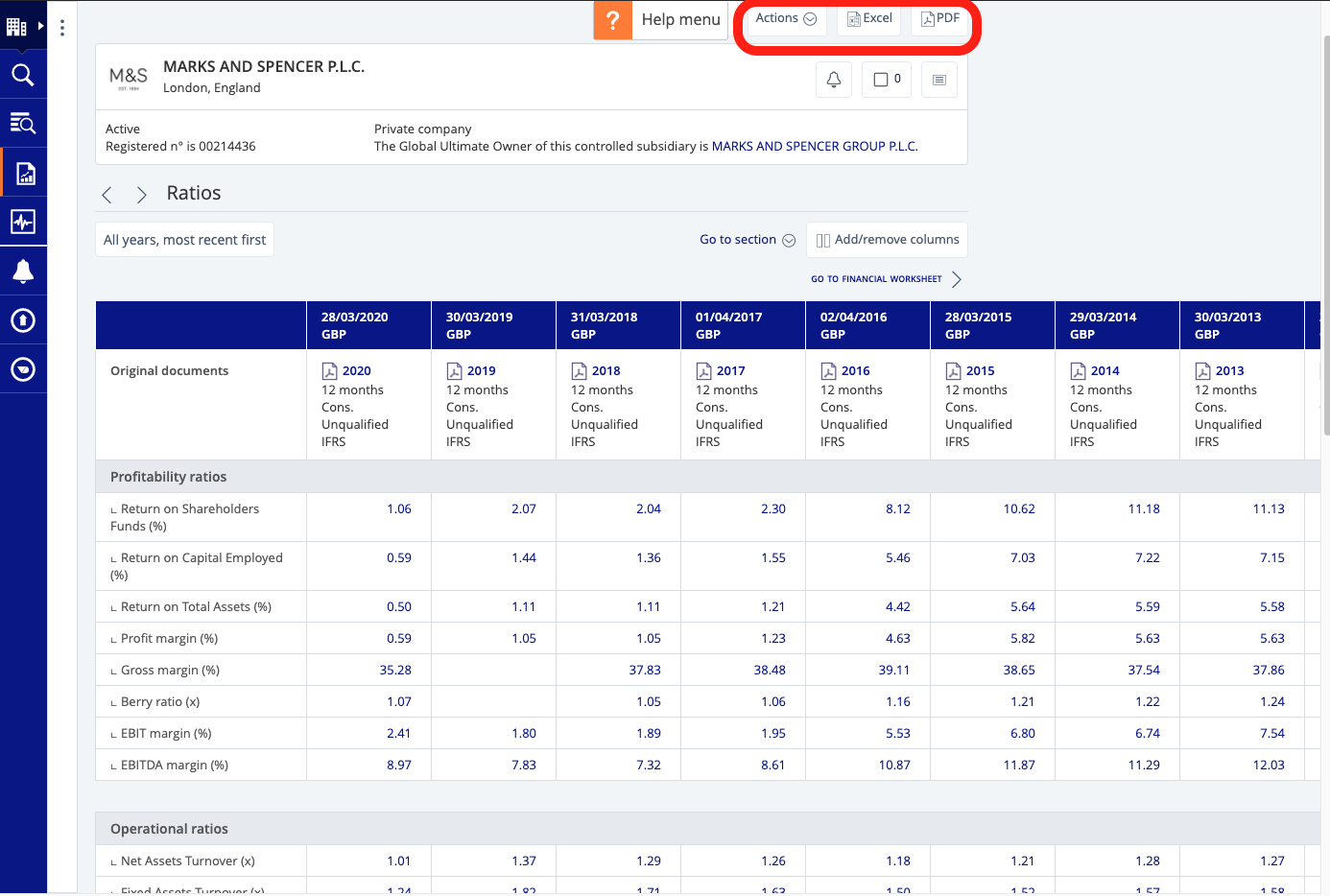
To export, click on the Excel or PDF icon at the top.
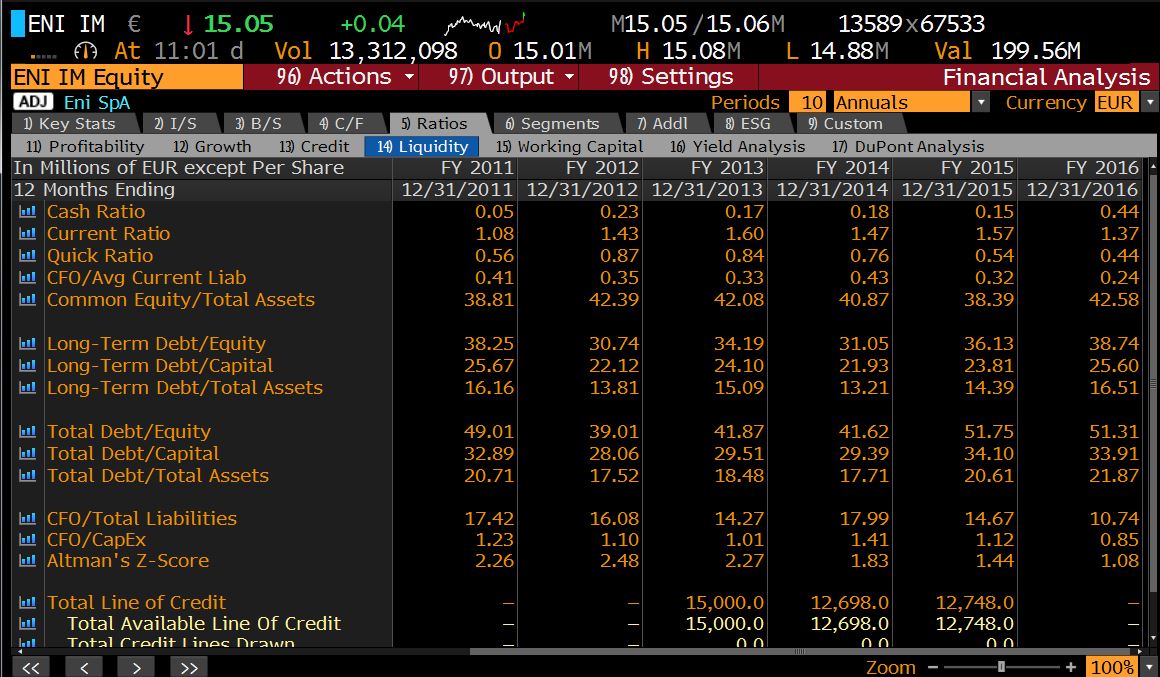
On Bloomberg, a summary can be found in the Company Description <DES> or a more detailed list on the Ratios tab within a company’s Financial Analysis <FA>. To export, first ensure your Office Add-ins are enabled then select ‘Output’ > ‘Excel’> ‘Current Template’ from the red menu bar.
If you have any questions about where to find particular ratios or any other financial data you require, please do not hesitate to contact the Library.
Feature image from Pixabay. Available at: https://pixabay.com/photos/savings-budget-investment-money-2789112/

Categories & Tags:
Leave a comment on this post:
You might also like…

5 budgeting mistakes students make (and how to avoid them)
Good financial planning isn't about how much money you have. It's about the habits you build. We asked Dr Lakshmy Subramanian, Course Director for the Banking, Economics and Finance MSc, about the budgeting mistakes ...

Finding your reading materials
Use Library Search Library Search is the first place to start when you are trying to find academic sources for your work. This is the search box on the library website homepage. It allows you ...

Formula 1 was the dream and Cranfield was the conduit
I still remember the exact moment Formula 1 (F1) got its hooks into me. I was in my first year of an aerospace undergraduate engineering degree when I watched a video about the sport ...

Introducing Barrington Library
Welcome to all our new students! Barrington Library supports all the students and staff at Cranfield Defence and Security on the Shrivenham site. We are looking forward to meeting you all soon, in person or ...

About to start your journey at Cranfield? We’re here to help!
Congratulations on accepting your offer to study at Cranfield! If you’re keen to get a head start before your course begins, our Library Services team is here to support you every step of the way. ...

Bank holiday hours for Library Services: Monday 31 August
Library Services staff will be taking a break on Monday 31 August for the bank holiday. You will still be able to access all the resources and help you need via our library website. The 24/7 ...
Comments are closed.