


Accessing EBSCO eBooks offline from 19 May
18/05/2026

From 19 May you will need to use the Thorium Reader app to download and read full EBSCO eBooks offline. This will not affect the way you read these eBooks online (via your browser) or how you download single chapters or DRM-free titles.
Please follow these instructions to get started with Thorium Reader:
1. Download the app
Go to the Thorium Reader website to download either the Windows or Mac version of the app. You can download the app on up to six personal devices but mobile devices are currently excluded. (You can skip this stage if you have already downloaded the app onto a device!)
2. Use the passphrase to download an eBook
Thorium Reader requires a passphrase for each full text eBook. The passphrase will be created by EBSCO and displayed on the eBook download page (under the ‘Full eBook’ option).
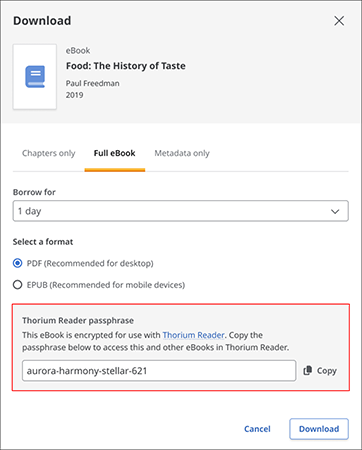
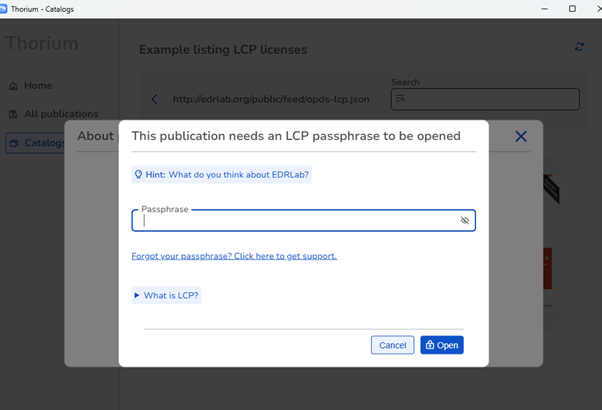
Copy the passphrase provided and click Download. Paste the copied passphrase when prompted and click ‘Open’:
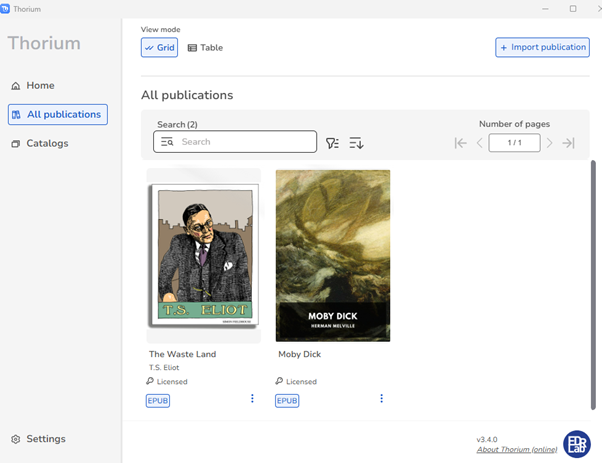
Downloaded eBooks will be displayed in the All Publications section of the Thorium Reader:
3. Top tips!
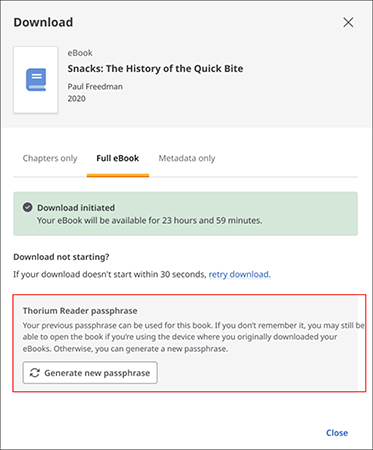
The passphrase can be re-used on all your devices. If you forget it when you’re adding a new device, you can generate a new one via the Download Full eBook window in EBSCO eBooks:
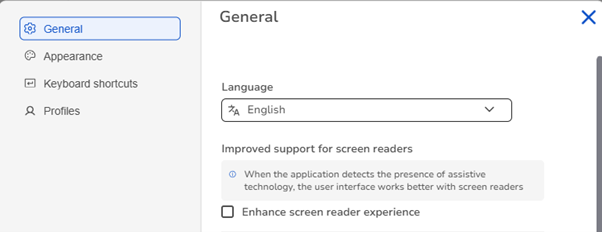
To improve support for screen readers, you can also go to Settings in Thorium Reader and check the ‘Enhance screen reader experience’ option under ‘General’:
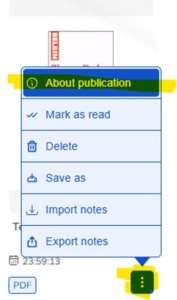
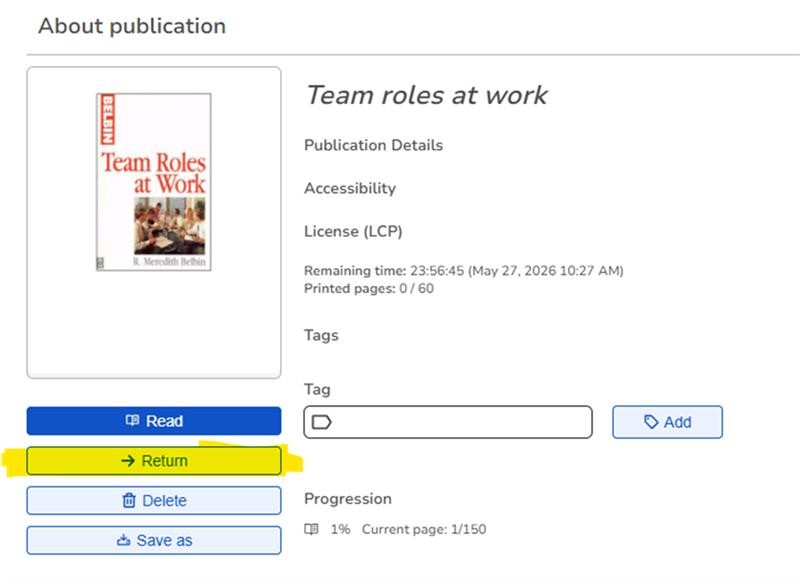
Finally, if you would like to return a downloaded eBook from the Thorium Reader early, just select the ‘About publication’ option found under the three dots alongside the title:
Any questions?
We’re happy to help. Please email us and we’ll help you download the eBook you need!

Categories & Tags:
Leave a comment on this post:
You might also like…

How Cranfield accelerated my career in Logistics and Supply Chain Management
After graduating from the MSc in Logistics and Supply Chain Management at Cranfield University, I've been reflecting on the experiences that made my journey so valuable and the impact it has had on my ...

Mendeley: a powerful tool to organise and manage your references
Are you looking for a way to manage your references, create in-text citations and reference lists for your assignments or thesis? If so, you may wish to consider using Mendeley. What is it? Mendeley is ...

Keen to develop your study skills?
Alongside the technical skills and academic knowledge that you will gain on your course, as a Cranfield student you have the opportunity to develop a range of other skills that can enhance your learning experience. ...

The V-conomy: powering the sixth wave of global economic growth
The world could be on the verge of a major surge in economic growth and development, driven by the convergence of AI and clean energy technology. Waiting to ride the K-wave The Russian ...

Need help using the Python programming language?
We know some of our students are currently trying to learn Python, so we wanted to make you aware of some great LinkedIn Learning videos that can help. But don't you have to pay for ...

What does it really take to become a Chevening Scholar?
Say “Turkmenistan” to most people and you’ll get a blank look. That was true when I left Ashgabat for the UK to study an MSc in Logistics and Supply Chain Management at Cranfield University ...