


A quick guide to finding company financials
28/11/2024

Financial sources can be extremely useful to any company research, giving anything from straight figures to an insight into company structure, ownership and strategy. Try the following resources:
Fame
Use for financial data and ownership information on UK and Irish companies, both public and private. No full-text analysis is provided. Fame will give you financials – including balance sheets, profit and loss accounts and key financial ratios. Fame also gives details of company SIC codes (standard industrial classification) which can then be used to identify other firms in the same sector. From within any company report, access Financials via the Table of Contents on the left.
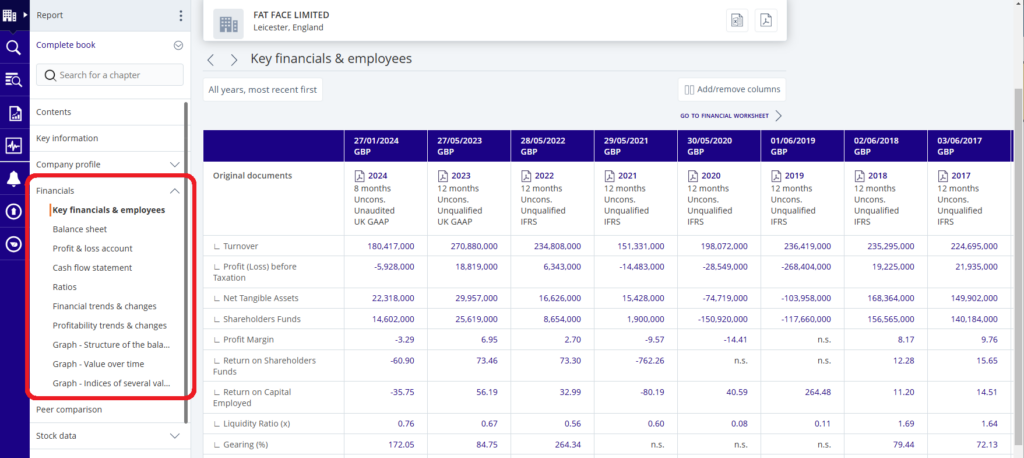
Financials on Fame
Capital IQ
Financials are available for both publicly quoted and private companies worldwide, though more financial information is generally available for publicly quoted companies.
To look for a company, type its name in the top search bar. Select the company name from the list to access the profile screen. Using the left-hand menu you can view and download further information on the company profile, structure, financials, estimates, peer analysis, M&A deals, etc.
The Financials/Valuations options on the left-hand menu provide access to a wide variety of financial variables. Data can be downloaded in various formats.
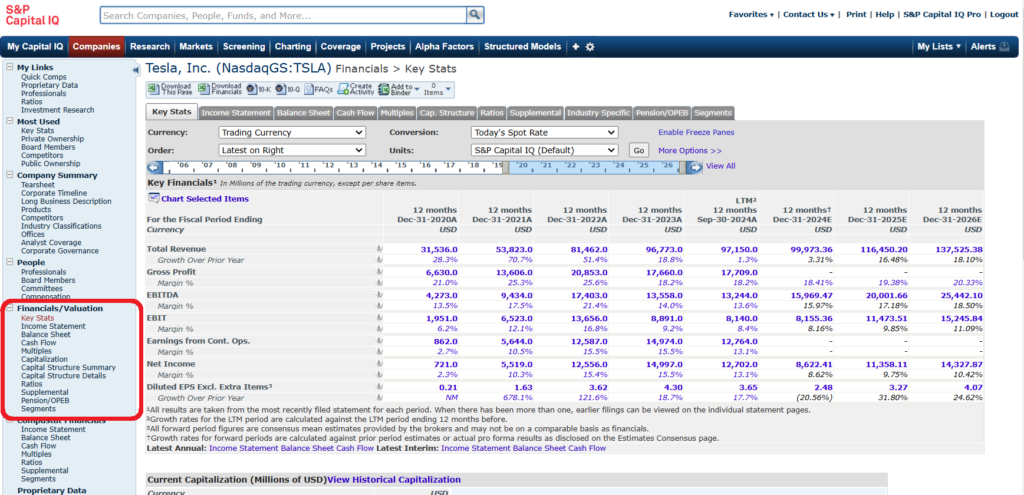
Financials in Capital IQ
First time users need to register for an account. Find out how here.
Bloomberg
Bloomberg users can access company financials for listed companies worldwide via its Financial Analysis section. Find the company you are interested in, then type FA <Enter> for comprehensive financial data. Use the tabs above the table to select the figures required. Segment and ESG data is also available here. Export to PDF or Excel.
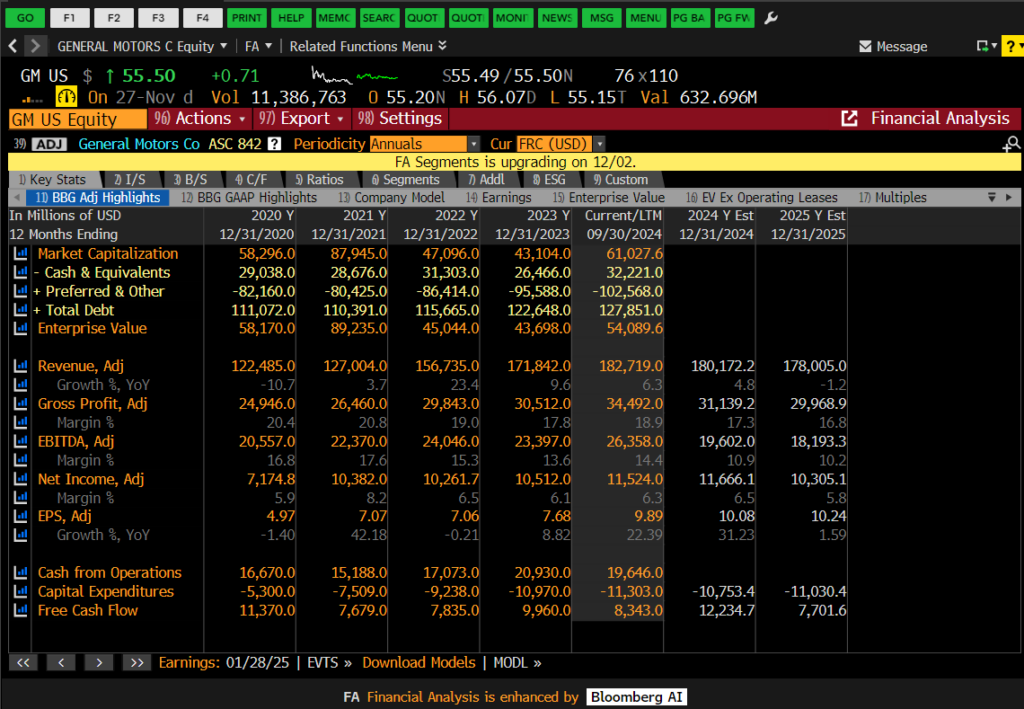
Bloomberg’s FA service
Bloomberg can be accessed via the Library’s Bloomberg and Training Suite. Please book your terminal in advance here. Details on how to set up your account are available in this blog post.
Workspace
Find your company on Workspace and then, from the company profile, select the Financials tab. Worksheets can be exported to Excel.
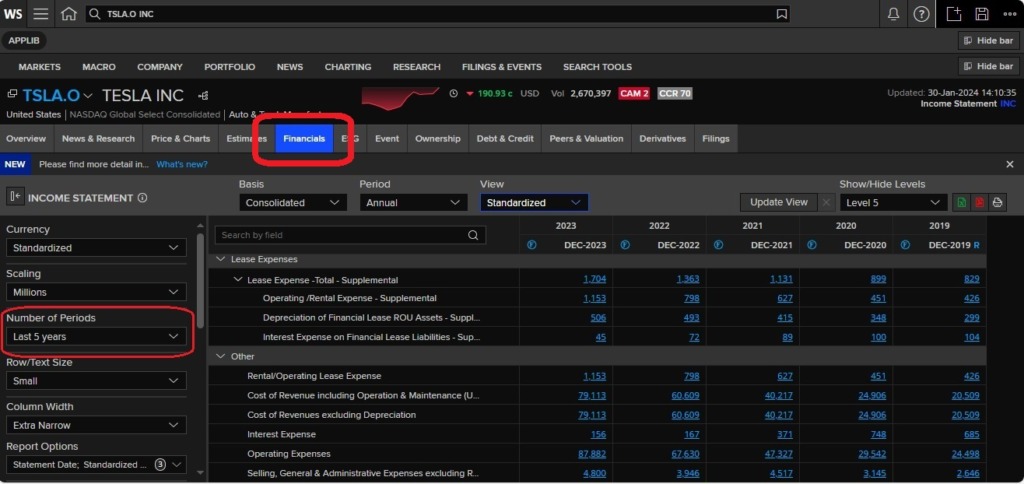
Financials on Workspace
First time users need to register for Workspace. Find out more here.
All of our financial resources, including those mentioned above, can be accessed via our dedicated online business resources page for financials here. If you have any questions about sourcing company financials, please contact the Library.
Feature image from Pixabay. Available at: https://cdn.pixabay.com/photo/2016/09/19/18/30/calculator-1680905_960_720.jpg

Categories & Tags:
Leave a comment on this post:
You might also like…

Building more than research: Reflections from the ECRn Symposium 2026
There’s something quietly powerful about a room full of early career researchers. Not just the ideas, although there were plenty of those—but the conversations, the curiosity, and the sense that everyone is figuring things ...

Library services over Easter, 3-6 April
Kings Norton Library will remain open for study 24/7. You will need your University ID card to enter the building and can use the self-service machines to borrow and return items as usual. Barrington Library ...

How do I access the full-text of Harvard Business Review (HBR)?
This is a frequently asked question, and it's worth knowing how to access this key management journal. So, how do you access HBR in full-text? The short answer is via our eJournals finder. You can find ...

Engineering problem to solve? Let Knovel help you find a solution
Did you know that Knovel provides you with more than just eBooks? Knovel is a key database for many engineering, mechanical and materials courses here at Cranfield University, and contains content from an extensive range ...

What happens when female scholars meet influential leaders?
On the 5 March 2026, our British Council Women in STEM Scholars had the privilege of sitting down with two excellent role models of industry and academia: Professor Dame Karen Holford, ...

From MSc to CEO: Igniting a research revolution
For many, a master’s degree is achieving a big milestone. Kilyan Ocampo, Computational Fluid Dynamics alumni shares how studying at Cranfield helped launch his career in the energy sector. Today, Kilyan ...