


Screening for FTSE 100 companies on Bloomberg
11/12/2025

So you’re researching an index and need some data on its constituent companies? Bloomberg’s Equity Screening tool makes light work of this, not just for the FTSE, but for indices, exchanges and sectors worldwide.
Type EQS into the Bloomberg search and either hit Enter or select ‘Equity Screening’ from the Functions menu. The EQS tool displays the options you can employ to screen companies within Bloomberg.
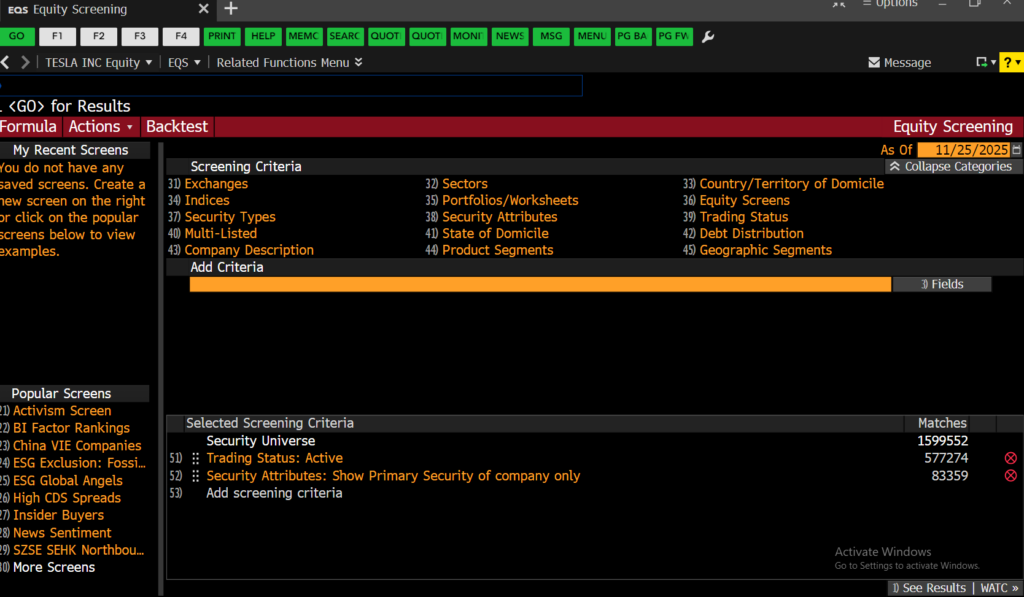
From here, to find your index, select the ‘Indices’ option from the Screening Criteria and either browse your way to or search for the index you require within it. As you do this, you will see your choices reflected in the ‘Selected Screening Criteria’ panel at the bottom of the screen.

To view the company list, click ‘See Results’ at the bottom right of your screen. Companies that fit your criteria are displayed ranked by Market Cap with a pre-defined set of financial data in columns to the right. To rank by any other variable, click on the appropriate column header.
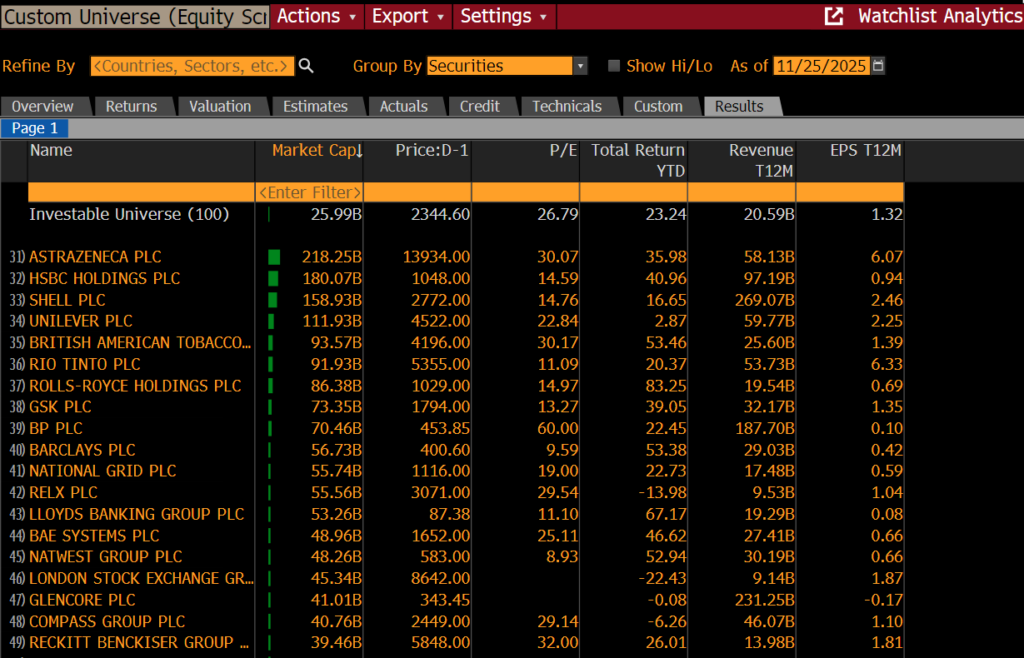
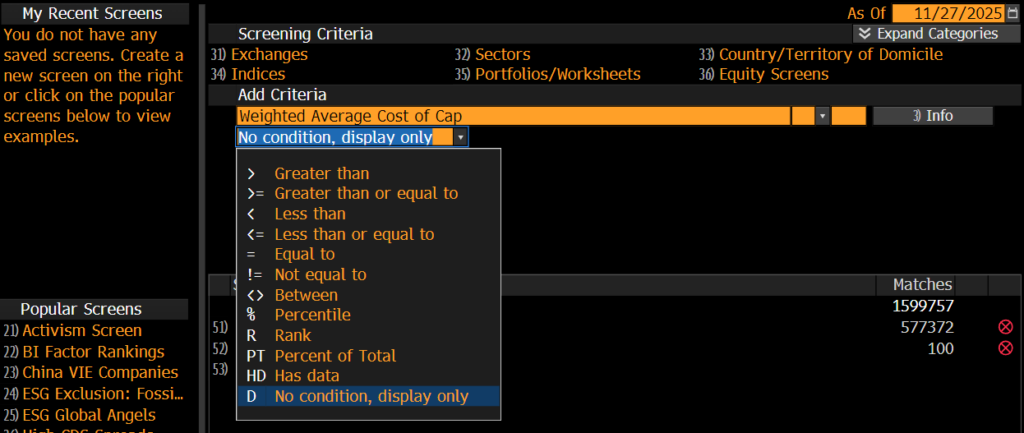
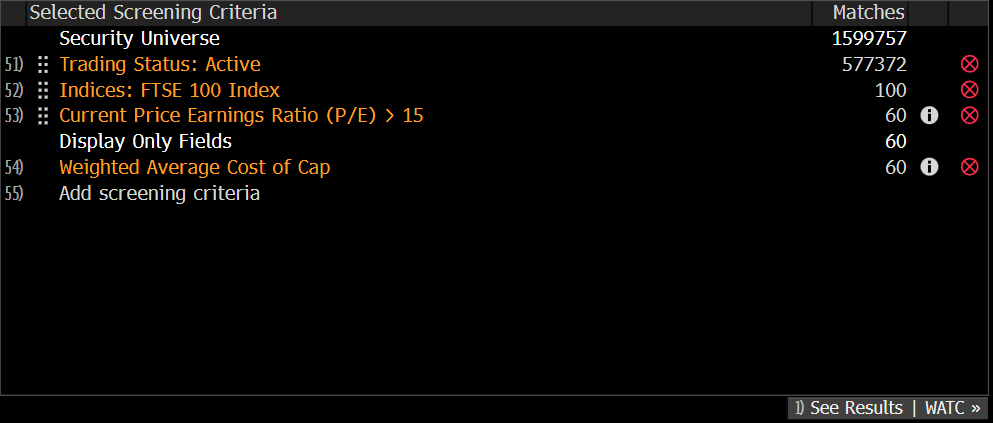
If you would like to add data columns to your report, click on ‘Actions’ > ”Edit Custom Universe’ to return to the Screening criteria page. Here you can add any piece of financial data. Here we are adding the WACC, the weighted average cost of capital. By searching for it and selecting the option ‘No condition, display only’ below and clicking on Enter, a new data column will be added to your report to display the additional data.
If however, you would like to filter your company list by a piece of financial data, e.g. a price earnings ratio greater than 15, here you would select ‘> Greater than’ and enter a figure before clicking on Enter.
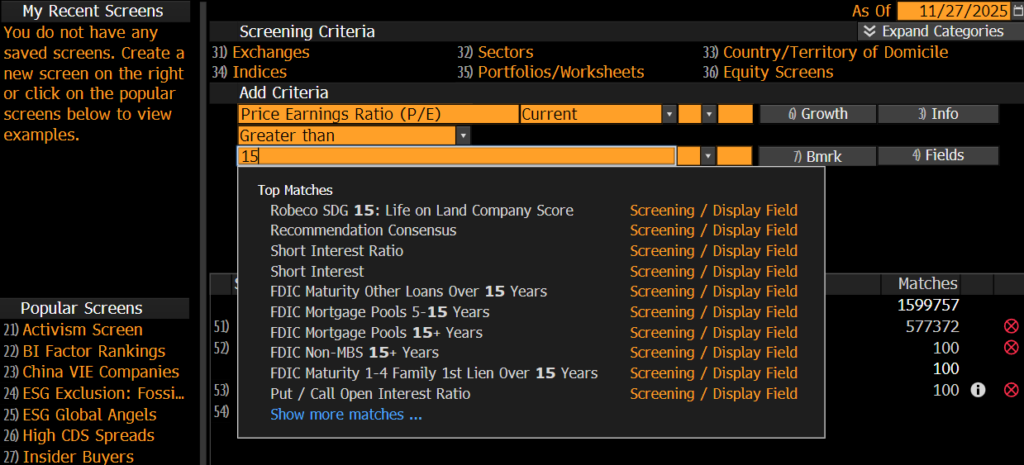
You will see your changes reflected in the Selected Screening Criteria panel before you view your results.
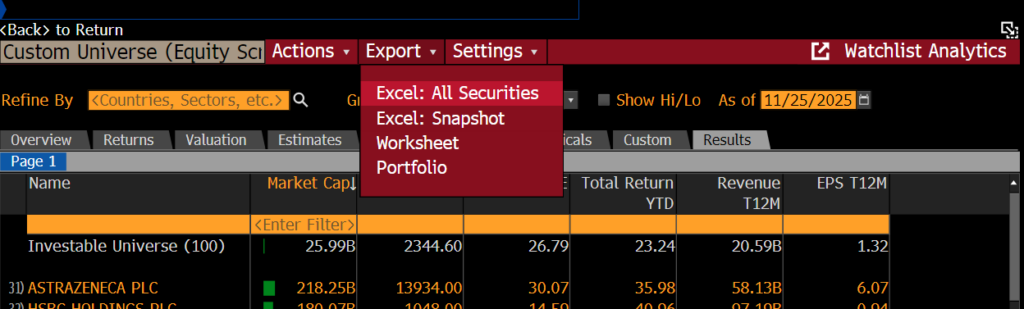
From the report screen, to transfer data to Excel, click ‘Export’ on the red menu bar and select ‘Excel’ > ‘All Securities’. Make sure you have installed the Bloomberg Office Add In before you do this. See our previous post on this for details.
USEFUL TO KNOW:
You can also use EQS to pull historical constituent lists for indices etc. At the top right of the search screen you will see the words ‘As Of’ and an orange box with today’s date. Bloomberg can screen companies back to December 1992. Enter your date here and click enter to view results.
Any questions on this or any other aspect of Bloomberg, please do not hesitate to contact us.
Feature image from Pixabay. Available at: https://pixabay.com/photos/architecture-building-business-city-1868667/

Categories & Tags:
Leave a comment on this post:
You might also like…

How do I access the full-text of Harvard Business Review (HBR)?
This is a frequently asked question, and it's worth knowing how to access this key management journal. So, how do you access HBR in full-text? The short answer is via our eJournals finder. You can find ...

Engineering problem to solve? Let Knovel help you find a solution
Did you know that Knovel provides you with more than just eBooks? Knovel is a key database for many engineering, mechanical and materials courses here at Cranfield University, and contains content from an extensive range ...

What happens when female scholars meet influential leaders?
On the 5 March 2026, our British Council Women in STEM Scholars had the privilege of sitting down with two excellent role models of industry and academia: Professor Dame Karen Holford, ...

From MSc to CEO: Igniting a research revolution
For many, a master’s degree is achieving a big milestone. Kilyan Ocampo, Computational Fluid Dynamics alumni shares how studying at Cranfield helped launch his career in the energy sector. Today, Kilyan ...

Commuting, collaborating and growing: My first term experience at Cranfield
My first term at Cranfield University has been an extremely positive and rewarding experience. While the course has been intense at times, it has pushed me in the best possible way and allowed me ...

Sourcing country analysis – a guide to Library sources
For those researching a country, you will find that country information tends to take two forms: Analysis - country reports are descriptive reports covering most areas of interest on a country. They contain an analysis ...