


Screening for FTSE 100 companies on Bloomberg
11/12/2025

So you’re researching an index and need some data on its constituent companies? Bloomberg’s Equity Screening tool makes light work of this, not just for the FTSE, but for indices, exchanges and sectors worldwide.
Type EQS into the Bloomberg search and either hit Enter or select ‘Equity Screening’ from the Functions menu. The EQS tool displays the options you can employ to screen companies within Bloomberg.
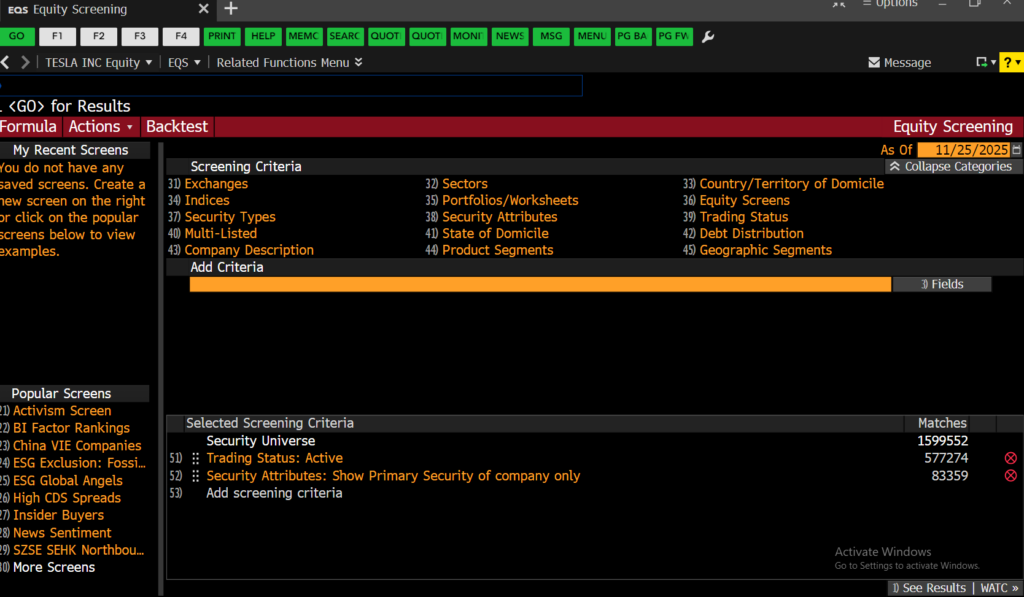
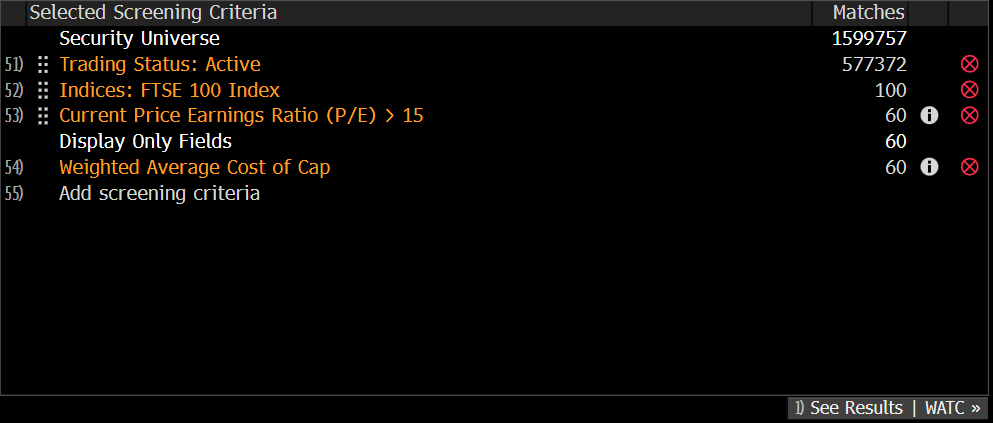
From here, to find your index, select the ‘Indices’ option from the Screening Criteria and either browse your way to or search for the index you require within it. As you do this, you will see your choices reflected in the ‘Selected Screening Criteria’ panel at the bottom of the screen.

To view the company list, click ‘See Results’ at the bottom right of your screen. Companies that fit your criteria are displayed ranked by Market Cap with a pre-defined set of financial data in columns to the right. To rank by any other variable, click on the appropriate column header.
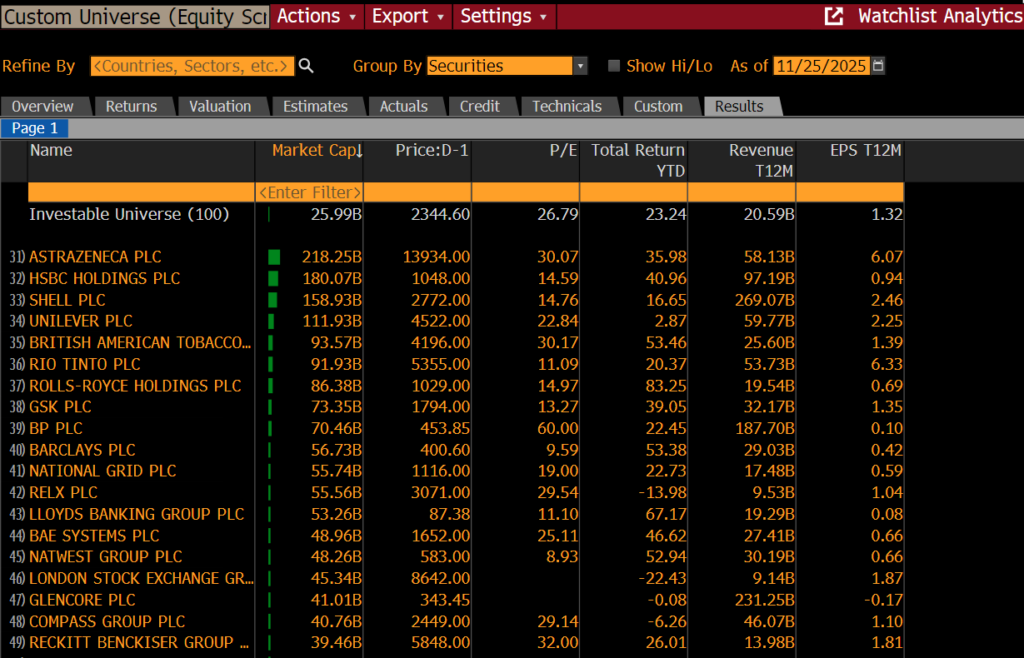
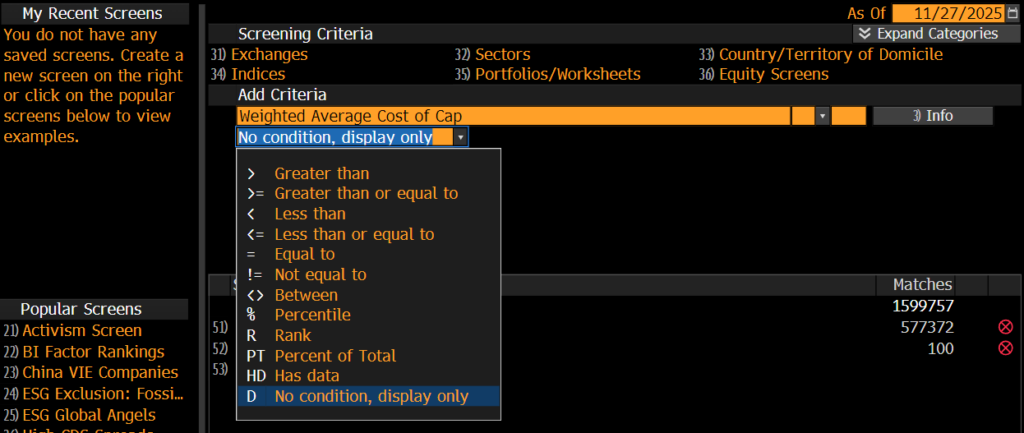
If you would like to add data columns to your report, click on ‘Actions’ > ”Edit Custom Universe’ to return to the Screening criteria page. Here you can add any piece of financial data. Here we are adding the WACC, the weighted average cost of capital. By searching for it and selecting the option ‘No condition, display only’ below and clicking on Enter, a new data column will be added to your report to display the additional data.
If however, you would like to filter your company list by a piece of financial data, e.g. a price earnings ratio greater than 15, here you would select ‘> Greater than’ and enter a figure before clicking on Enter.
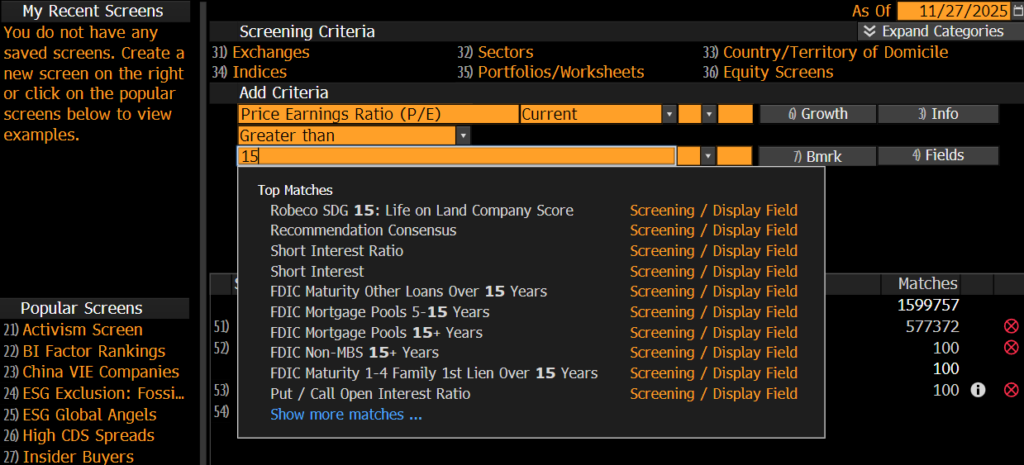
You will see your changes reflected in the Selected Screening Criteria panel before you view your results.
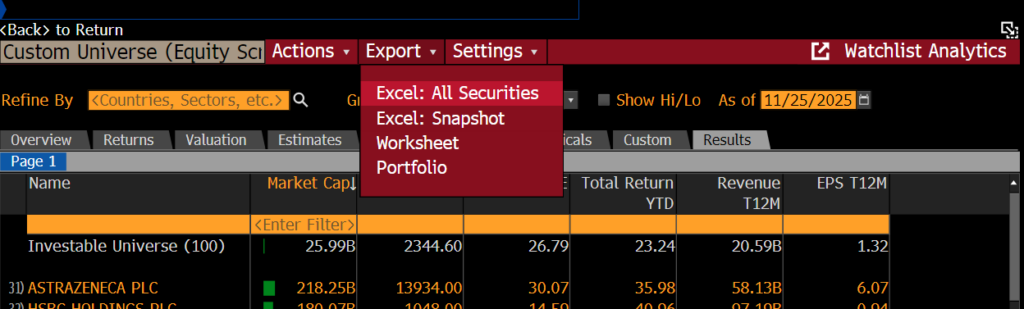
From the report screen, to transfer data to Excel, click ‘Export’ on the red menu bar and select ‘Excel’ > ‘All Securities’. Make sure you have installed the Bloomberg Office Add In before you do this. See our previous post on this for details.
USEFUL TO KNOW:
You can also use EQS to pull historical constituent lists for indices etc. At the top right of the search screen you will see the words ‘As Of’ and an orange box with today’s date. Bloomberg can screen companies back to December 1992. Enter your date here and click enter to view results.
Any questions on this or any other aspect of Bloomberg, please do not hesitate to contact us.
Feature image from Pixabay. Available at: https://pixabay.com/photos/architecture-building-business-city-1868667/

Categories & Tags:
Leave a comment on this post:
You might also like…

Mendeley: a powerful tool to organise and manage your references
Are you looking for a way to manage your references, create in-text citations and reference lists for your assignments or thesis? If so, you may wish to consider using Mendeley. What is it? Mendeley is ...

Keen to develop your study skills?
Alongside the technical skills and academic knowledge that you will gain on your course, as a Cranfield student you have the opportunity to develop a range of other skills that can enhance your learning experience. ...

The V-conomy: powering the sixth wave of global economic growth
The world could be on the verge of a major surge in economic growth and development, driven by the convergence of AI and clean energy technology. Waiting to ride the K-wave The Russian ...

Need help using the Python programming language?
We know some of our students are currently trying to learn Python, so we wanted to make you aware of some great LinkedIn Learning videos that can help. But don't you have to pay for ...

What does it really take to become a Chevening Scholar?
Say “Turkmenistan” to most people and you’ll get a blank look. That was true when I left Ashgabat for the UK to study an MSc in Logistics and Supply Chain Management at Cranfield University ...

Get a head start on referencing and plagiarism
We offer a module on Referencing And Avoiding Plagiarism which you can find on your Canvas dashboard. It explains the role and importance of citing references and how to incorporate the work of other authors ...
Comments are closed.