


Introducing…. BankFocus (Orbis)
10/04/2025

For anyone researching the financial sector, BankFocus is a great place to start, providing financial and company data for finance institutions and companies from across the world. The service allows you to search for a single company or to combine multiple criteria to generate a list of companies that meet your requirements.
The Search page on BankFocus can be accessed by clicking on the magnifying glass icon on the left-hand menu.
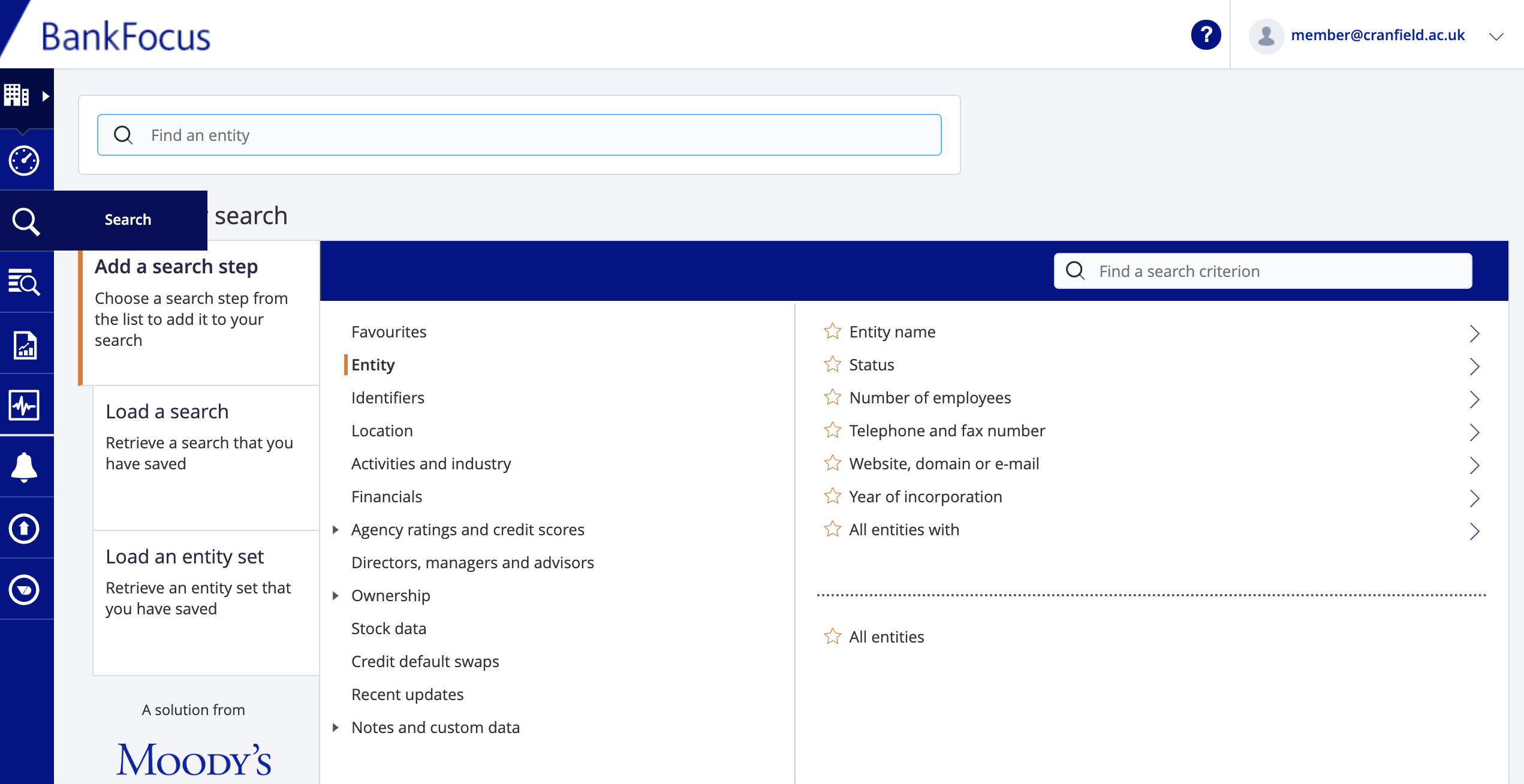
Finding data on a single named institution:
If you are researching a single entity, enter its name in the search box. In this example, I am looking for the bank, HSBC.
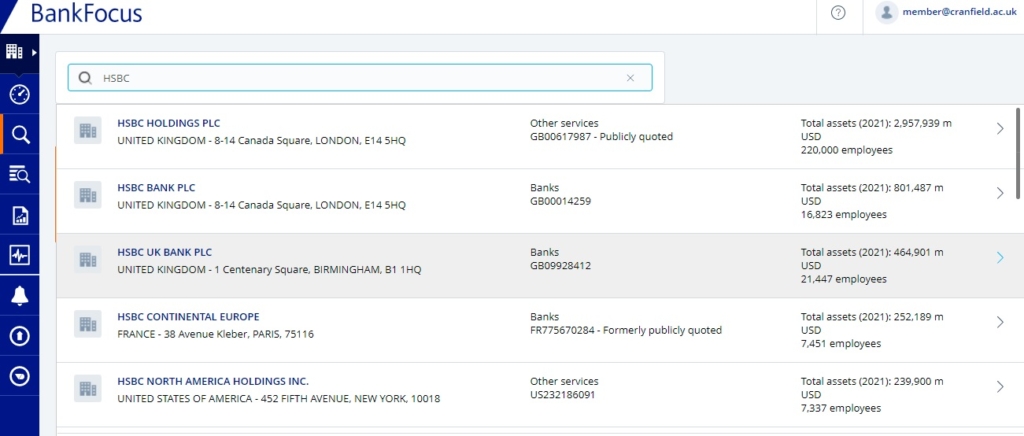
There are often multiple companies with the same name, so BankFocus gives you additional details such as address and number of employees to help you identify the one you are looking for.
From your search results, you have two options…
- To open a company report, simply click on the company name.
- To add multiple results into your search, for further filtering, either use the check boxes to select individual companies or scroll down to the bottom of the list and click on ‘Select all search results’. If you have selected multiple options, you will need to then click on ‘view results’ which will give you a list of those companies, and from there you can view a company report by clicking on the company name.
Having viewed the company you will see that there are different types of statements shown:

The consolidation code relates to what type of statement is available further information on these codes can be found within the BankFocus (Orbis) guide.
Building a search using criteria:
Let’s say you want to find out the Top 25 investment banks in France and Germany. To find these you need to choose ‘Add a search step’.
For our criteria, we will need to search using criteria from ‘Location’, ‘Activities and Industry’ and ‘Financials’.
Select the ‘Location’ search step. (This will open a sub-menu). From this choose the ‘World region, country or region in country’ heading.

Search for the countries France and then Germany, and click on each of them to select.
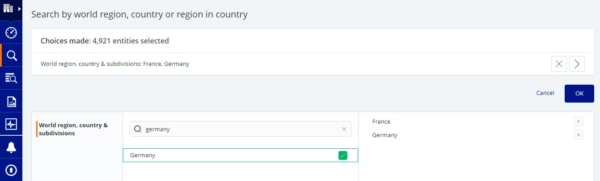
Countries chosen will appear on the right hand side. Click on OK to add to your search.
To identify investment banks, click on the ‘Activities and Industries’ heading and select ‘Specialisation’.
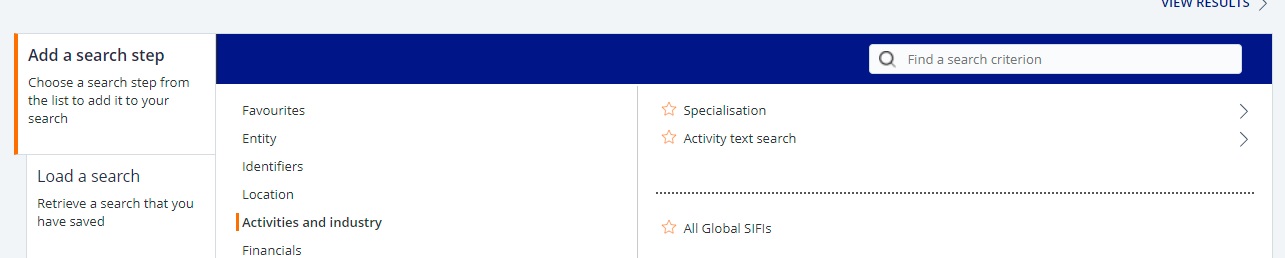
From the ‘Specialisation’ list select ‘Investment bank’ from the list and click OK to add to search.

Finally to find the TOP 25 by turnover, click on the Financials search step :
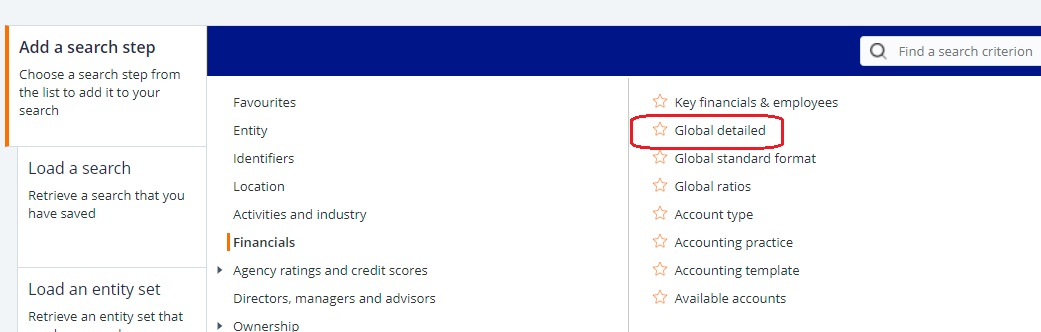
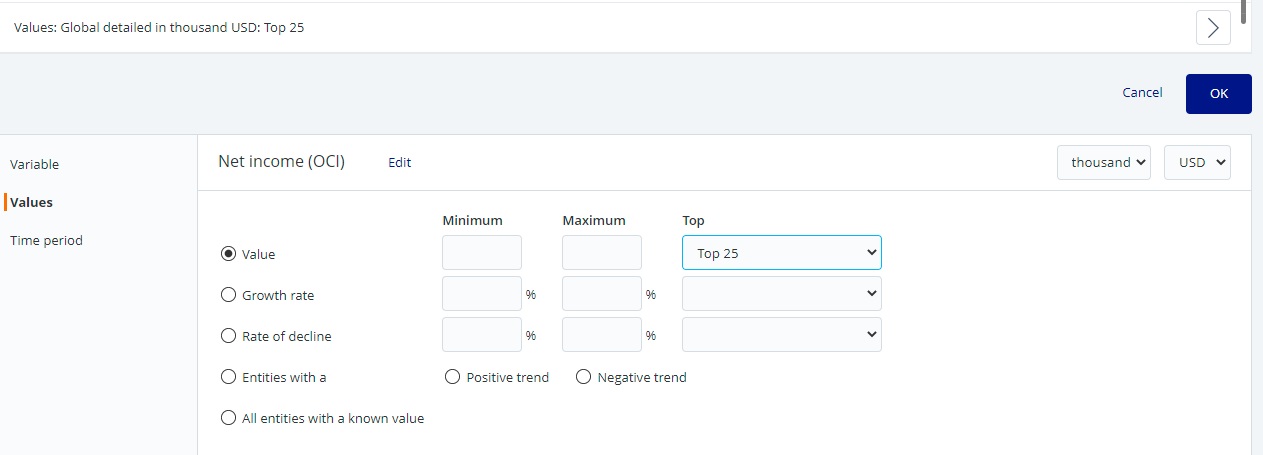
Select ‘Global detailed’. There a few choices that can be made here but if you chose ‘Value’ you can then choose from the drop down list the ‘Top 25 by net income’. Click OK to select.
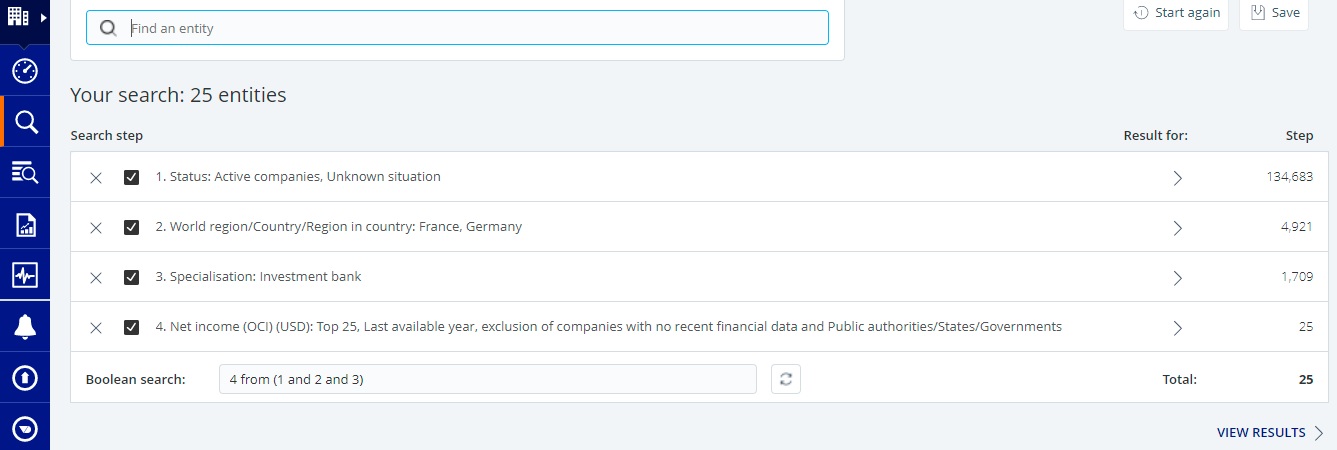
You can see all your search steps at the top of the screen. Click on ‘View Results’ to see the list of companies found from your chosen search criteria.
All the banks that meet your chosen criteria will be shown. To view an individual report click on the Bank name.
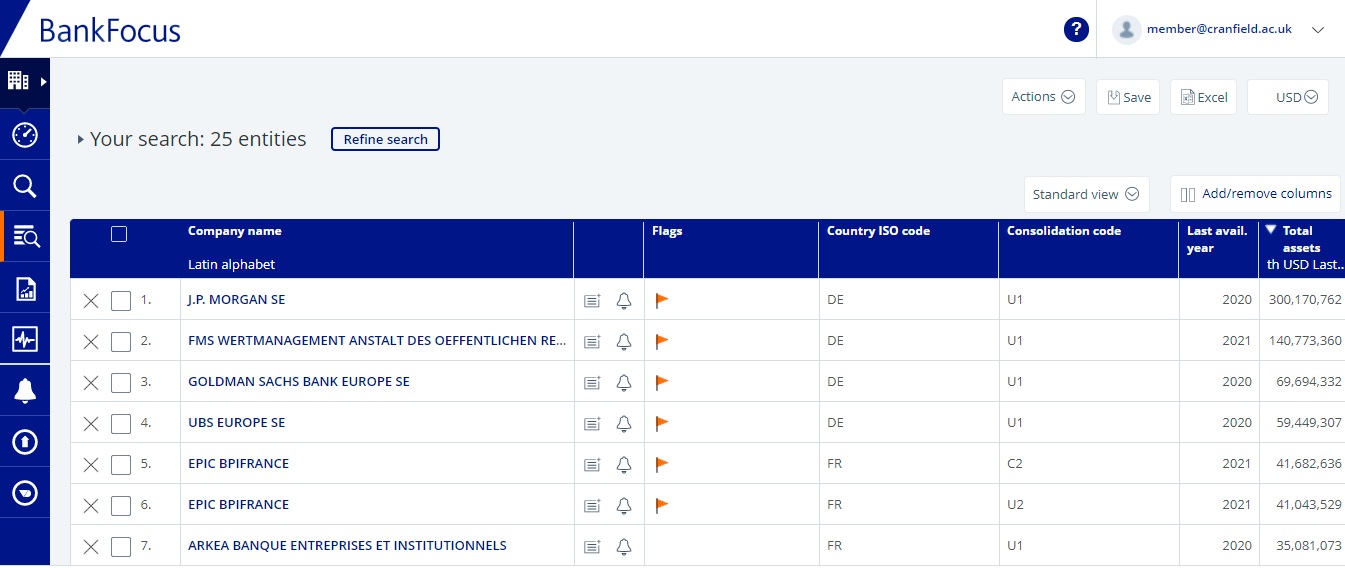
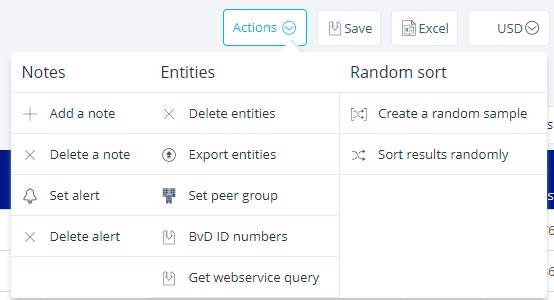
Choose the ‘Actions’ menu from the top right of the screen to refine or export your list or to set a peer group and choose the Excel option to export your results to Excel.
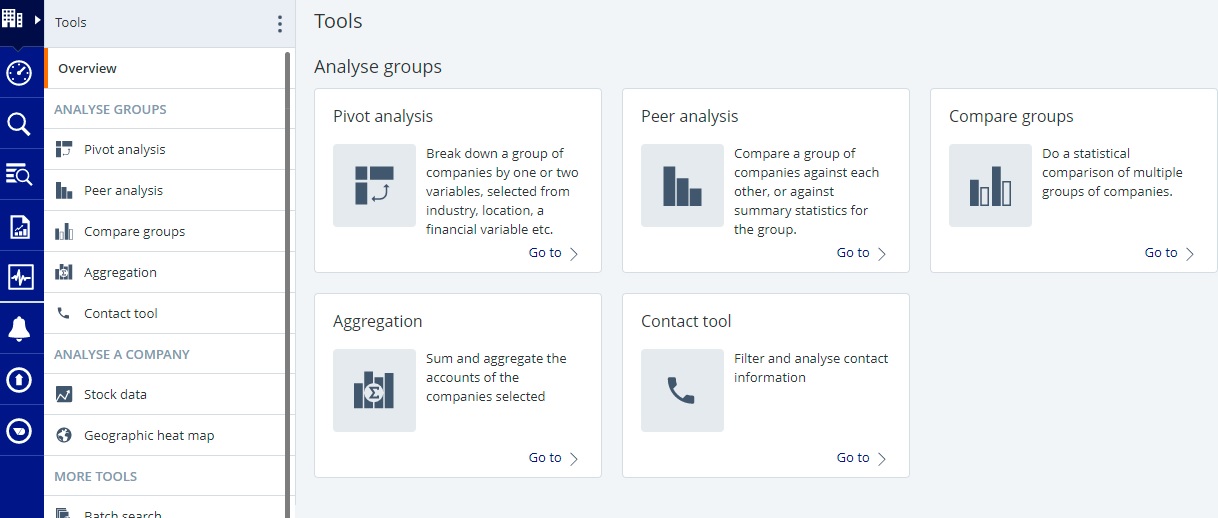
Finally you may wish to use some of the Tools menu to analyse your results.
You can find BankFocus (Orbis) on our Financial resources pages, or login directly here.
If you need any further help please contact the Library.
Public domain image from Pixabay https://pixabay.com/photos/euro-seem-money-finance-piggy-bank-870757/

Categories & Tags:
Leave a comment on this post:
You might also like…

Building more than research: Reflections from the ECRn Symposium 2026
There’s something quietly powerful about a room full of early career researchers. Not just the ideas, although there were plenty of those—but the conversations, the curiosity, and the sense that everyone is figuring things ...

Library services over Easter, 3-6 April
Kings Norton Library will remain open for study 24/7. You will need your University ID card to enter the building and can use the self-service machines to borrow and return items as usual. Barrington Library ...

How do I access the full-text of Harvard Business Review (HBR)?
This is a frequently asked question, and it's worth knowing how to access this key management journal. So, how do you access HBR in full-text? The short answer is via our eJournals finder. You can find ...

Engineering problem to solve? Let Knovel help you find a solution
Did you know that Knovel provides you with more than just eBooks? Knovel is a key database for many engineering, mechanical and materials courses here at Cranfield University, and contains content from an extensive range ...

What happens when female scholars meet influential leaders?
On the 5 March 2026, our British Council Women in STEM Scholars had the privilege of sitting down with two excellent role models of industry and academia: Professor Dame Karen Holford, ...

From MSc to CEO: Igniting a research revolution
For many, a master’s degree is achieving a big milestone. Kilyan Ocampo, Computational Fluid Dynamics alumni shares how studying at Cranfield helped launch his career in the energy sector. Today, Kilyan ...