


Introducing…. BankFocus (Orbis)
10/04/2025

For anyone researching the financial sector, BankFocus is a great place to start, providing financial and company data for finance institutions and companies from across the world. The service allows you to search for a single company or to combine multiple criteria to generate a list of companies that meet your requirements.
The Search page on BankFocus can be accessed by clicking on the magnifying glass icon on the left-hand menu.
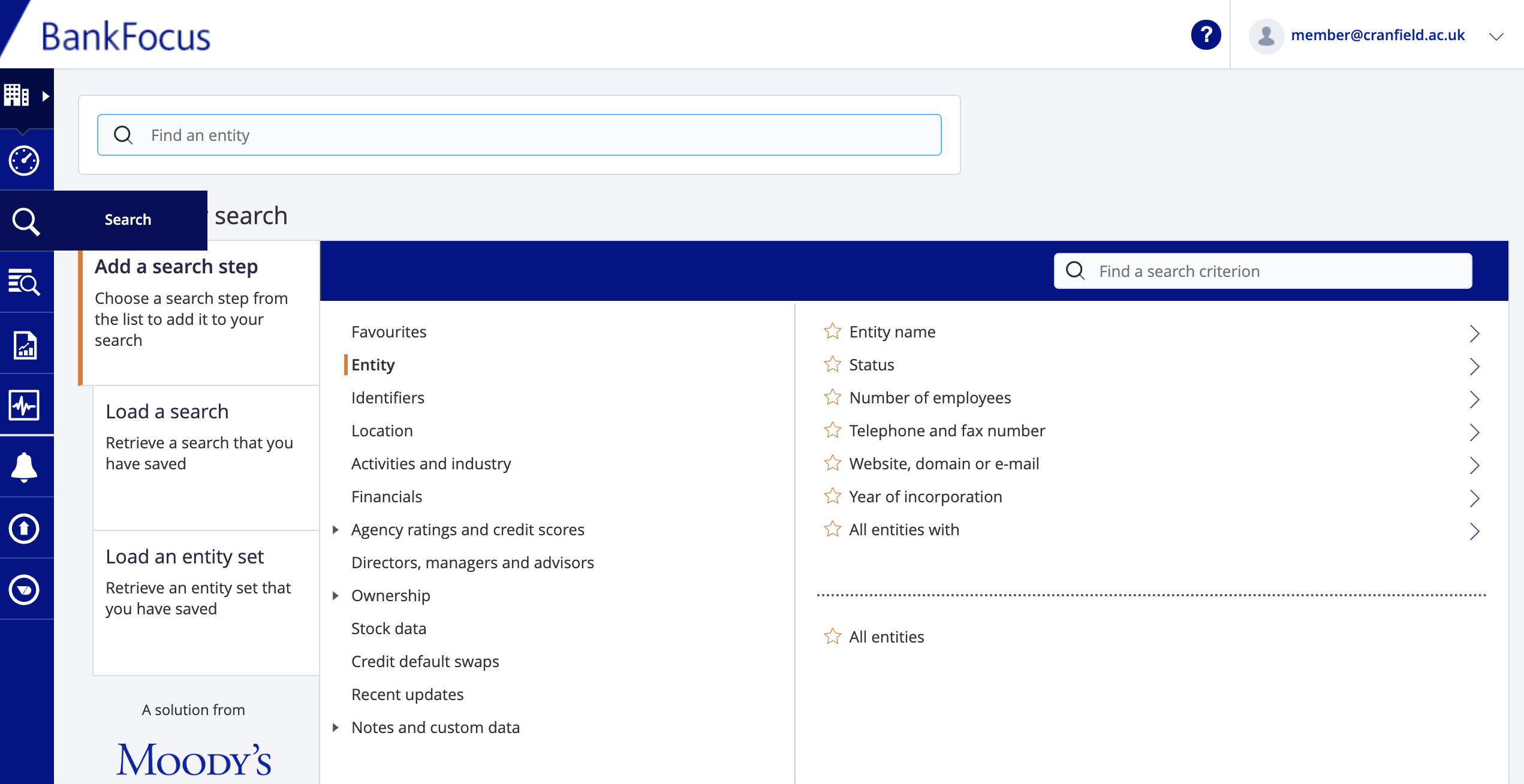
Finding data on a single named institution:
If you are researching a single entity, enter its name in the search box. In this example, I am looking for the bank, HSBC.
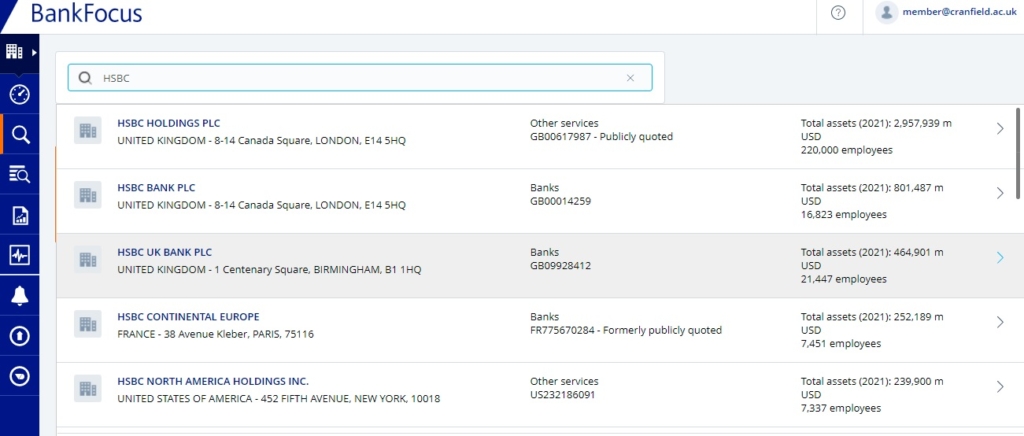
There are often multiple companies with the same name, so BankFocus gives you additional details such as address and number of employees to help you identify the one you are looking for.
From your search results, you have two options…
- To open a company report, simply click on the company name.
- To add multiple results into your search, for further filtering, either use the check boxes to select individual companies or scroll down to the bottom of the list and click on ‘Select all search results’. If you have selected multiple options, you will need to then click on ‘view results’ which will give you a list of those companies, and from there you can view a company report by clicking on the company name.
Having viewed the company you will see that there are different types of statements shown:

The consolidation code relates to what type of statement is available further information on these codes can be found within the BankFocus (Orbis) guide.
Building a search using criteria:
Let’s say you want to find out the Top 25 investment banks in France and Germany. To find these you need to choose ‘Add a search step’.
For our criteria, we will need to search using criteria from ‘Location’, ‘Activities and Industry’ and ‘Financials’.
Select the ‘Location’ search step. (This will open a sub-menu). From this choose the ‘World region, country or region in country’ heading.

Search for the countries France and then Germany, and click on each of them to select.
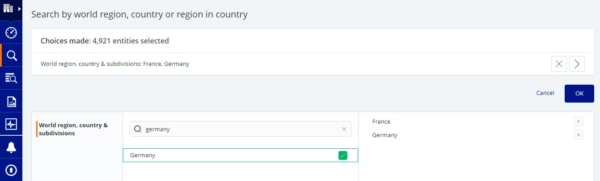
Countries chosen will appear on the right hand side. Click on OK to add to your search.
To identify investment banks, click on the ‘Activities and Industries’ heading and select ‘Specialisation’.
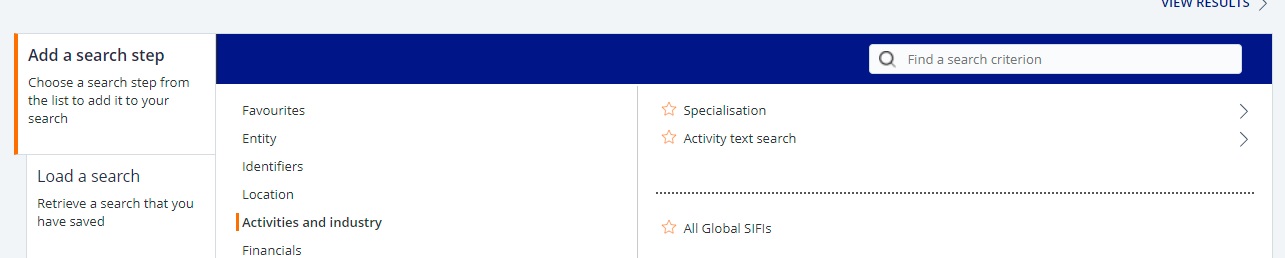
From the ‘Specialisation’ list select ‘Investment bank’ from the list and click OK to add to search.

Finally to find the TOP 25 by turnover, click on the Financials search step :
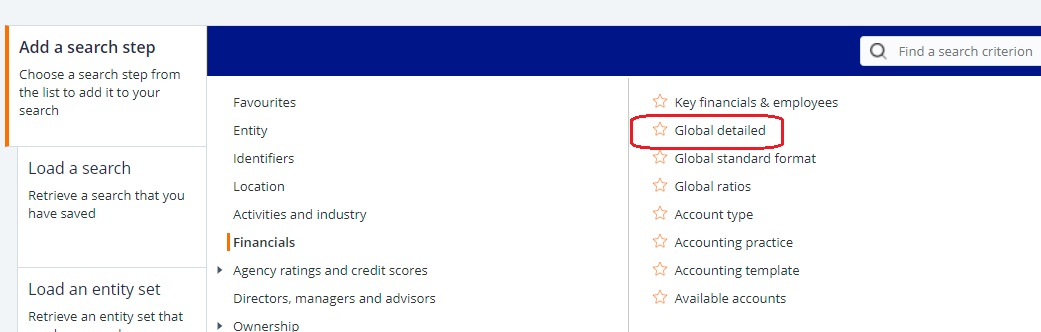
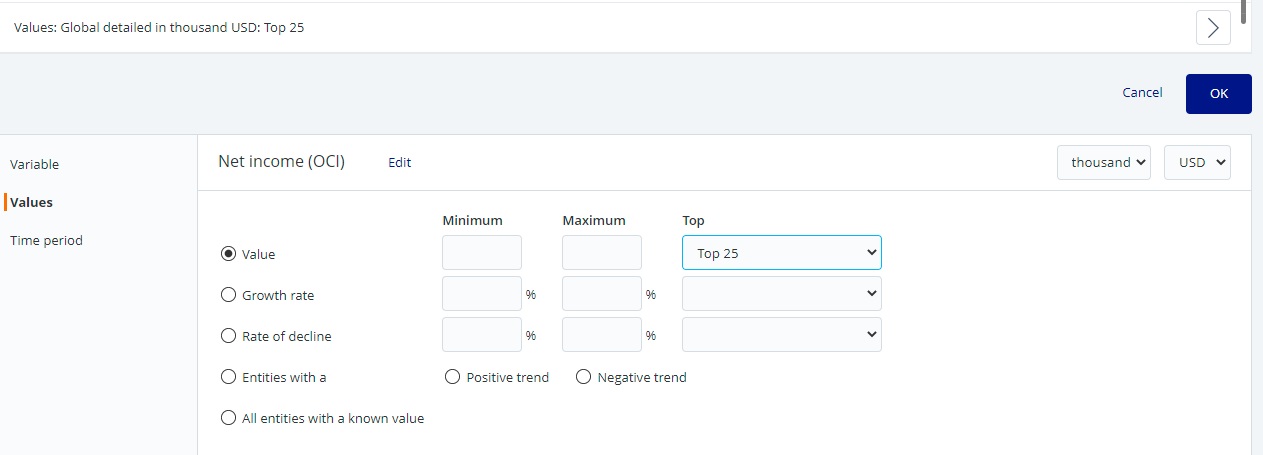
Select ‘Global detailed’. There a few choices that can be made here but if you chose ‘Value’ you can then choose from the drop down list the ‘Top 25 by net income’. Click OK to select.
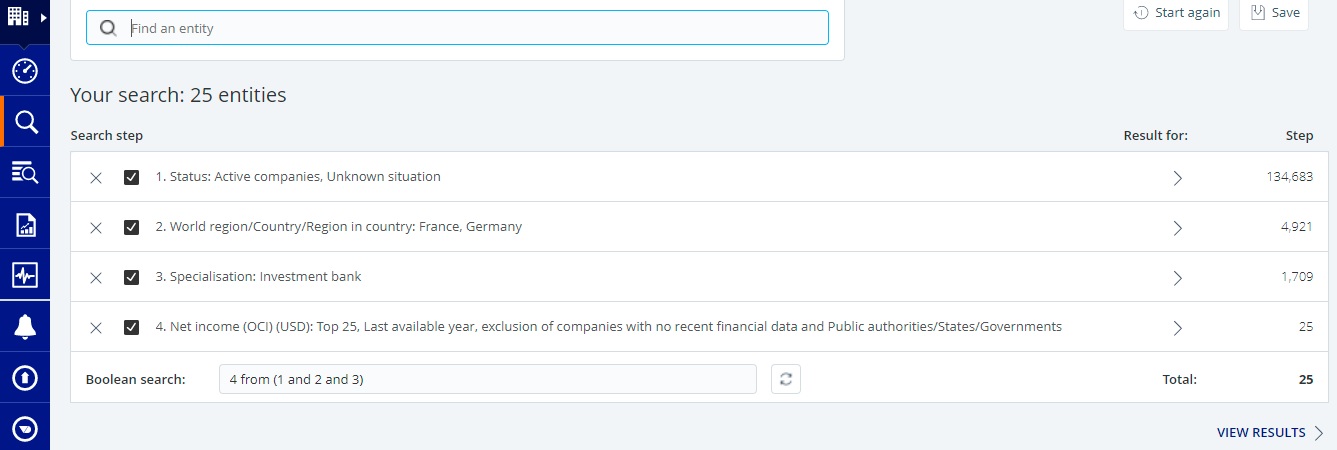
You can see all your search steps at the top of the screen. Click on ‘View Results’ to see the list of companies found from your chosen search criteria.
All the banks that meet your chosen criteria will be shown. To view an individual report click on the Bank name.
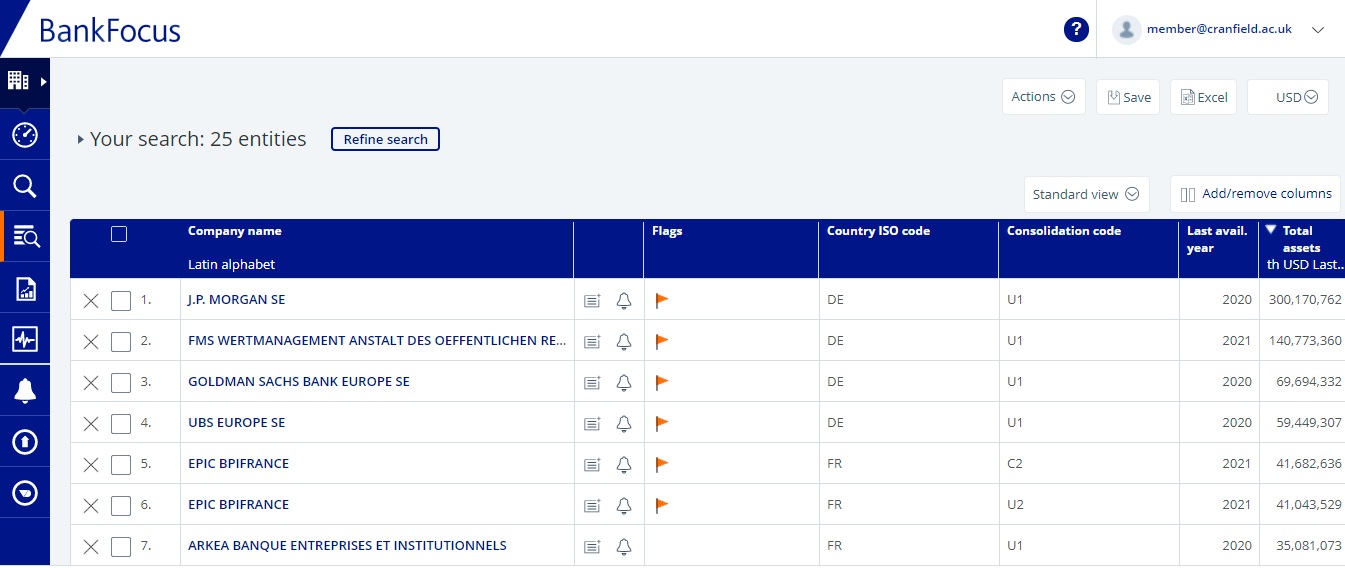
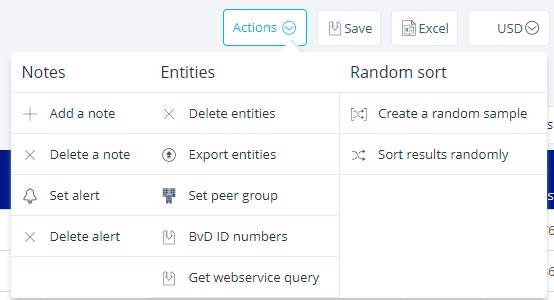
Choose the ‘Actions’ menu from the top right of the screen to refine or export your list or to set a peer group and choose the Excel option to export your results to Excel.
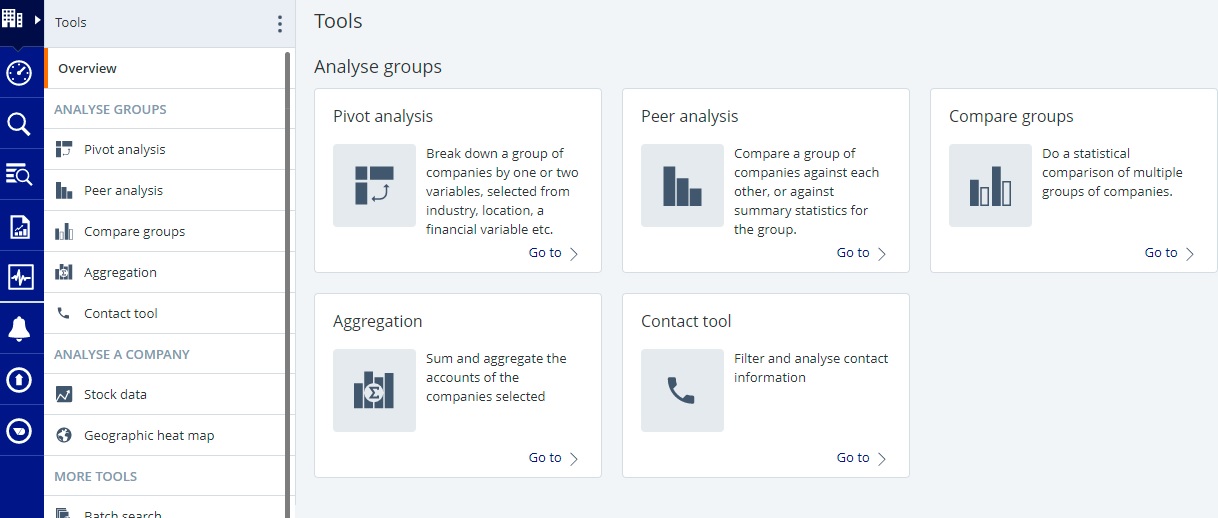
Finally you may wish to use some of the Tools menu to analyse your results.
You can find BankFocus (Orbis) on our Financial resources pages, or login directly here.
If you need any further help please contact the Library.
Public domain image from Pixabay https://pixabay.com/photos/euro-seem-money-finance-piggy-bank-870757/

Categories & Tags:
Leave a comment on this post:
You might also like…

Moving to the UK to study? How to plan for banking, exchange rates and transfers
Currency and banking are two of the most practical parts of financial planning for international students. They are also often the most overlooked. We asked Dr Lakshmy Subramanian, Course Director for Cranfield University's Banking, ...

Cranfield: an environment where innovation thrives
The latest Knowledge Exchange Framework rankings from UK Research and Innovation (UKRI) gives an insight into the real and meaningful impact that UK universities have. The seven categories that make up KEF6 cover everything ...

How Cranfield accelerated my career in Logistics and Supply Chain Management
After graduating from the MSc in Logistics and Supply Chain Management at Cranfield University, I've been reflecting on the experiences that made my journey so valuable and the impact it has had on my ...

Mendeley: a powerful tool to organise and manage your references
Are you looking for a way to manage your references, create in-text citations and reference lists for your assignments or thesis? If so, you may wish to consider using Mendeley. What is it? Mendeley is ...

Keen to develop your study skills?
Alongside the technical skills and academic knowledge that you will gain on your course, as a Cranfield student you have the opportunity to develop a range of other skills that can enhance your learning experience. ...

The V-conomy: powering the sixth wave of global economic growth
The world could be on the verge of a major surge in economic growth and development, driven by the convergence of AI and clean energy technology. Waiting to ride the K-wave The Russian ...
Comments are closed.