


Sourcing company Betas in LSEG Workspace and Datastream
12/06/2025

Following our introductory post on sourcing Betas, this post will go into a little more depth for those who may be seeking more complex data. Betas are accessible in LSEG’s Workspace service, through Workspace itself, also in the Datastream Excel add-in. This provides a flexible solution allowing you to gather Betas for more than one equity/company at a time utilising the features to create lists on Datastream. Read on to find out how to source Betas in each platform.
Betas in Workspace:
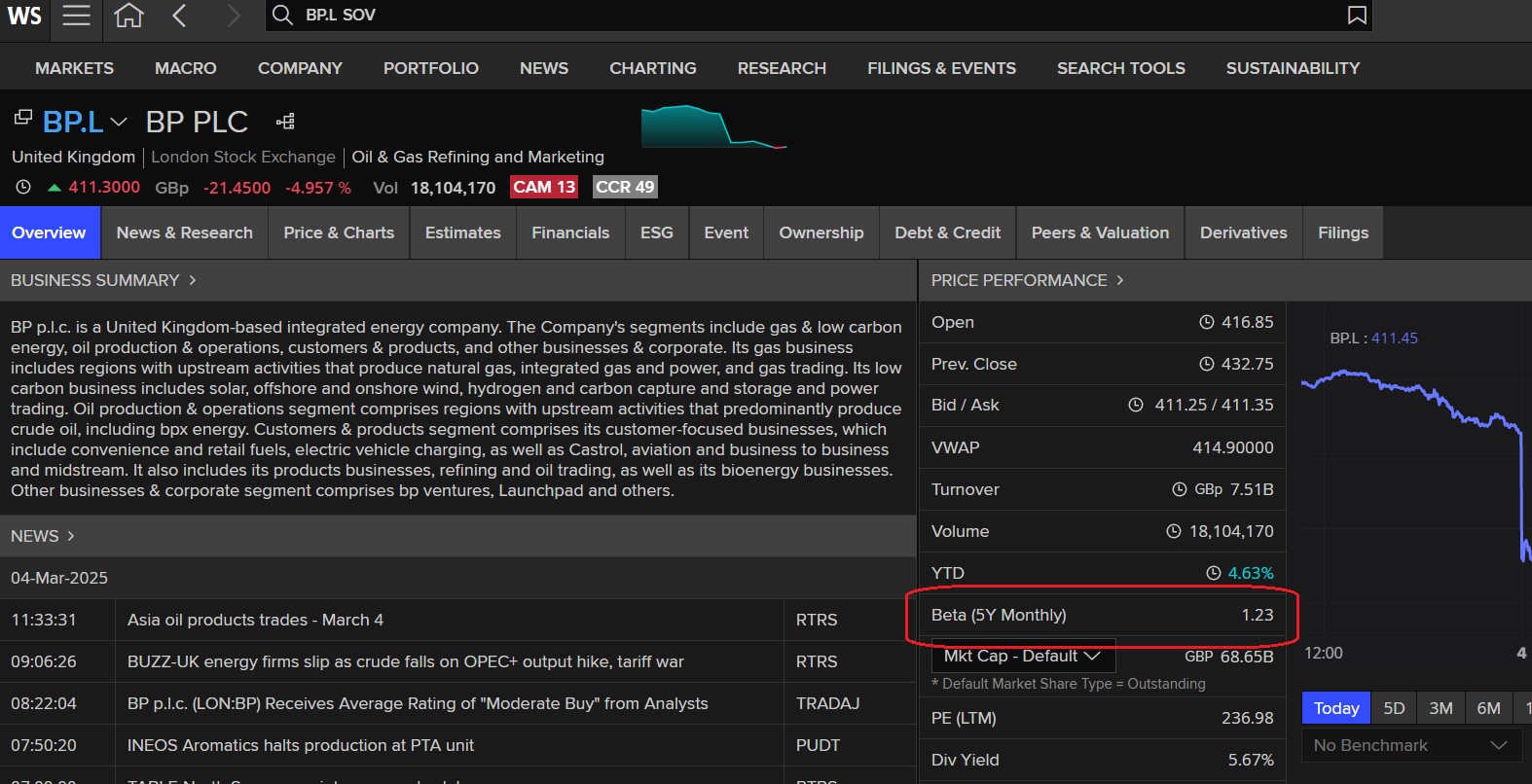
To source a company Beta on the Workspace platform, check out the Price Performance section of the company profile document. You will find 5 year monthly Beta for your equity (in this case, BP plc) listed next to the share price diagram. If you are using Workspace via the Excel add-in however, use the Excel function =TR(“BP.L@RIC”,”TR.BetaFiveYear”) to source your Beta.
Betas in Datastream
Betas are also accessible in Datastream, which is available via the Workspace Excel add-in. Datastream provides current Betas and pre-formatted expressions to calculate historical Betas for quoted companies around the world. Data is not held historically although it is possible to use formulae to calculate historic Betas, so Datastream provides the option either to use a predefined formula for the calculation of the Beta or use the Expression Picker to calculate your Beta hence making it more flexible option if you wish to do your own calculations. In order for Datastream to display Beta calculations, at least 2½ years of data are required.
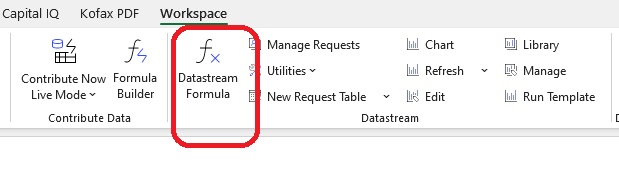
First access the Datastream formula function within Excel.
Current Betas in Datastream
- From the Workspace Excel menu options choose Datastream Formula (as shown above). A search form will appear.
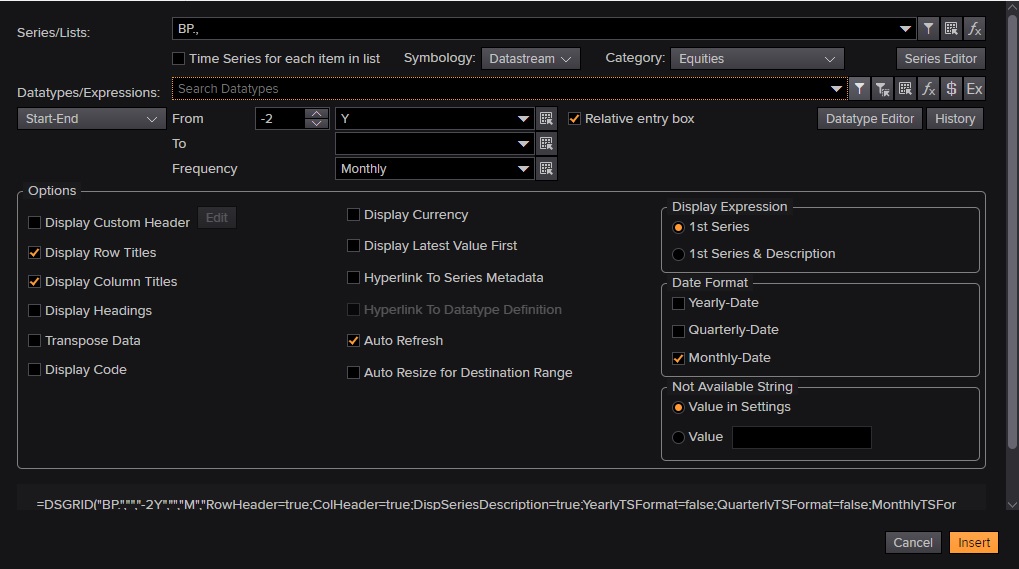
- Datastream screen
- Click on the funnel icon beside the Series/Lists search box. This will take you into the Datastream Navigator where you can search for the company you want.
- Type the name of the company in the search box, e.g. BP, and select the correct company from the options displayed. To select, place a tick in the box next to the name and then click on ‘Use’ at the top of the column to import it into the search form.
- Then go to the ‘Datatype/Expressions’ line. Hover over the options to the right of the search box and choose Datatypes or Datatypes associated with series, type in “Beta”

- Click on ‘Search’ and from the options displayed select ‘Beta (WS) – WC09802’. (To get the datatype definition click on the datatype heading and see the description provided).
- Change from ‘start/date’ to ‘As of’ and just leave at Latest Value.
- Click on the orange insert box at the bottom right hand box of search form the latest beta value will be displayed in excel. As shown in insert.
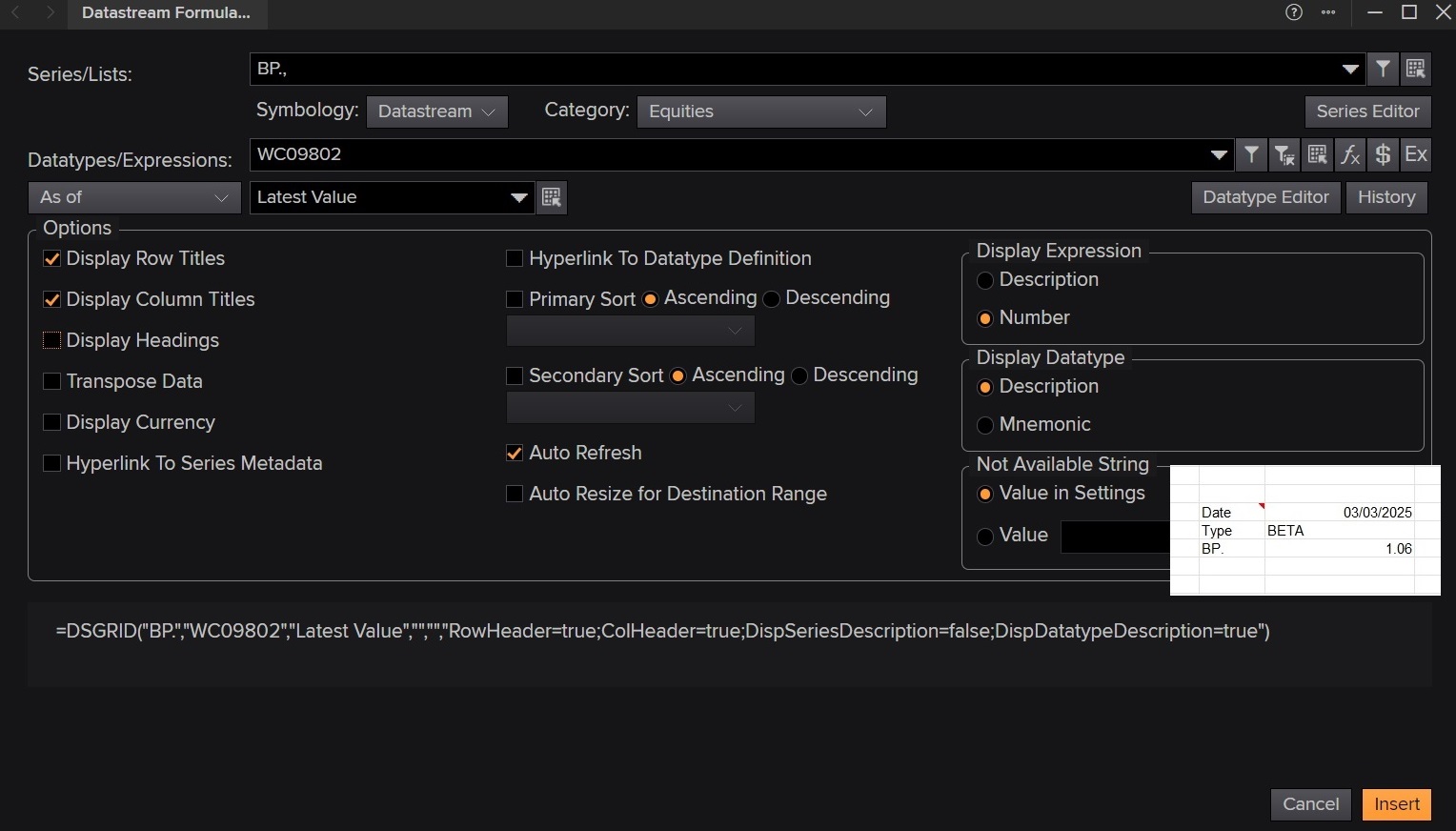
Current Beta in Datastream also showing search form
Historical Betas in Datastream
- As above, select the Datastream Formula screen
- Click on the upside down funnel ‘Find Series’ button and follow the steps above to find the company you need.
- Then click on the ‘Expression Builder’ icon letter E– available to the right of the search datatypes search box. You will be taken to the Expressions page.
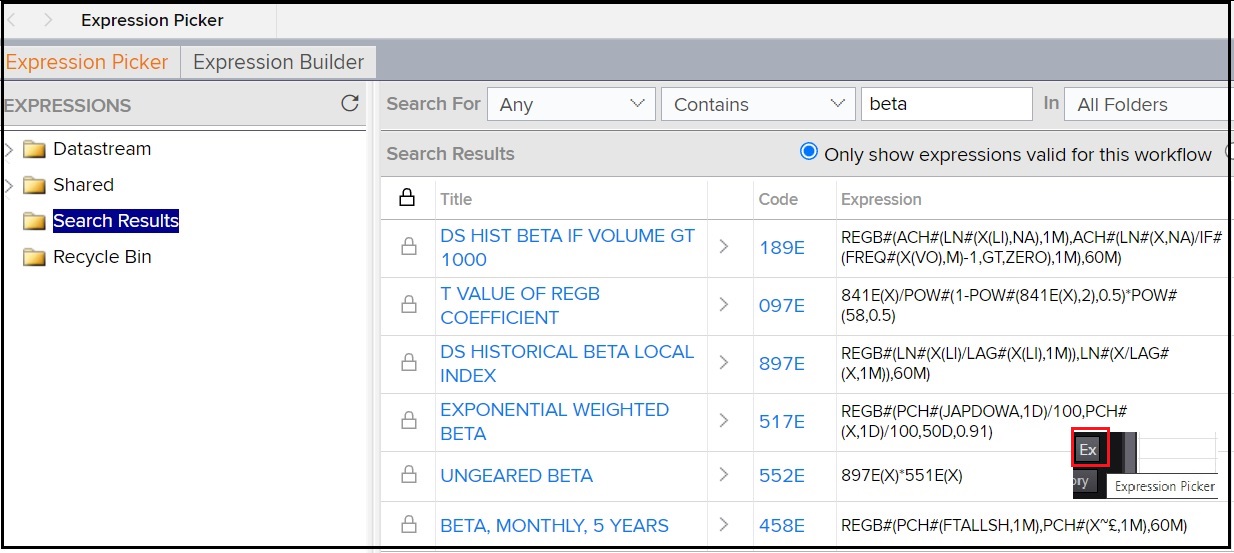
- Make sure that Expression Picker tab is selected.
- In the Search For boxes choose ‘Any’ and then enter beta. Click on Search and a list of relevant expressions will be displayed.
- Select BETA, MONTHLY, 5 YEARS by clicking on the code ‘458E’
- Enter your time period, e.g. -2Y, and frequency e.g. Quarterly.
- Click on ‘Submit’ and your values will be displayed.
- Results can be transferred to Excel.
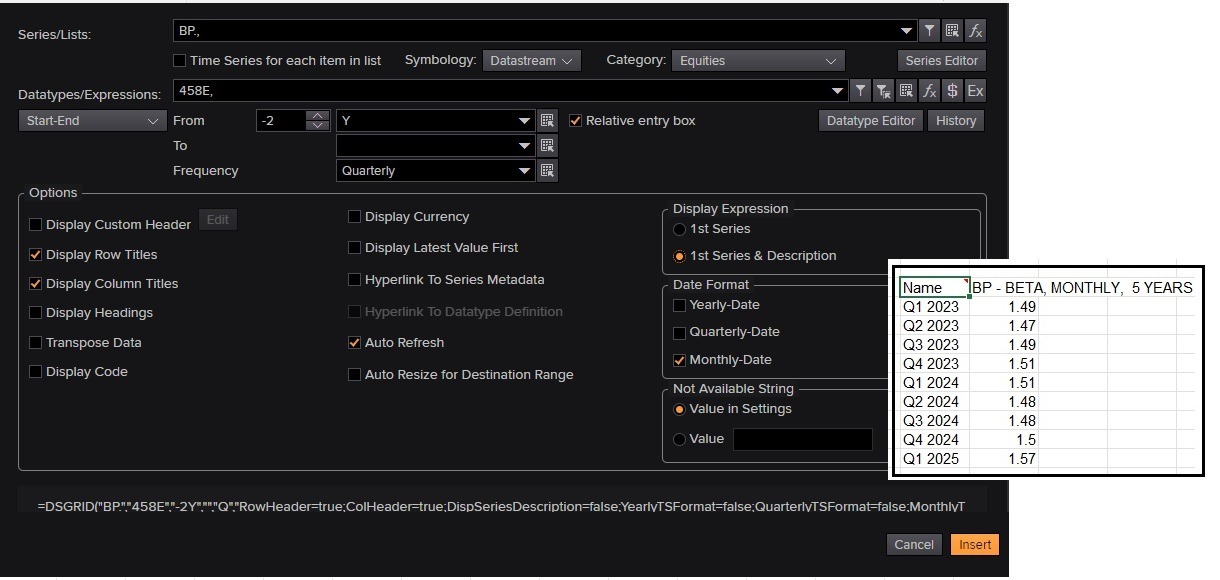
Historical beta on Datastream
Datastream is available on the Workspace Excel add-in which can be downloaded to your laptop.
If all of this sounds a little complicated and scary, why not read our Beginner’s guide to sourcing a company Beta too.
If you have any questions on Workspace or Datastream or sourcing financial data, please contact our Business Librarians for more information.
Feature image from Pixabay. Available at: https://pixabay.com/photos/business-stock-finance-market-1730089/

Categories & Tags:
Leave a comment on this post:
You might also like…

Library services over Easter, 3-6 April
Kings Norton Library will remain open for study 24/7. You will need your University ID card to enter the building and can use the self-service machines to borrow and return items as usual. Barrington Library ...

How do I access the full-text of Harvard Business Review (HBR)?
This is a frequently asked question, and it's worth knowing how to access this key management journal. So, how do you access HBR in full-text? The short answer is via our eJournals finder. You can find ...

Engineering problem to solve? Let Knovel help you find a solution
Did you know that Knovel provides you with more than just eBooks? Knovel is a key database for many engineering, mechanical and materials courses here at Cranfield University, and contains content from an extensive range ...

What happens when female scholars meet influential leaders?
On the 5 March 2026, our British Council Women in STEM Scholars had the privilege of sitting down with two excellent role models of industry and academia: Professor Dame Karen Holford, ...

From MSc to CEO: Igniting a research revolution
For many, a master’s degree is achieving a big milestone. Kilyan Ocampo, Computational Fluid Dynamics alumni shares how studying at Cranfield helped launch his career in the energy sector. Today, Kilyan ...

Commuting, collaborating and growing: My first term experience at Cranfield
My first term at Cranfield University has been an extremely positive and rewarding experience. While the course has been intense at times, it has pushed me in the best possible way and allowed me ...