


Where can I find… Company financial ratios?
15/12/2024

Financial ratios are often used to measure the performance of a company. These can be found ‘ready-made’ in several of our finance resources.
Company ratios can be categorised into different types:
- Profitability ratios – e.g. profit margin or return on capital employed. These analyse profitability.
- Liquidity ratios – e.g. cash ratio. These indicate how quickly a company’s assets can be converted into cash in order to pay creditors.
- Solvency (or debt) ratios – e.g. debt equity ratio. These show how well a company can deal with its long term financial obligations.
- Valuation ratios – e.g. price earnings ratio. These are used to measure the attractiveness of an investment in a company.
Analysis of financial ratios can be used to show how well a company is doing relative to its competitors. In this post, we are highlighting resources where the ratios come pre-calculated. Bear in mind however that ratios are calculated using standard formulae from data in the company’s financial statements – and if you are doing some in-depth analysis, you will be expected to do such calculations yourself.
If you need quick ratios, the best resources to look at are:
- Capital IQ
- Fame
- Bloomberg.
On Capital IQ, ratios can be found with the Financials menu. Simply type a company name into the search box, load up the company profile and look to the left hand menu. You will find the Ratios option under the Financials/Valuations heading. Both current and historical rations are available.
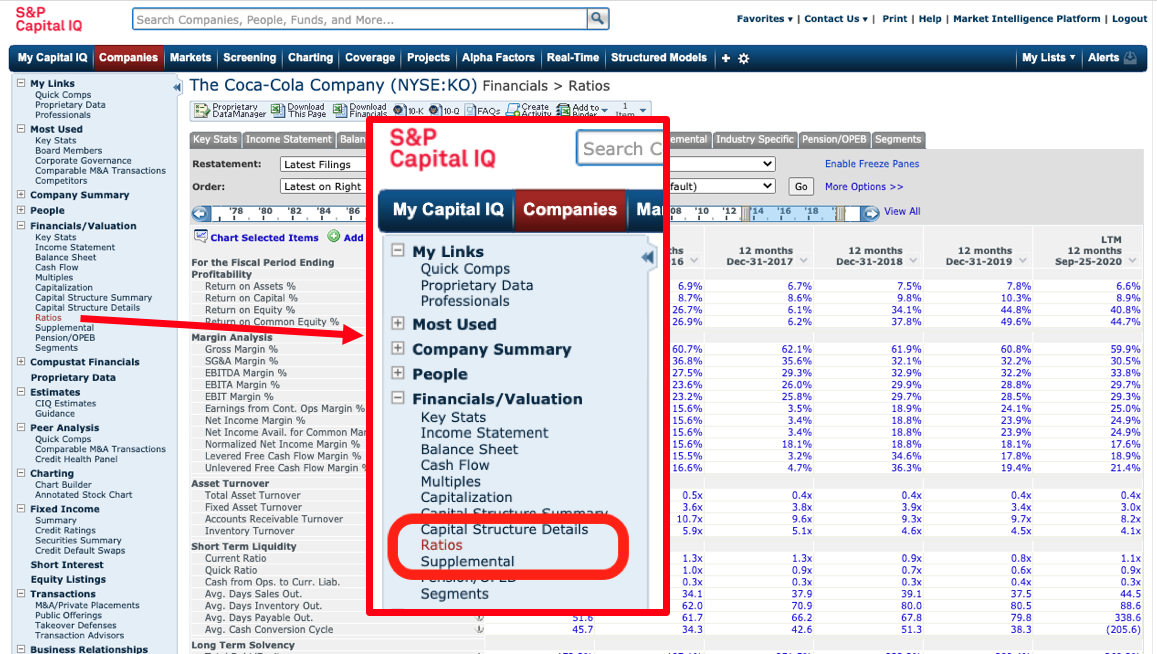
Use the menu situated directly above the data table to download to Excel.

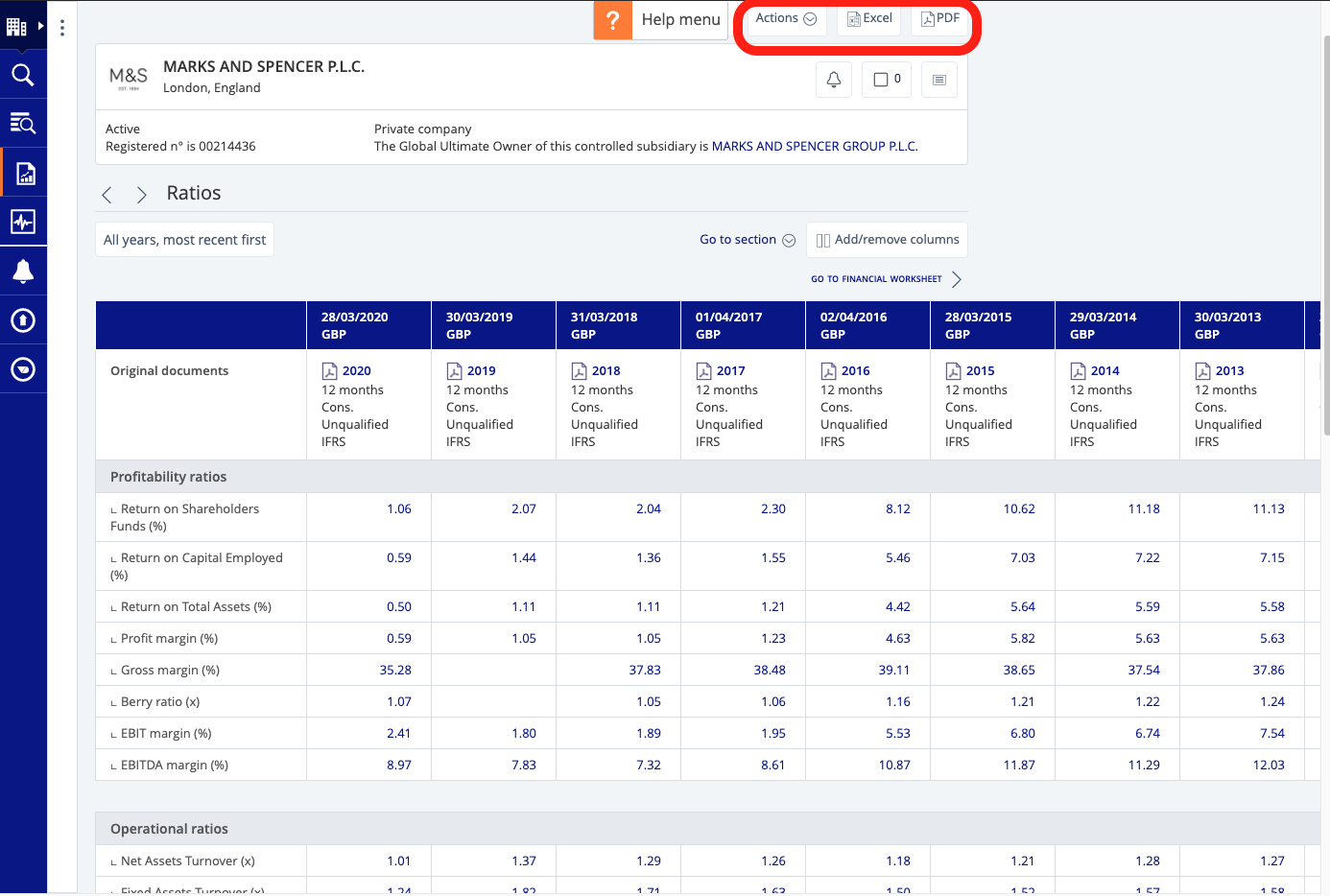
On Fame, ten years of financial ratios are available. To view the ratios section, use the dots icon on the left-hand side to open up the table of contents. From here, select ‘Financials’ > ‘Ratios’.
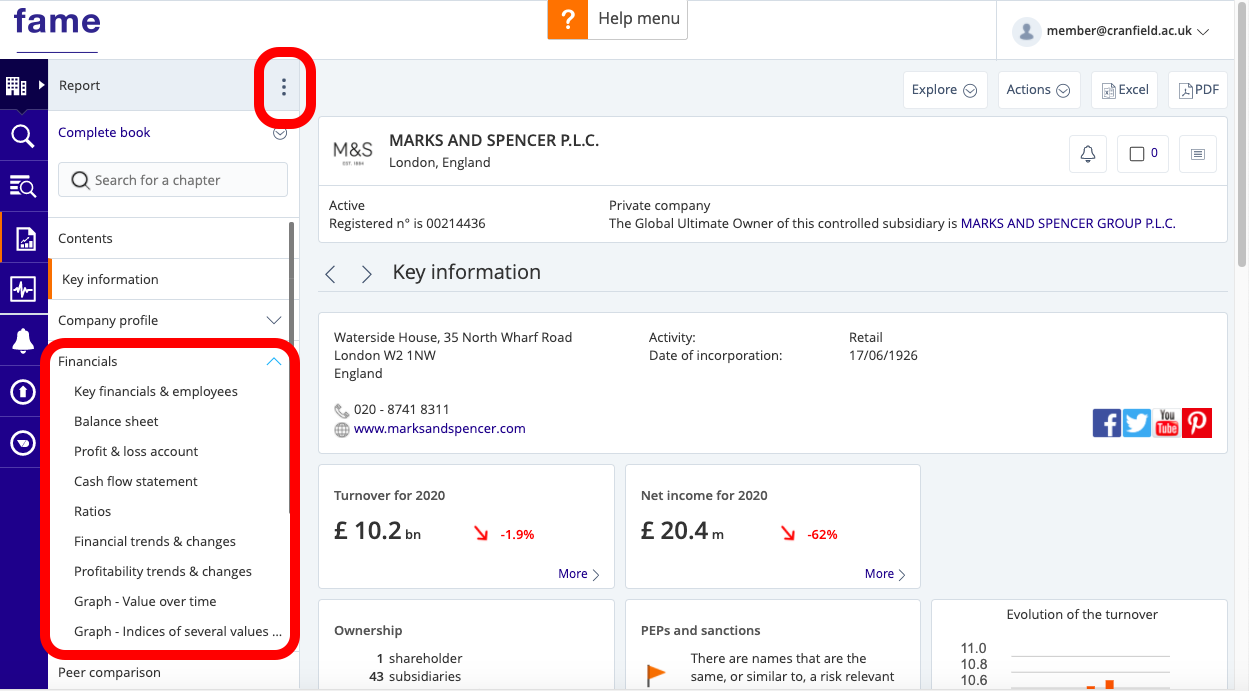
To export, click on the Excel or PDF icon at the top.
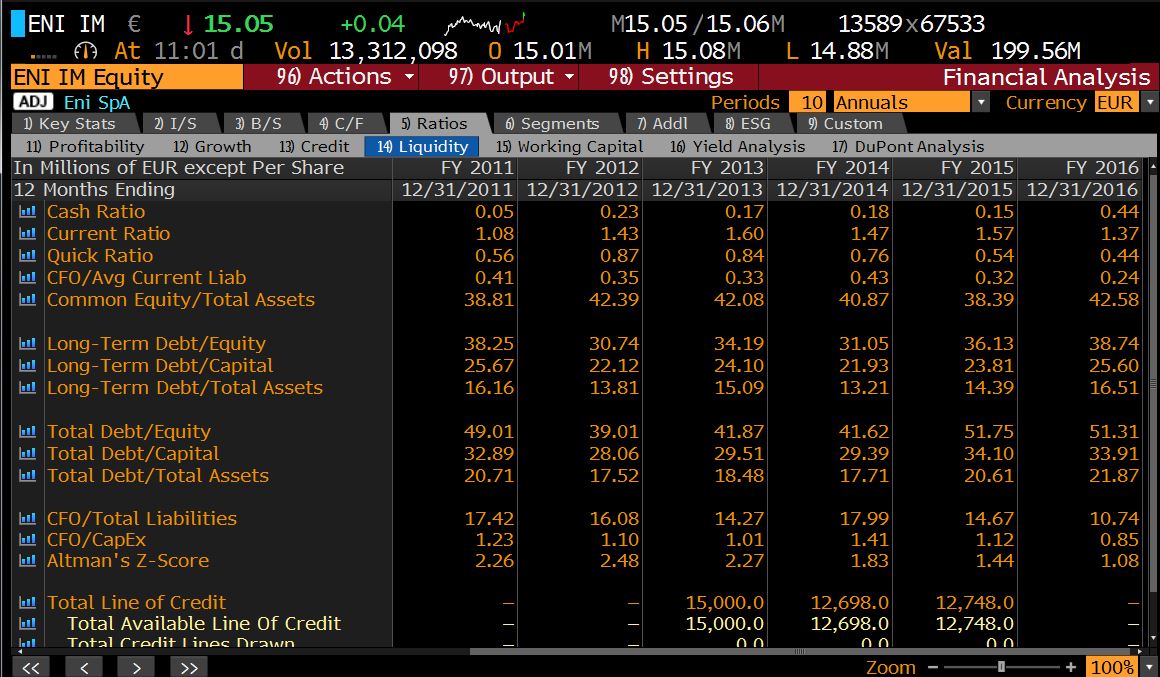
On Bloomberg, a summary can be found in the Company Description <DES> or a more detailed list on the Ratios tab within a company’s Financial Analysis <FA>. To export, first ensure your Office Add-ins are enabled then select ‘Output’ > ‘Excel’> ‘Current Template’ from the red menu bar.
If you have any questions about where to find particular ratios or any other financial data you require, please do not hesitate to contact the Library.
Feature image from Pixabay. Available at: https://pixabay.com/photos/savings-budget-investment-money-2789112/

Categories & Tags:
Leave a comment on this post:
You might also like…

Company codes – CUSIP, SEDOL, ISIN…. What do they mean and how can you use them in our Library resources?
As you use our many finance resources, you will probably notice unique company identifiers which may be codes or symbols. It is worth spending some time getting to know what these are and which resources ...

Supporting careers in defence through specialist education
As a materials engineer by background, I have always been drawn to fields where technical expertise directly shapes real‑world outcomes. Few sectors exemplify this better than defence. Engineering careers in defence sit at the ...

What being a woman in STEM means to me
STEM is both a way of thinking and a practical toolkit. It sharpens reasoning and equips us to turn ideas into solutions with measurable impact. For me, STEM has never been only about acquiring ...
A woman’s experience in environmental science within defence
When I stepped into the gates of the Defence Academy it was the 30th September 2019. I did not know at the time that this would be the beginning of a long journey as ...

Working on your group project? We can help!
When undertaking a group project, typically you'll need to investigate a topic, decide on a methodology for your investigation, gather and collate information and data, share your findings with each other, and then formally report ...

From passion to purpose: My journey at the Pinnacle of Aviation
By: Sultana Yassin Abdi MSc Air Transport Management, Current Student Born and raised in the vibrant landscape of the UAE, with roots stretching back to Somalia, my life has always been ...