


Introducing… SDC Platinum on Workspace
29/02/2024

SDC Platinum is one of the most recognised resources for Deals information. These could be bond and equity new issues (e.g. initial public offerings (IPOs)), Mergers and Acquisitions (M&A), syndicated loans, municipal deals, etc…
SDC is now available on Workspace. If you haven’t registered yet for a Workspace account, here is the link.
For access to SDC via Workspace, you will need to select SDC as one of the optional add-ins.
Once you have an account, login to Workspace and type ‘SDC’ in the top search bar and select the SDC App.
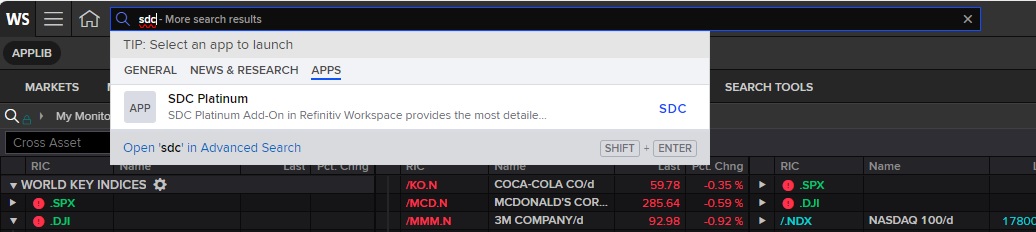
SDC App on Workspace
This will take you to the SDC homepage where you can either start a new session, open a session you have already created and saved, or open Standard Session and choose a session from pre-created searches. You can also search for deals that appear in the Deals Intelligence reports on the right hand side of the screen from links within the reports.
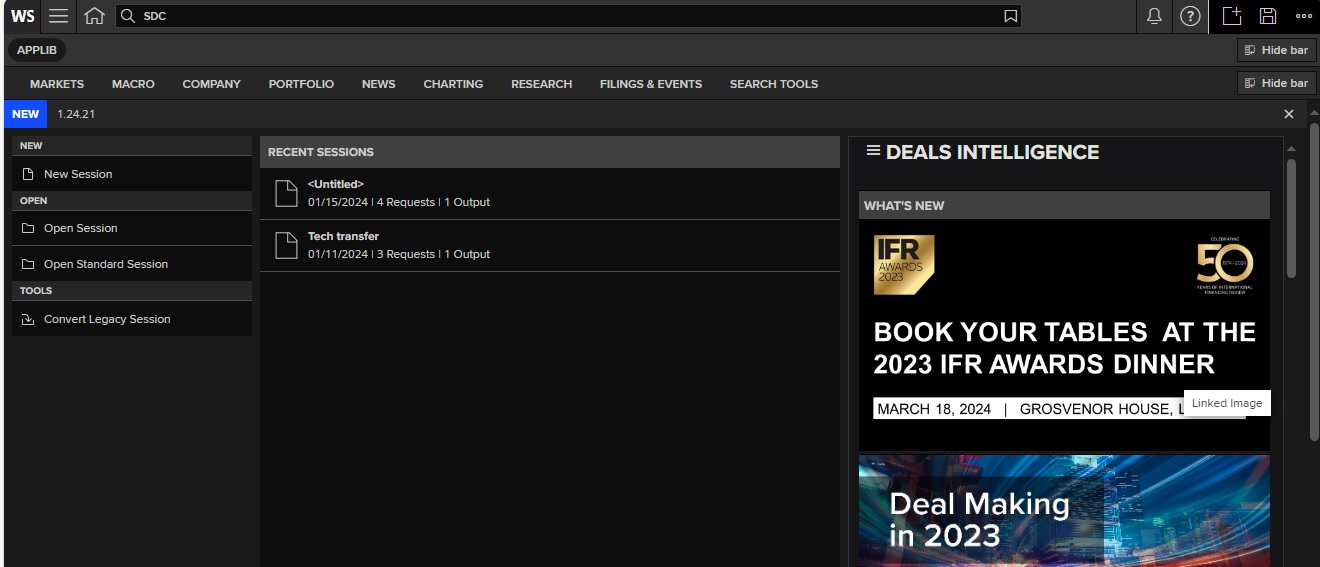
SDC App homepage
To start a new search in SDC, select ‘New Session’. You will need to choose which SDC database you wish to search. The two largest databases are the Global New Issues and the Mergers & Acquisitions sections but we also have access to Municipal bonds, Corporate Governance, Infrastructure and Private Equity deals.
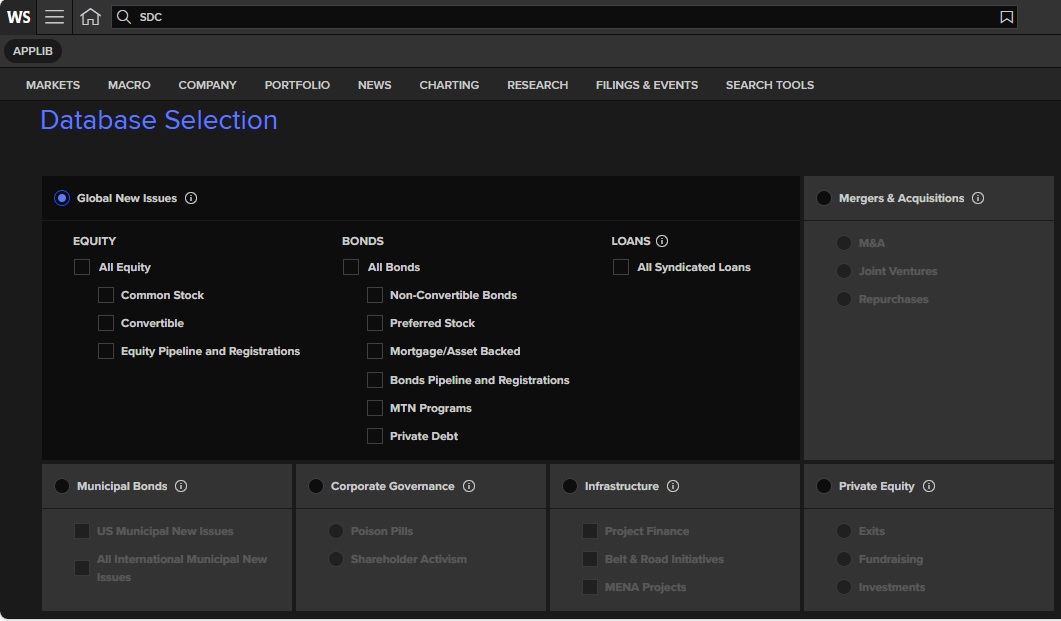
SDC Databases
For this example, select the Mergers & Acquisitions database and click the NEXT button at bottom right hand side of screen. You will then arrive at a screen where you can choose your search criteria. SDC will automatically select all years of data back to 1962, but in our example we will look for all M&A deals in the energy industry in the UK since 2015.
- You can amend the Date announced to start at 1 Jan 2015.
- Type ‘industry’ in the Data Item Library search box to select an industry – there are many options but choose Macro Industry as this is based on SIC codes. Select ‘Energy and Power’. You are given the option to select the target company, acquirer company or both. ‘Target’ is automatically selected, which targets the company and which I chose for my search.
- Type ‘nation’ into the Data Item Library search box and choose ‘Nation classification’. Select ‘United Kingdom’ from the dropdown list.
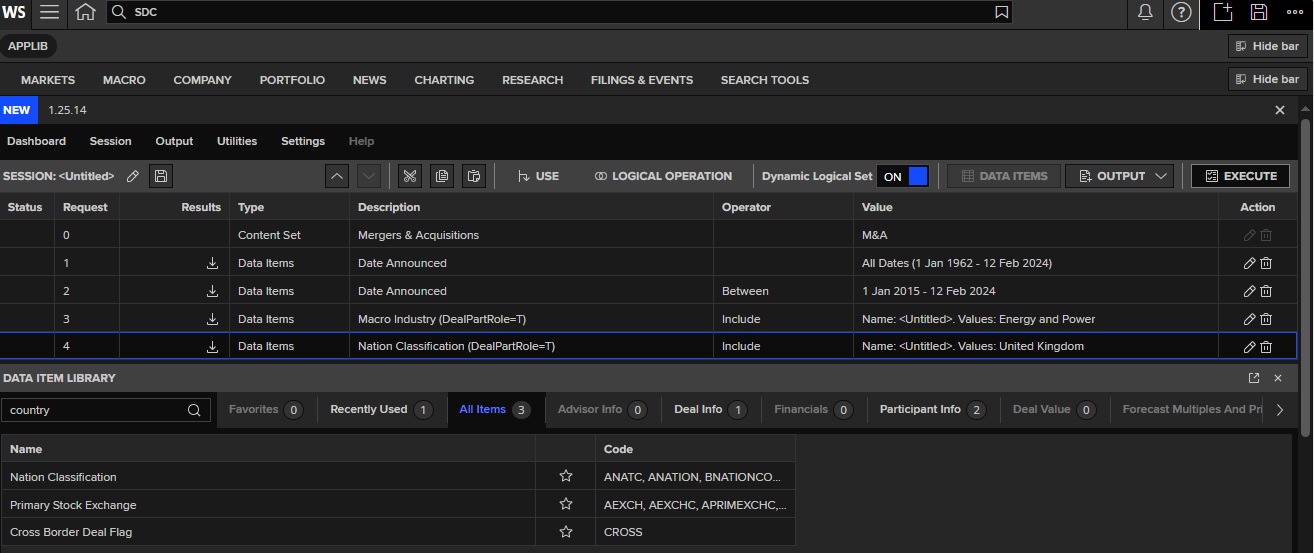
Example M&A search in SDC
To view your results you will need to execute your search but, before you do this, you need to choose your report option. Click on the ‘output’ dropdown menu towards the right of your screen.
- ‘New Custom’ allows you to create your own report output.
- ‘Open Custom’ allows you to choose a report that you created earlier
- Standard report allows you to choose from several pre-created report layouts.
I chose SDC standard brief financial reports, then click to execute search. As long as you have less than 50.000 results, the deals should be displayed that match your criteria. Results will be displayed on an Output screen. Results can be easily exported to Excel. If you wish to change the information displayed, the columns can be edited as required.
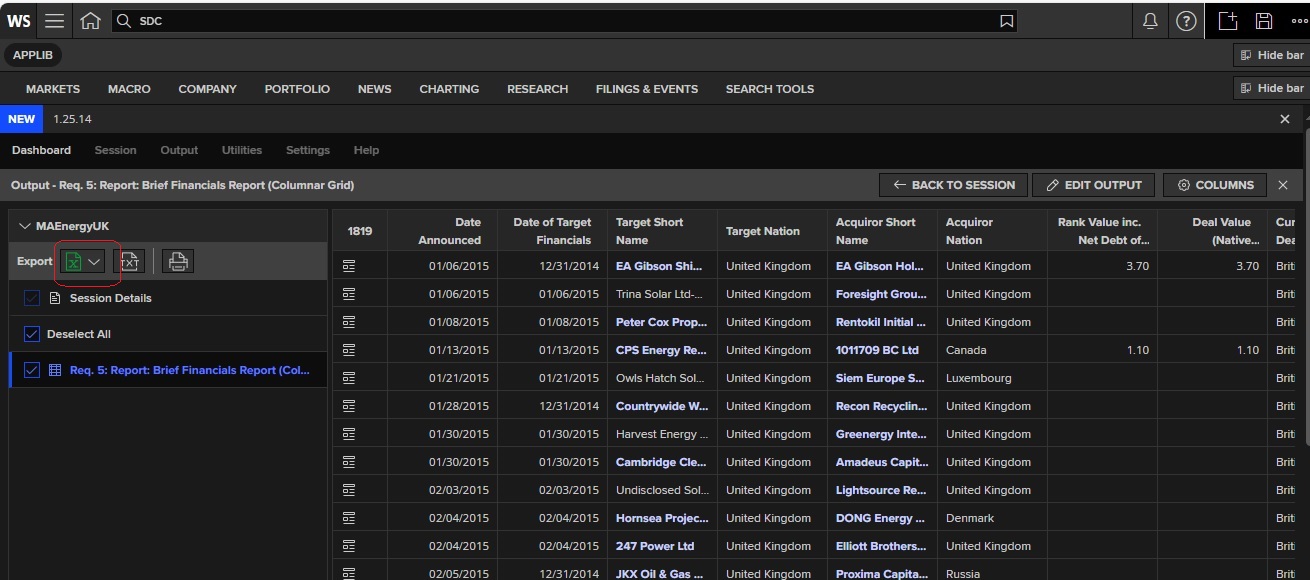
SDC Results Output Screen
Remember to give your session a name and save it so you can reuse it another time. If you create your own customised output report you can also save this for later use, which you can do on the ‘Session’ screen.
To access LSEG’s video on how to use SDC on Workspace, click here. You will need to login using your Workspace credentials.
For more information on Workspace, Datastream or SDC please see our Guide via this link: Workspace (LSEG): A basic guide
If you have any further questions on this resource or any of our other financial resources, please do get in touch.
Feature image from Pixabay. Available at: https://cdn.pixabay.com/photo/2016/11/27/21/42/stock-1863880_960_720.jpg

Categories & Tags:
Leave a comment on this post:
You might also like…

Keen to develop your study skills?
Alongside the technical skills and academic knowledge that you will gain on your course, as a Cranfield student you have the opportunity to develop a range of other skills that can enhance your learning experience. ...

The V-conomy: powering the sixth wave of global economic growth
The world could be on the verge of a major surge in economic growth and development, driven by the convergence of AI and clean energy technology. Waiting to ride the K-wave The Russian ...

Need help using the Python programming language?
We know some of our students are currently trying to learn Python, so we wanted to make you aware of some great LinkedIn Learning videos that can help. But don't you have to pay for ...

What does it really take to become a Chevening Scholar?
Say “Turkmenistan” to most people and you’ll get a blank look. That was true when I left Ashgabat for the UK to study an MSc in Logistics and Supply Chain Management at Cranfield University ...

Get a head start on referencing and plagiarism
We offer a module on Referencing And Avoiding Plagiarism which you can find on your Canvas dashboard. It explains the role and importance of citing references and how to incorporate the work of other authors ...

How Cranfield shaped my journey as an Aerospace Engineer
If I'm being specific about the moment it clicked, it was reading a paper called "On the Role and Challenges of Computational Fluid Dynamics (CFD) in the Aerospace Industry" by two Boeing engineers, P. ...
Comments are closed.