


Creating a new user account in Mendeley
10/03/2025

Before you start using Mendeley reference management software, you will need to create an account. This is a really simple process and should take you no more than a couple of minutes. Just follow the instructions below.
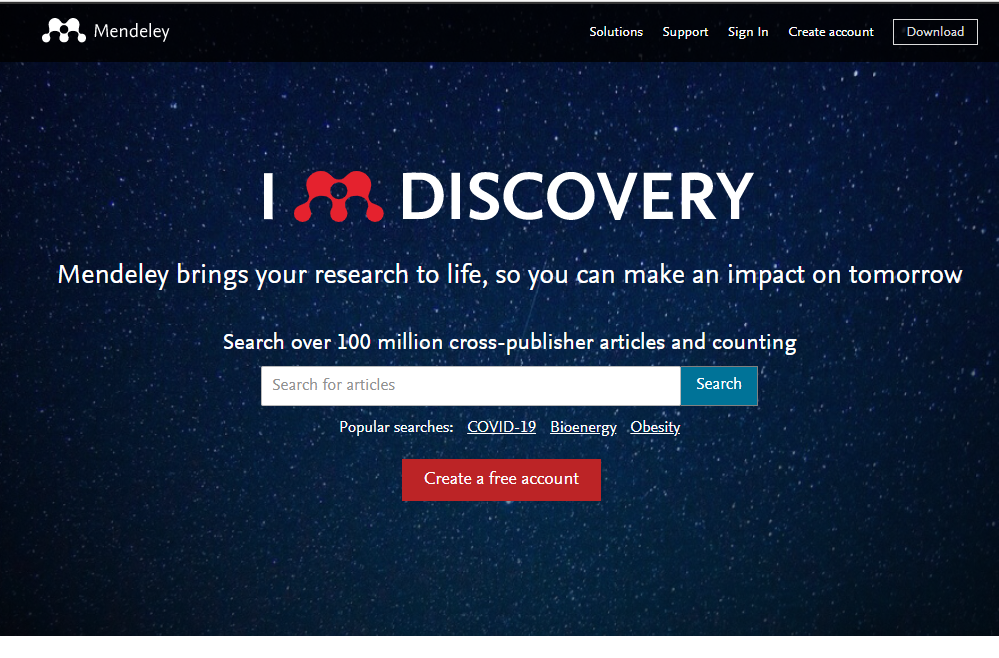
Head to the Mendeley website and click on the big red ‘Create a free account’ button.
Select the ‘Sign in via your organization’ box and type in Cranfield. Select ‘Cranfield University’ from the drop down options. Follow the prompts to authenticate yourself as a Cranfield user. (You may need to sign in using your Cranfield details).
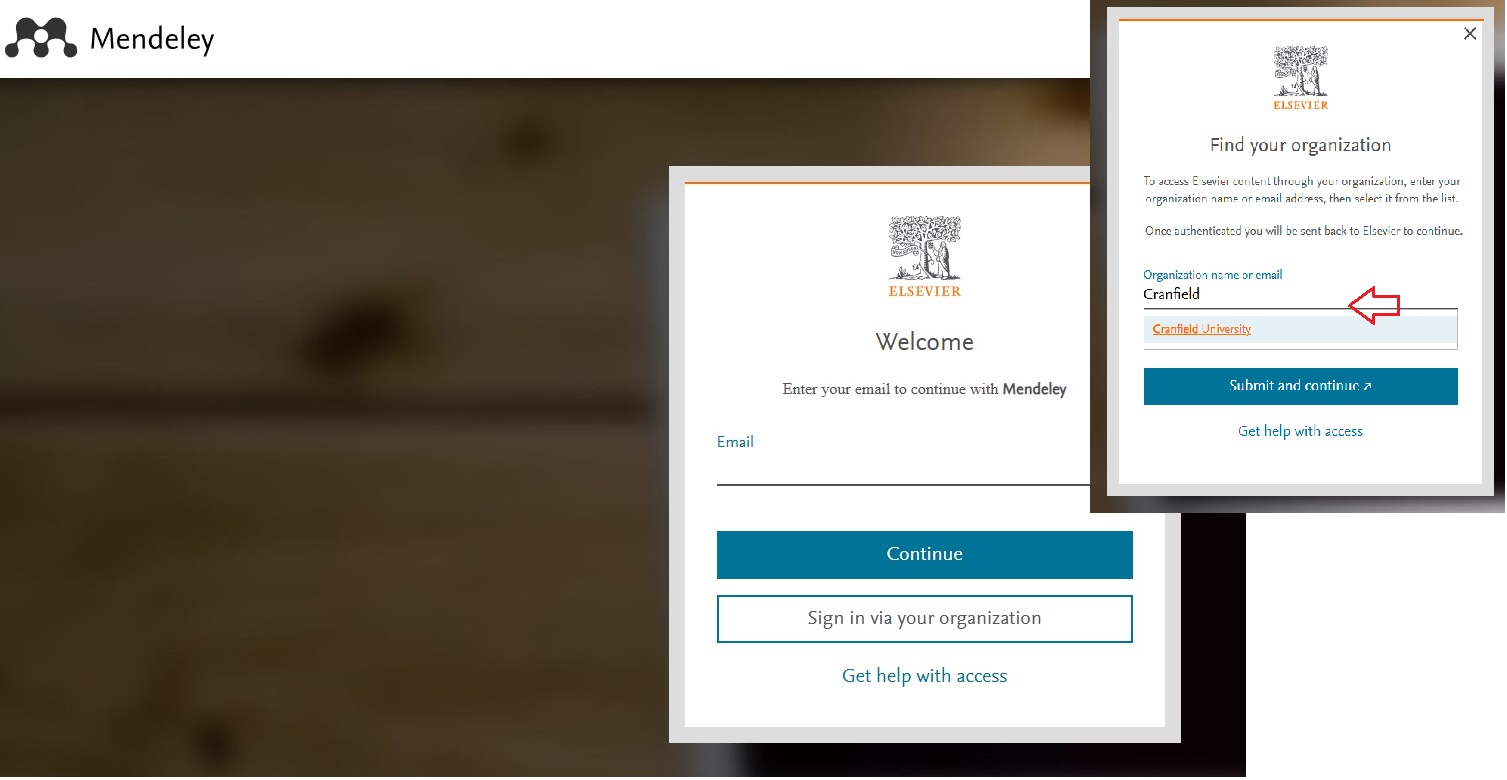
How to create a new Mendeley account
Using this method will allow you to access the full text of articles whilst you are at Cranfield and will also permit you to easily move documents between your Cranfield and Mendeley account.
When you are finishing your course or leaving Cranfield you will no longer be able to use your Cranfield email address so remember to open your Mendeley account profile [top right of the screen] and change your email details to a personal email address.
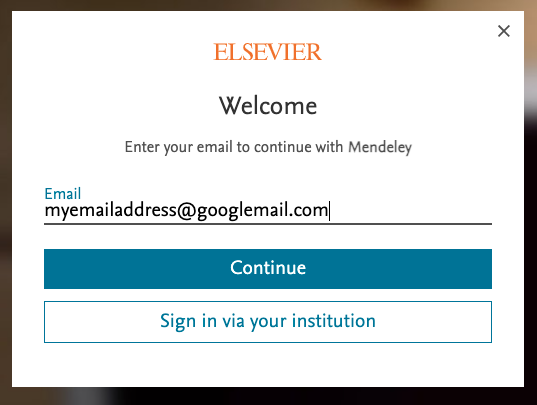
Alternatively, you can also choose to use your personal email address in this step which will allow you to keep your Mendeley account active once you are no longer a student with no need to change details.
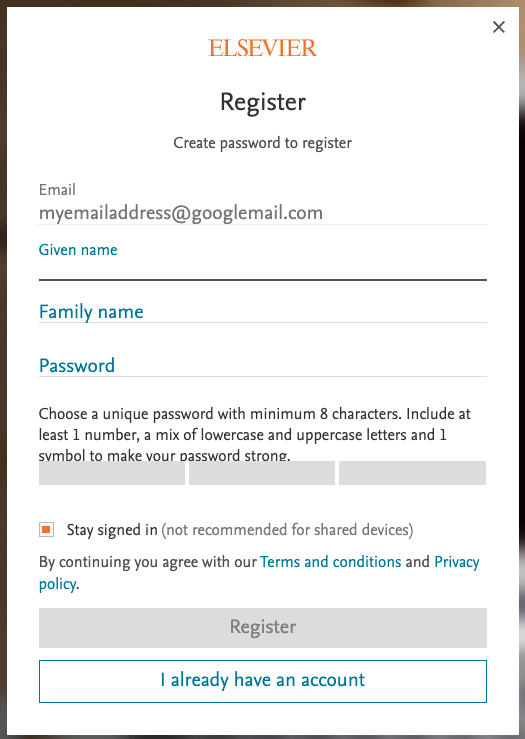
Now enter your name and create your password. This is completely separate from your Eve / CCNT password. Make sure this is something you will remember.
You should receive a validation email from Mendeley to confirm your email address. Click the link to do so and that’s it. You’re done!
Your account is now active. You can now start adding material to your library, and download the citation tools. Mendeley also offers comprehensive support pages to get you started Mendeley Guides
If you’d like to know more about Mendeley before signing up, check out our previous post here.
Feature image from Pixabay. Available at: https://pixabay.com/photos/student-typing-keyboard-text-woman-849822/

Categories & Tags:
Leave a comment on this post:
You might also like…

5 budgeting mistakes students make (and how to avoid them)
Good financial planning isn't about how much money you have. It's about the habits you build. We asked Dr Lakshmy Subramanian, Course Director for the Banking, Economics and Finance MSc, about the budgeting mistakes ...

Finding your reading materials
Use Library Search Library Search is the first place to start when you are trying to find academic sources for your work. This is the search box on the library website homepage. It allows you ...

Formula 1 was the dream and Cranfield was the conduit
I still remember the exact moment Formula 1 (F1) got its hooks into me. I was in my first year of an aerospace undergraduate engineering degree when I watched a video about the sport ...

Introducing Barrington Library
Welcome to all our new students! Barrington Library supports all the students and staff at Cranfield Defence and Security on the Shrivenham site. We are looking forward to meeting you all soon, in person or ...

About to start your journey at Cranfield? We’re here to help!
Congratulations on accepting your offer to study at Cranfield! If you’re keen to get a head start before your course begins, our Library Services team is here to support you every step of the way. ...

Bank holiday hours for Library Services: Monday 31 August
Library Services staff will be taking a break on Monday 31 August for the bank holiday. You will still be able to access all the resources and help you need via our library website. The 24/7 ...