


Sourcing company Betas in LSEG Workspace and Datastream
12/06/2025

Following our introductory post on sourcing Betas, this post will go into a little more depth for those who may be seeking more complex data. Betas are accessible in LSEG’s Workspace service, through Workspace itself, also in the Datastream Excel add-in. This provides a flexible solution allowing you to gather Betas for more than one equity/company at a time utilising the features to create lists on Datastream. Read on to find out how to source Betas in each platform.
Betas in Workspace:
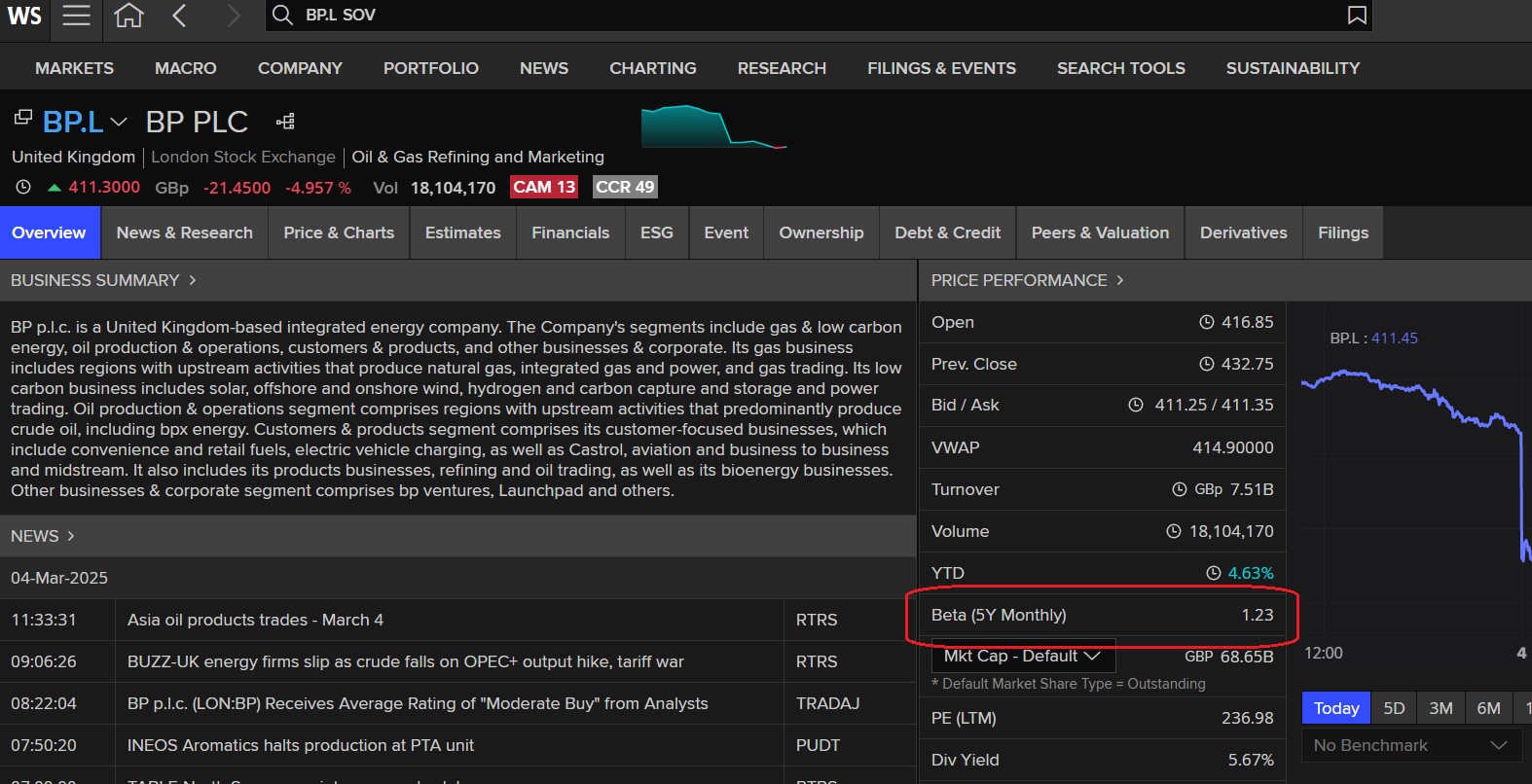
To source a company Beta on the Workspace platform, check out the Price Performance section of the company profile document. You will find 5 year monthly Beta for your equity (in this case, BP plc) listed next to the share price diagram. If you are using Workspace via the Excel add-in however, use the Excel function =TR(“BP.L@RIC”,”TR.BetaFiveYear”) to source your Beta.
Betas in Datastream
Betas are also accessible in Datastream, which is available via the Workspace Excel add-in. Datastream provides current Betas and pre-formatted expressions to calculate historical Betas for quoted companies around the world. Data is not held historically although it is possible to use formulae to calculate historic Betas, so Datastream provides the option either to use a predefined formula for the calculation of the Beta or use the Expression Picker to calculate your Beta hence making it more flexible option if you wish to do your own calculations. In order for Datastream to display Beta calculations, at least 2½ years of data are required.
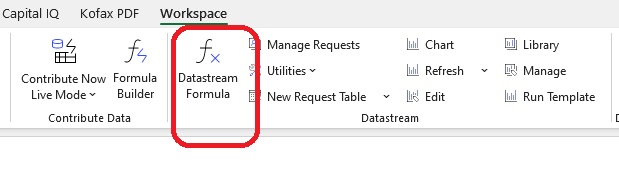
First access the Datastream formula function within Excel.
Current Betas in Datastream
- From the Workspace Excel menu options choose Datastream Formula (as shown above). A search form will appear.
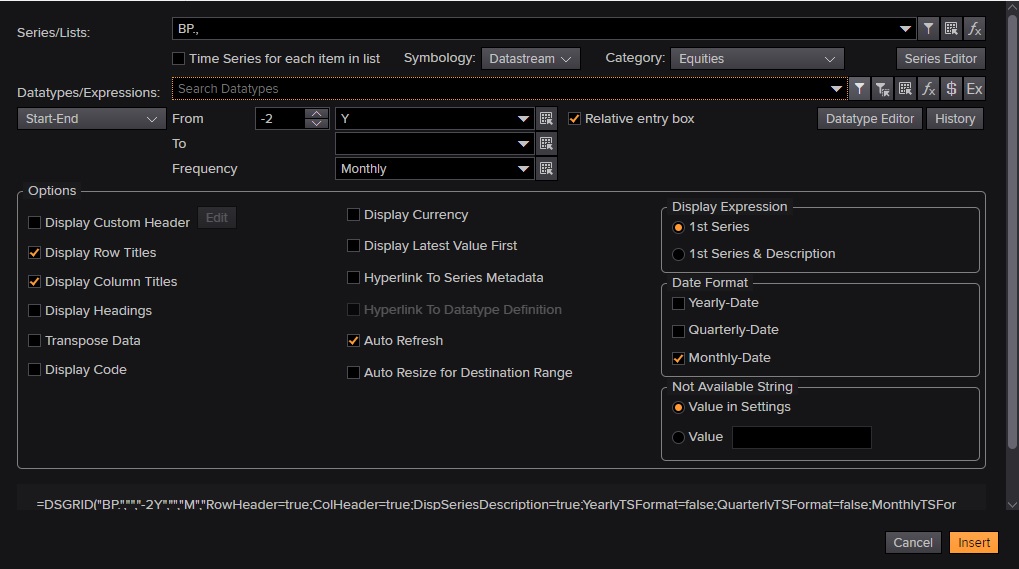
- Datastream screen
- Click on the funnel icon beside the Series/Lists search box. This will take you into the Datastream Navigator where you can search for the company you want.
- Type the name of the company in the search box, e.g. BP, and select the correct company from the options displayed. To select, place a tick in the box next to the name and then click on ‘Use’ at the top of the column to import it into the search form.
- Then go to the ‘Datatype/Expressions’ line. Hover over the options to the right of the search box and choose Datatypes or Datatypes associated with series, type in “Beta”

- Click on ‘Search’ and from the options displayed select ‘Beta (WS) – WC09802’. (To get the datatype definition click on the datatype heading and see the description provided).
- Change from ‘start/date’ to ‘As of’ and just leave at Latest Value.
- Click on the orange insert box at the bottom right hand box of search form the latest beta value will be displayed in excel. As shown in insert.
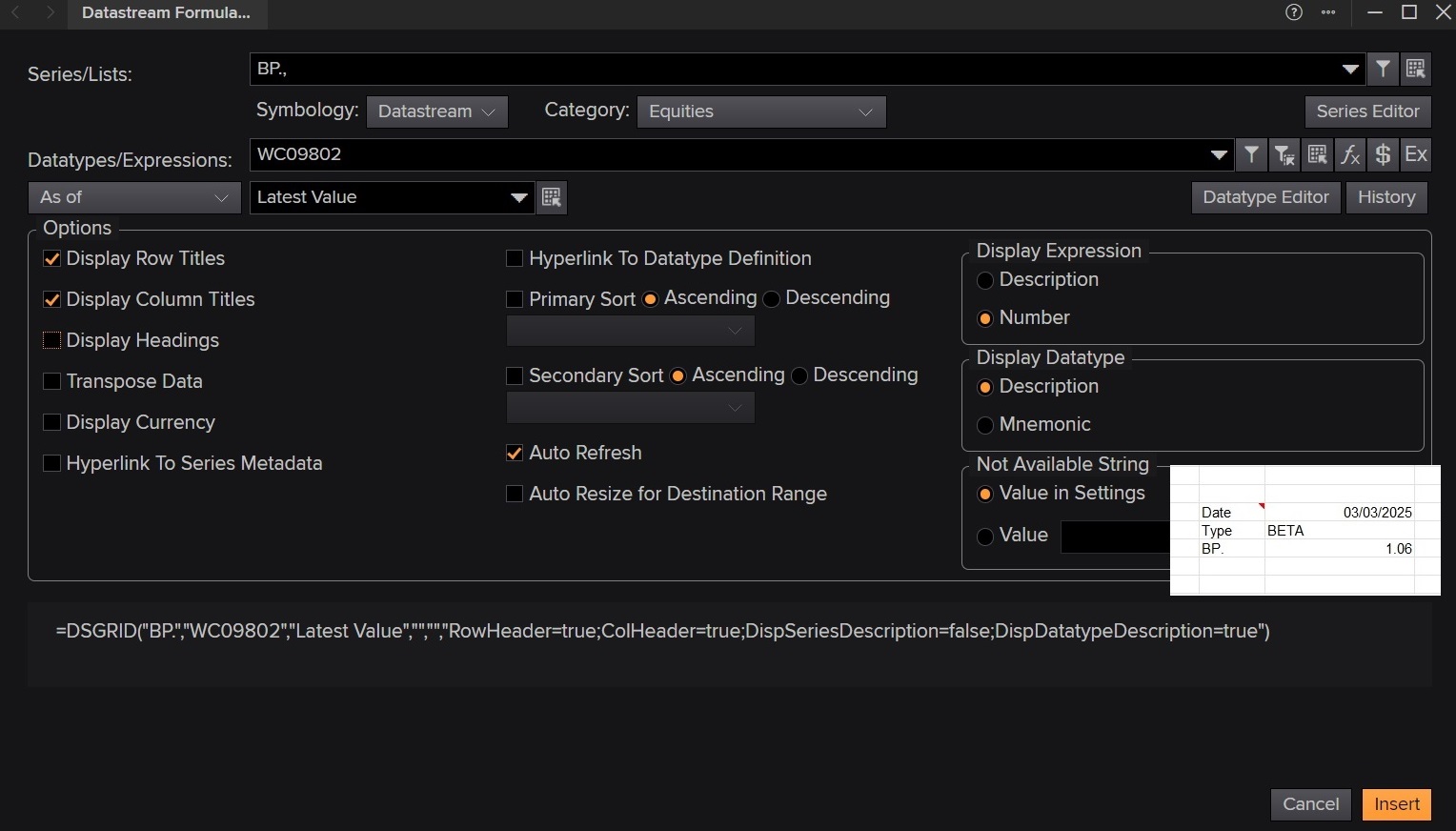
Current Beta in Datastream also showing search form
Historical Betas in Datastream
- As above, select the Datastream Formula screen
- Click on the upside down funnel ‘Find Series’ button and follow the steps above to find the company you need.
- Then click on the ‘Expression Builder’ icon letter E– available to the right of the search datatypes search box. You will be taken to the Expressions page.
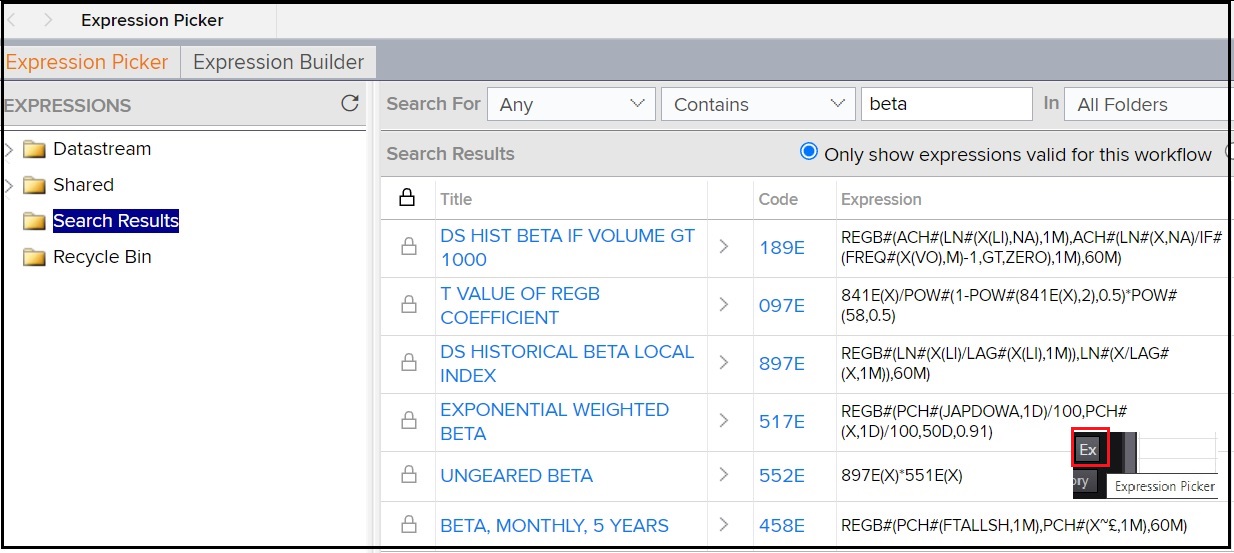
- Make sure that Expression Picker tab is selected.
- In the Search For boxes choose ‘Any’ and then enter beta. Click on Search and a list of relevant expressions will be displayed.
- Select BETA, MONTHLY, 5 YEARS by clicking on the code ‘458E’
- Enter your time period, e.g. -2Y, and frequency e.g. Quarterly.
- Click on ‘Submit’ and your values will be displayed.
- Results can be transferred to Excel.
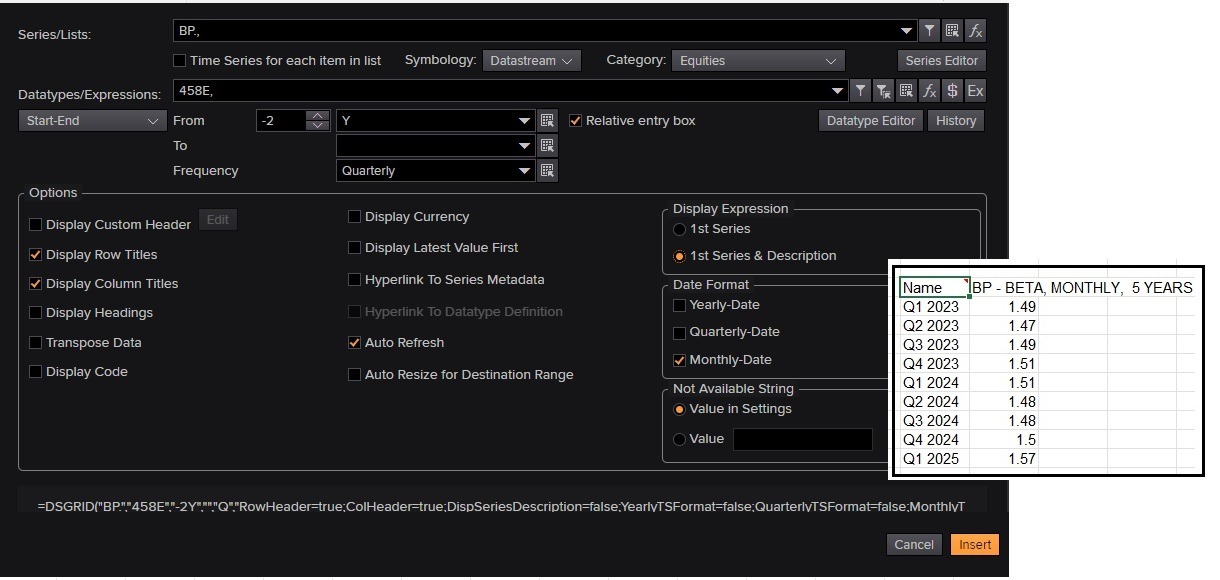
Historical beta on Datastream
Datastream is available on the Workspace Excel add-in which can be downloaded to your laptop.
If all of this sounds a little complicated and scary, why not read our Beginner’s guide to sourcing a company Beta too.
If you have any questions on Workspace or Datastream or sourcing financial data, please contact our Business Librarians for more information.
Feature image from Pixabay. Available at: https://pixabay.com/photos/business-stock-finance-market-1730089/

Categories & Tags:
Leave a comment on this post:
You might also like…

Mendeley: a powerful tool to organise and manage your references
Are you looking for a way to manage your references, create in-text citations and reference lists for your assignments or thesis? If so, you may wish to consider using Mendeley. What is it? Mendeley is ...

Keen to develop your study skills?
Alongside the technical skills and academic knowledge that you will gain on your course, as a Cranfield student you have the opportunity to develop a range of other skills that can enhance your learning experience. ...

The V-conomy: powering the sixth wave of global economic growth
The world could be on the verge of a major surge in economic growth and development, driven by the convergence of AI and clean energy technology. Waiting to ride the K-wave The Russian ...

Need help using the Python programming language?
We know some of our students are currently trying to learn Python, so we wanted to make you aware of some great LinkedIn Learning videos that can help. But don't you have to pay for ...

What does it really take to become a Chevening Scholar?
Say “Turkmenistan” to most people and you’ll get a blank look. That was true when I left Ashgabat for the UK to study an MSc in Logistics and Supply Chain Management at Cranfield University ...

Get a head start on referencing and plagiarism
We offer a module on Referencing And Avoiding Plagiarism which you can find on your Canvas dashboard. It explains the role and importance of citing references and how to incorporate the work of other authors ...
Comments are closed.