


Preparing your work for Turnitin submission
18/12/2025

Before submitting your work into Turnitin for similarity checking, if you have used referencing software then you may need to take some important steps first.
Mendeley and Zotero integrate with MS Word by embedding field codes behind your citations and references. These field codes connect your Word document to the reference management software, ensuring citations and reference lists display correctly. However, field codes also increase the file size of the Word document and may cause issues when checking your work in Turnitin.
There are two important steps that you should take before submitting work to Turnitin to avoid your document getting corrupted.
Step One
Save your original document with the field codes intact in a safe location such as your Cranfield University OneDrive. Then create a second copy for Turnitin submission. The original version can be retrieved if you need to make further edits, or if the second copy becomes corrupted.
Step Two
Remove the field codes from the second copy. This action is permanent and should only be done once you have finished editing. Removing codes will break the link between your Word document and the reference management software, leaving the document as plain text. After this, the software will no longer automatically update your reference list.
To remove Mendeley field codes from a Word document:
- Select all the text (Ctrl+A or Cmd+A) from your document
- Right click and select ‘Remove content control’
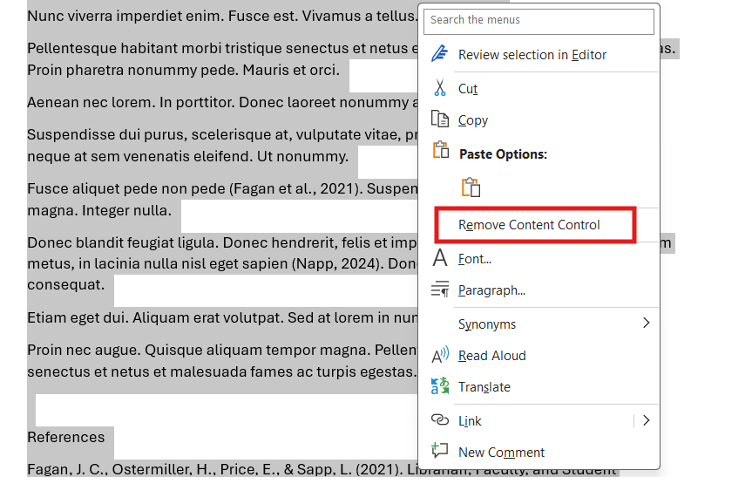
Removing Mendeley field codes from your text
To remove Zotero field codes from a Word document:
- Under the Zotero tab in Word, click ‘Unlink citations’
- Confirm the action by clicking OK on the warning pop-up.
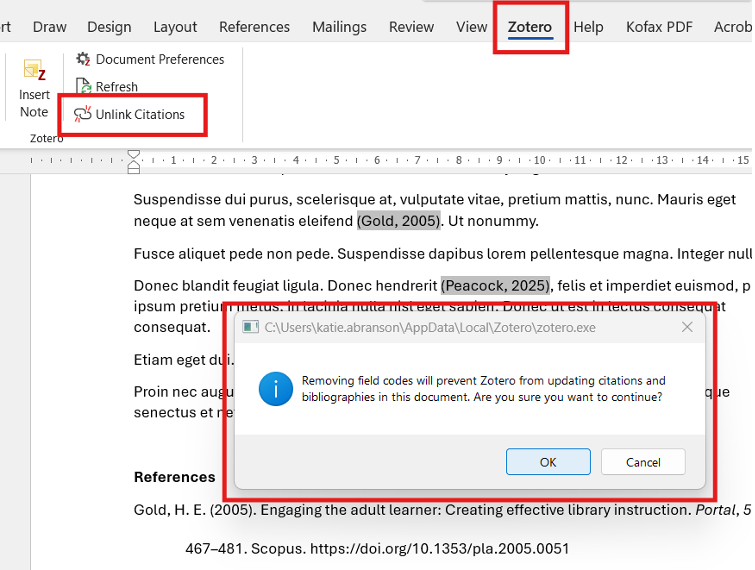
Removing Zotero field codes from your text
All the text in your document will now be converted to plain text, unlinked from the reference manager, and ready for uploading into Turnitin.
These steps are also important when preparing a document for publication, as many journal publishers require field codes to be removed before submission.
If you have any questions about reference management software such as Mendeley and Zotero, please contact the Library. For Turnitin questions, please speak to your SAS Lead in the first instance.
Feature image from Pixabay. Available at https://cdn.pixabay.com/photo/2016/06/01/06/26/open-book-1428428_960_720.jpg

Categories & Tags:
Leave a comment on this post:
You might also like…
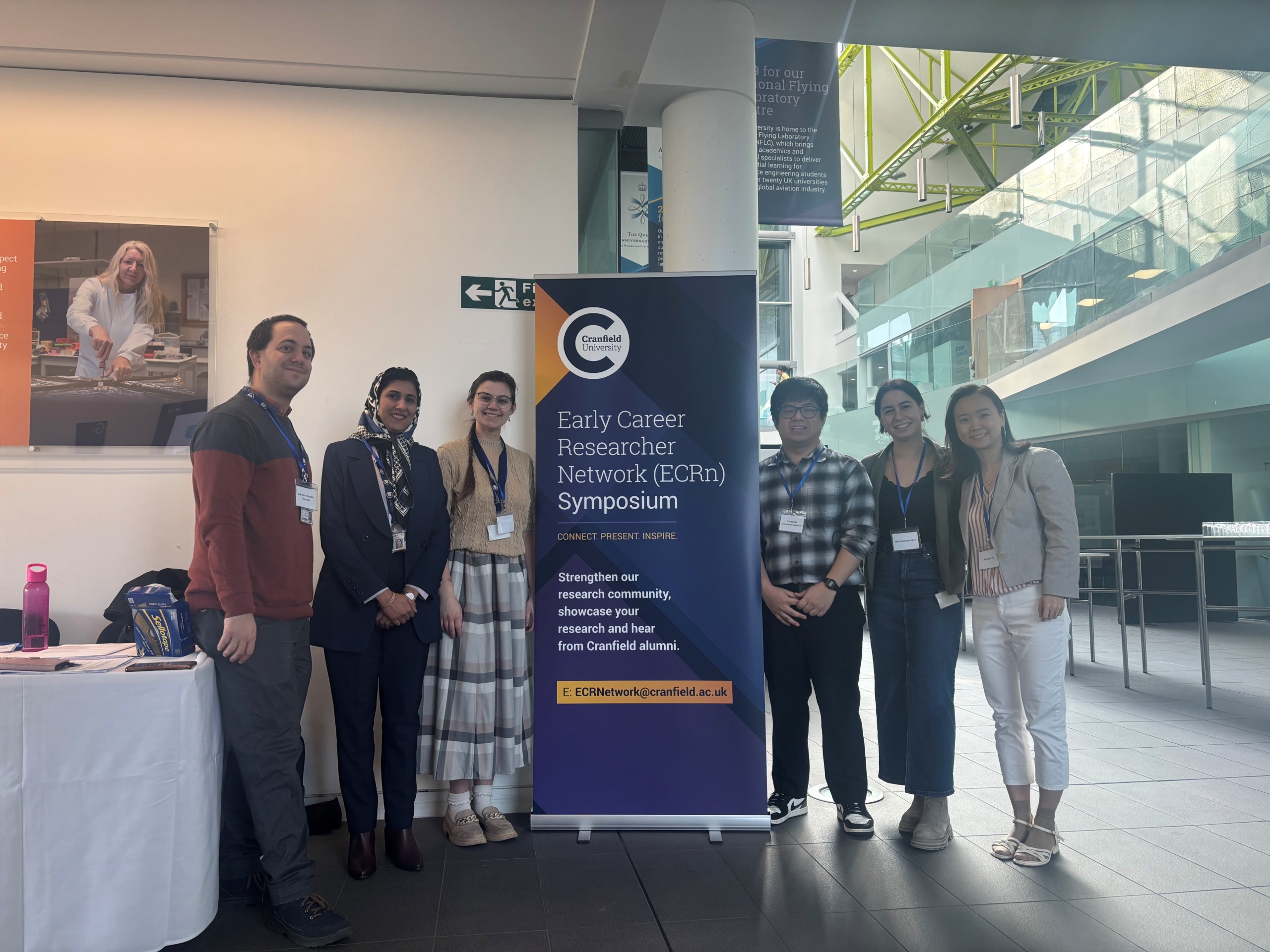
Building more than research: Reflections from the ECRn Symposium 2026
There’s something quietly powerful about a room full of early career researchers. Not just the ideas, although there were plenty of those—but the conversations, the curiosity, and the sense that everyone is figuring things ...

Library services over Easter, 3-6 April
Kings Norton Library will remain open for study 24/7. You will need your University ID card to enter the building and can use the self-service machines to borrow and return items as usual. Barrington Library ...
How do I access the full-text of Harvard Business Review (HBR)?
This is a frequently asked question, and it's worth knowing how to access this key management journal. So, how do you access HBR in full-text? The short answer is via our eJournals finder. You can find ...

Engineering problem to solve? Let Knovel help you find a solution
Did you know that Knovel provides you with more than just eBooks? Knovel is a key database for many engineering, mechanical and materials courses here at Cranfield University, and contains content from an extensive range ...

What happens when female scholars meet influential leaders?
On the 5 March 2026, our British Council Women in STEM Scholars had the privilege of sitting down with two excellent role models of industry and academia: Professor Dame Karen Holford, ...
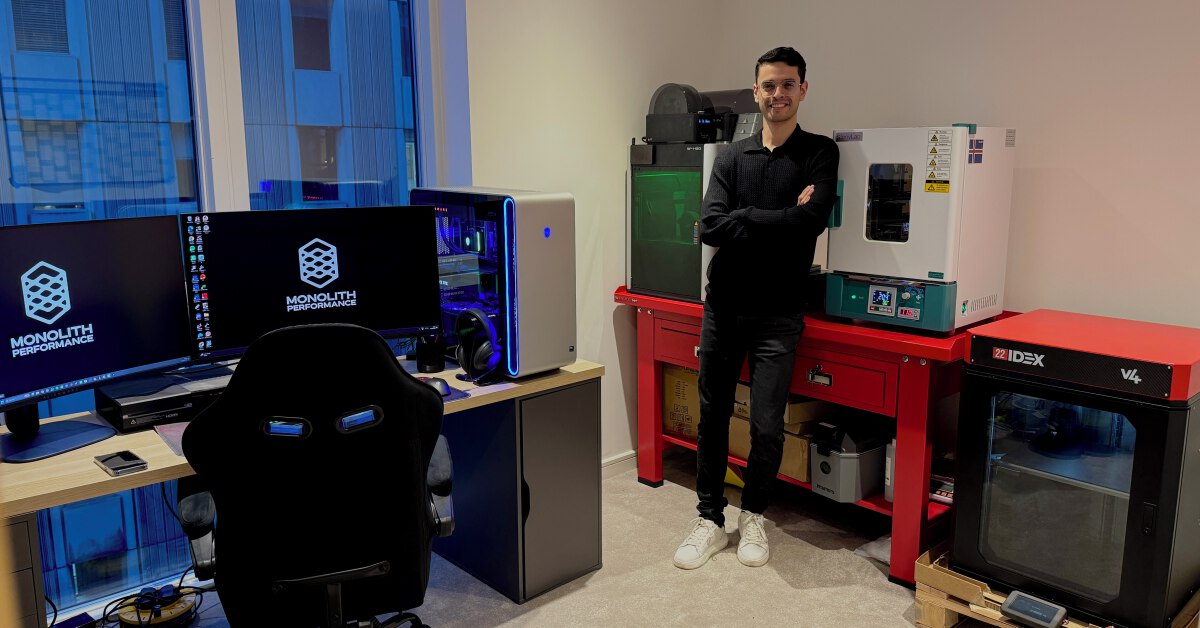
From MSc to CEO: Igniting a research revolution
For many, a master’s degree is achieving a big milestone. Kilyan Ocampo, Computational Fluid Dynamics alumni shares how studying at Cranfield helped launch his career in the energy sector. Today, Kilyan ...
Comments are closed.