


Sourcing industry and economic data in BMI
16/06/2024

BMI (formerly FitchConnect) users, have you tried out the data export function?
In case you don’t know… in addition to its country and industry reports, BMI includes a huge data bank of macroeconomic and industry data, available for download and manipulation.
Here, to demonstrate how easy it is, we will chart the nominal GDP per capita for the last ten years plus five years of forecasts for the MINT countries: Mexico, Indonesia, Nigeria and Turkiye (Turkey). For comparison purposes we will opt to display the data in US$.
Getting started:
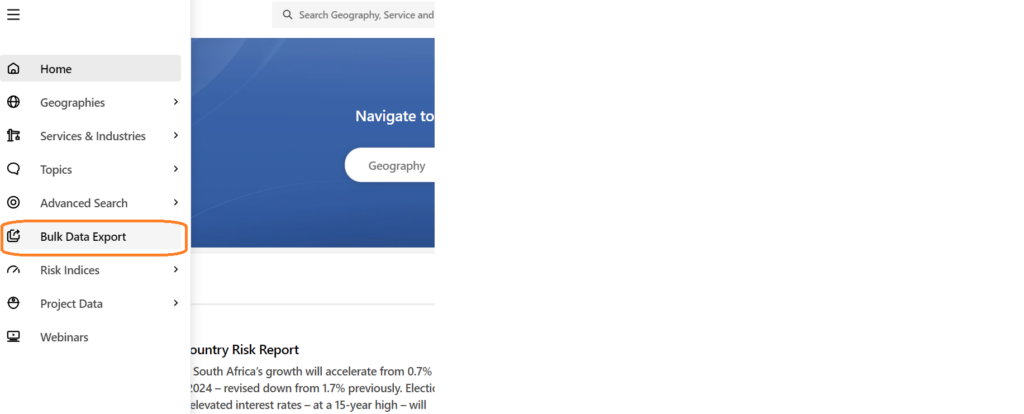
To begin, select the ‘Bulk Data Export’ option from the left hand menu.
Selecting your data is an easy 4-step process using the options in the left hand panel.
Step 1: Select your Geographies:
Select the country or countries you require from the Geographies options. Within Geographies you can either browse by continent using the > icons or search using the ‘Find a Geography’ box.
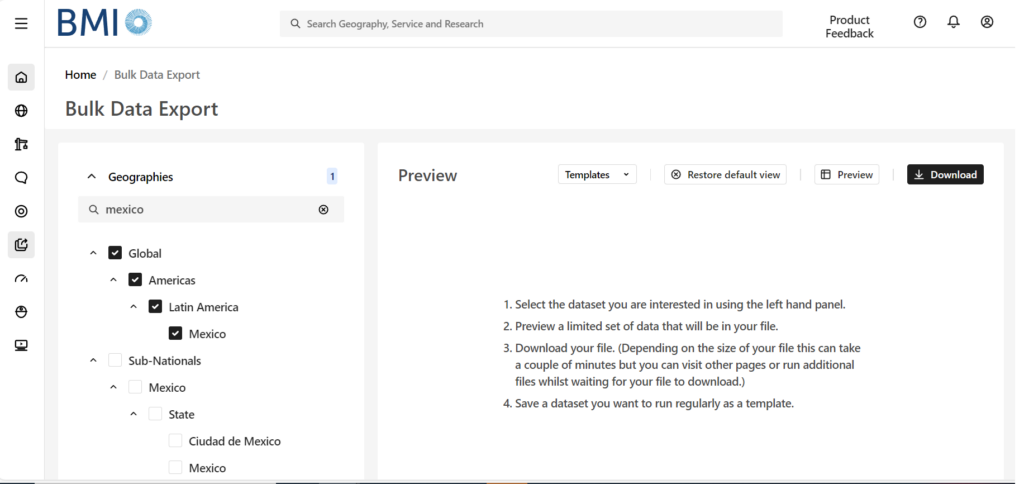
Remember to select each of the countries you require using the check-boxes before you move to the next step. The number of countries selected should be displayed next to the Geographies heading.
Step 2: Select your Data Item(s):
Now click on ‘Data Items’ to select the specific data you want to use. BMI contains a databank of more than 2.7 million lines of data covering both industrial markets and macroeconomic data. For GDP, we will need the ‘Macro Economic’ menu. Open it using the > icon next to the title.
Wherever you see the > icon, you can open further sub-menus to drill further into the data. If you are unsure of where to find the data items you require, search for them using the ‘Find a Data Item’ box.
Hovering over the ‘i’ icon will give you the definition for a dataset.
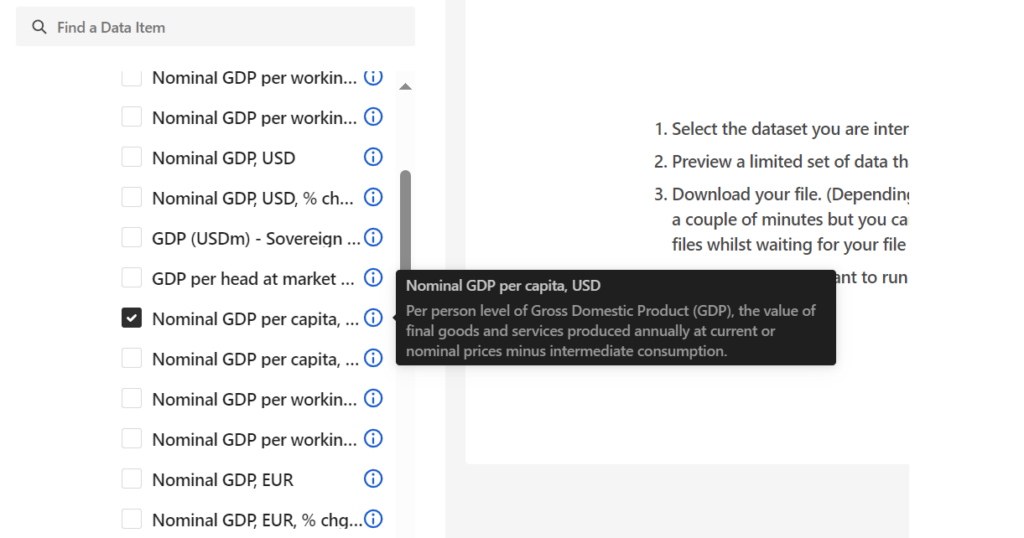
Select your dataset option(s) then scroll down to open the date range menu.
Step 3: Select Date Range:
Select your data range and frequency. Data may be reported monthly, quarterly or annually so you may have to select your preferred option. Be aware that most data is only reported on an annual basis. Depending on the datasets you have selected, your options here may vary. Where forecasts are available, BMI will allow you to select future dates.
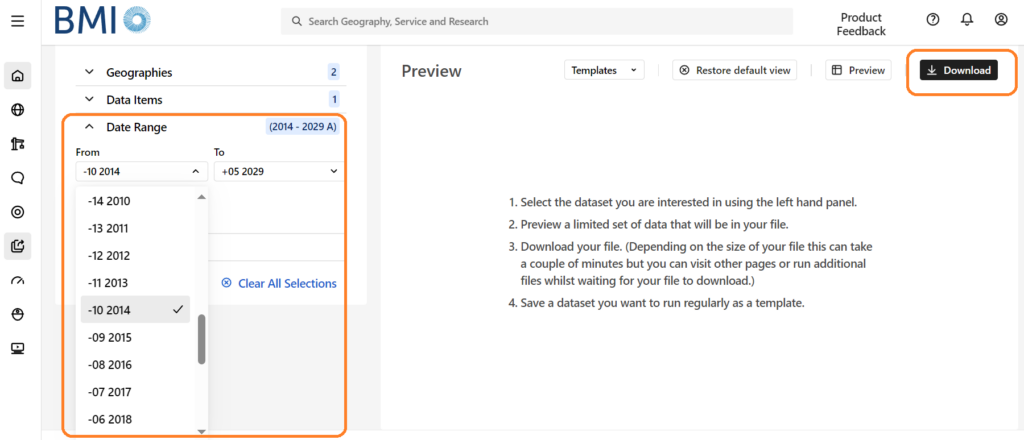
From here, you can preview your dataset or download data directly to Excel via the options at the top right.
If you are interested in downloading and charting data, you may also want to read our post on Finding economic data in Passport.
If you have any questions about downloading data or charting within our resources, feel free to contact the Library

Categories & Tags:
Leave a comment on this post:
You might also like…

Building more than research: Reflections from the ECRn Symposium 2026
There’s something quietly powerful about a room full of early career researchers. Not just the ideas, although there were plenty of those—but the conversations, the curiosity, and the sense that everyone is figuring things ...

Library services over Easter, 3-6 April
Kings Norton Library will remain open for study 24/7. You will need your University ID card to enter the building and can use the self-service machines to borrow and return items as usual. Barrington Library ...

How do I access the full-text of Harvard Business Review (HBR)?
This is a frequently asked question, and it's worth knowing how to access this key management journal. So, how do you access HBR in full-text? The short answer is via our eJournals finder. You can find ...
Engineering problem to solve? Let Knovel help you find a solution
Did you know that Knovel provides you with more than just eBooks? Knovel is a key database for many engineering, mechanical and materials courses here at Cranfield University, and contains content from an extensive range ...

What happens when female scholars meet influential leaders?
On the 5 March 2026, our British Council Women in STEM Scholars had the privilege of sitting down with two excellent role models of industry and academia: Professor Dame Karen Holford, ...
From MSc to CEO: Igniting a research revolution
For many, a master’s degree is achieving a big milestone. Kilyan Ocampo, Computational Fluid Dynamics alumni shares how studying at Cranfield helped launch his career in the energy sector. Today, Kilyan ...