


Introducing… Bloomberg Spreadsheet Analysis (BSA)
27/11/2025

Want to take your Bloomberg data skills in Microsoft Excel to the next level? The new Bloomberg Spreadsheet Analysis (BSA) certification is designed to help you do just that.
Created by Bloomberg, BSA is an interactive, self-paced e-learning course delivered through the Bloomberg terminal. You will be taught the fundamentals of Bloomberg Query Language (BQL) and its use in Excel. Through interactive modules and realistic investment scenarios with the fictional firm Summit Capital, learners practice retrieving, filtering, and analysing macroeconomic, equity, and fixed-income data. The course aims to develop practical skills in investment screening, peer comparison, sustainability analysis, and liquidity evaluation, emphasising both technical and strategic proficiency.
Course Content
BSA is split into 4 practical, topic-based modules that take you step-by-step through the process of building and enhancing Excel models using Bloomberg data.
- Introduction – learn the fundamentals of Bloomberg Query Language (BQL), including core syntax, functions and query structure
- BQL for macro – learn to use BQL in Excel to analyse macroeconomic indicators (like GDP and inflation) by building queries that retrieve trends, track events and uncover economic surprises
- BQL for equities – learn to apply BQL to filter equities, analyse historical and forecasted performance, assess dividend sustainability, and identify undervalued and high-growth stocks across sectors
- BQL for fixed income – learn how to use BQL to screen and analyse fixed-income securities, assess credit risk, evaluate borrowing conditions, and identify refinancing opportunities across industries and issuers
Each module takes approximately 90 minutes to complete (so the course is 6 hours in total), making it an achievable skill-building activity to fit into your study schedule.
Why take BSA?
If you plan to use Bloomberg for your thesis, quantitative assignments, or investment analysis, BSA will help you to:
- Become proficient in Bloomberg Query Language, a powerful syntax, developed to work with Python
- Save time when sourcing data for your spreadsheets
- Reduce the amount of data you need to download so you don’t trigger the data download limits
- Understand the full range of Bloomberg Excel functions available
- Build a strong foundation for advanced financial research with Bloomberg data
- Add a valuable skill and certification to your CV or LinkedIn profile
Certification
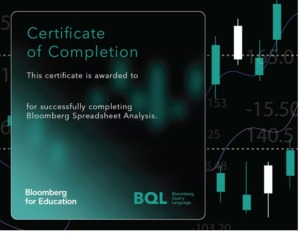
After successfully completing the BSA modules, you’ll receive a downloadable certificate of completion from Bloomberg. You can showcase this on your CV, LinkedIn, or professional portfolio.
How to get started
(If you don’t have a Bloomberg account already, you will need to create one. Follow this link for more information: Creating your account on Bloomberg)
-
Log in to a Bloomberg Terminal.
-
Type BCER <GO> to open the Bloomberg for Education Certification menu.
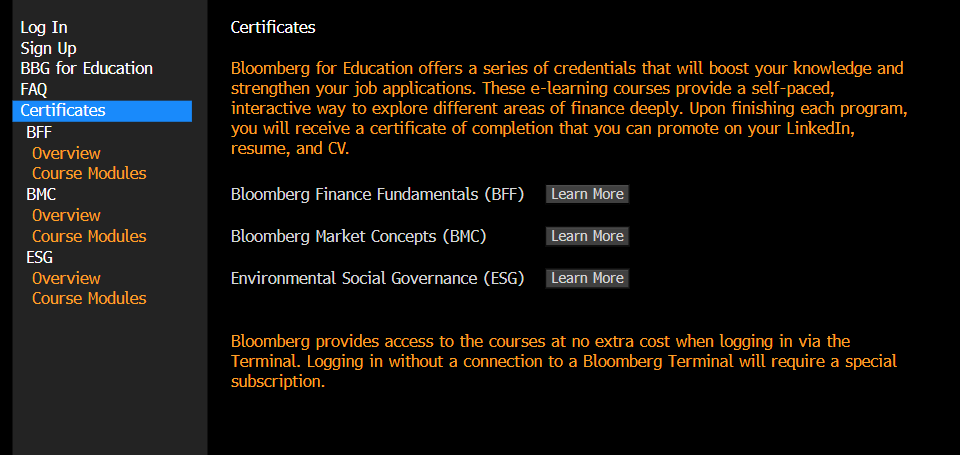
3. Sign up (in the left-hand menu) for a Bloomberg e-learning account, if you haven’t already
4. Log In (in the left-hand menu) and choose ‘Log In’ under Bloomberg Terminal Users
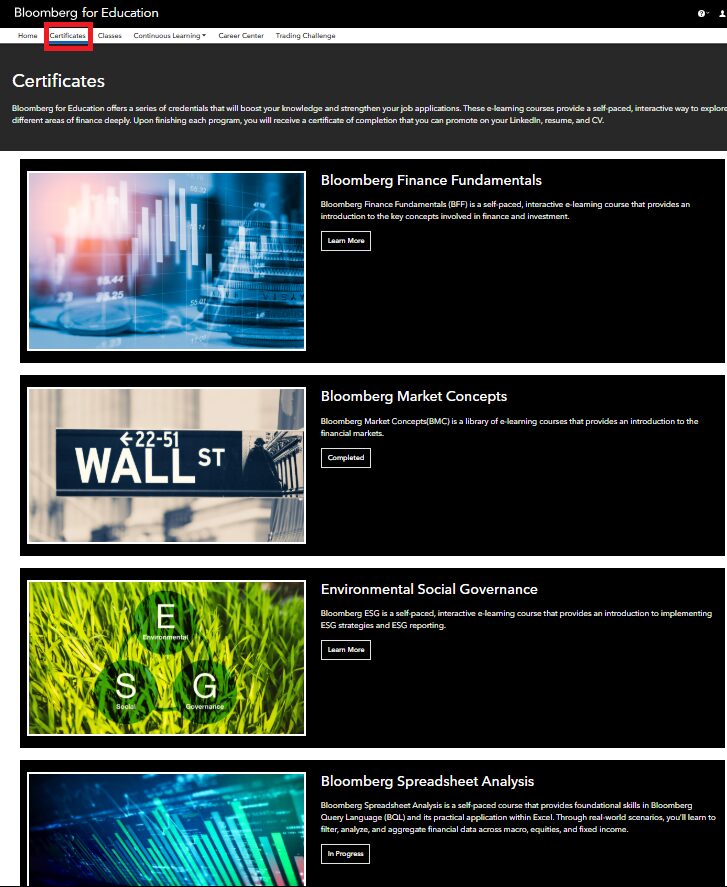
5. The Bloomberg for Education webpage will open. Choose Certificates, then Bloomberg Spreadsheet Analysis
6. Bring your own headphones (videos and guided exercises are included). Bluetooth headset users should also bring their dongle. You can borrow headphones from the library Welcome Desk if required.
Booking a Bloomberg Terminal
Remember to book your Bloomberg Terminal session in advance via our library webpages.
If you have any questions about BSA or the BCER, please contact the Library.

Categories & Tags:
Leave a comment on this post:
You might also like…

Moving to the UK to study? How to plan for banking, exchange rates and transfers
Currency and banking are two of the most practical parts of financial planning for international students. They are also often the most overlooked. We asked Dr Lakshmy Subramanian, Course Director for Cranfield University's Banking, ...

Cranfield: an environment where innovation thrives
The latest Knowledge Exchange Framework rankings from UK Research and Innovation (UKRI) gives an insight into the real and meaningful impact that UK universities have. The seven categories that make up KEF6 cover everything ...

How Cranfield accelerated my career in Logistics and Supply Chain Management
After graduating from the MSc in Logistics and Supply Chain Management at Cranfield University, I've been reflecting on the experiences that made my journey so valuable and the impact it has had on my ...

Mendeley: a powerful tool to organise and manage your references
Are you looking for a way to manage your references, create in-text citations and reference lists for your assignments or thesis? If so, you may wish to consider using Mendeley. What is it? Mendeley is ...

Keen to develop your study skills?
Alongside the technical skills and academic knowledge that you will gain on your course, as a Cranfield student you have the opportunity to develop a range of other skills that can enhance your learning experience. ...

The V-conomy: powering the sixth wave of global economic growth
The world could be on the verge of a major surge in economic growth and development, driven by the convergence of AI and clean energy technology. Waiting to ride the K-wave The Russian ...
Comments are closed.