


Using Factiva to research a company
29/01/2026

If you’re tasked with researching a company, your first port of call might be to search Fame or EBSCO Business Source Complete. Your immediate reaction might not be to look at Factiva. However, for larger and listed companies, Factiva is a great place to start as a one-stop shop for your research. So if you’re looking for an overview of a company plus the latest relevant news, Factiva will give you just that.
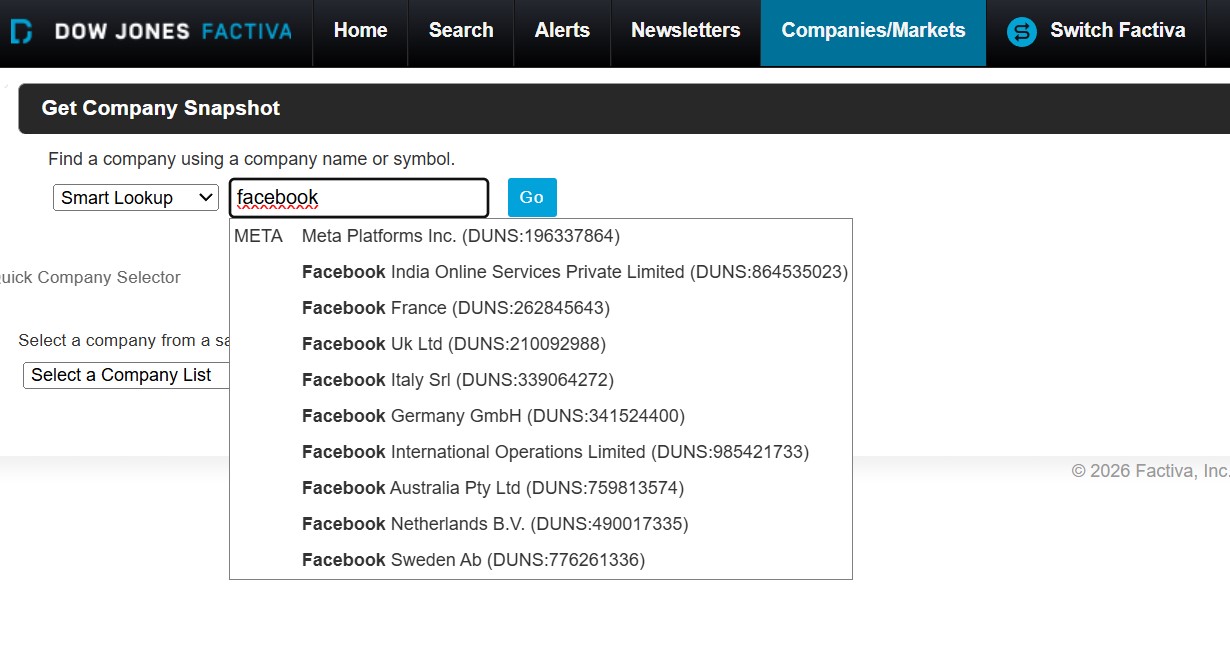
To access a Company Snapshot, hover over ‘Companies/Markets’ on the black menu bar and select ‘Company’ from the dropdown options. In the search box, type your company name and make your selection from the list.
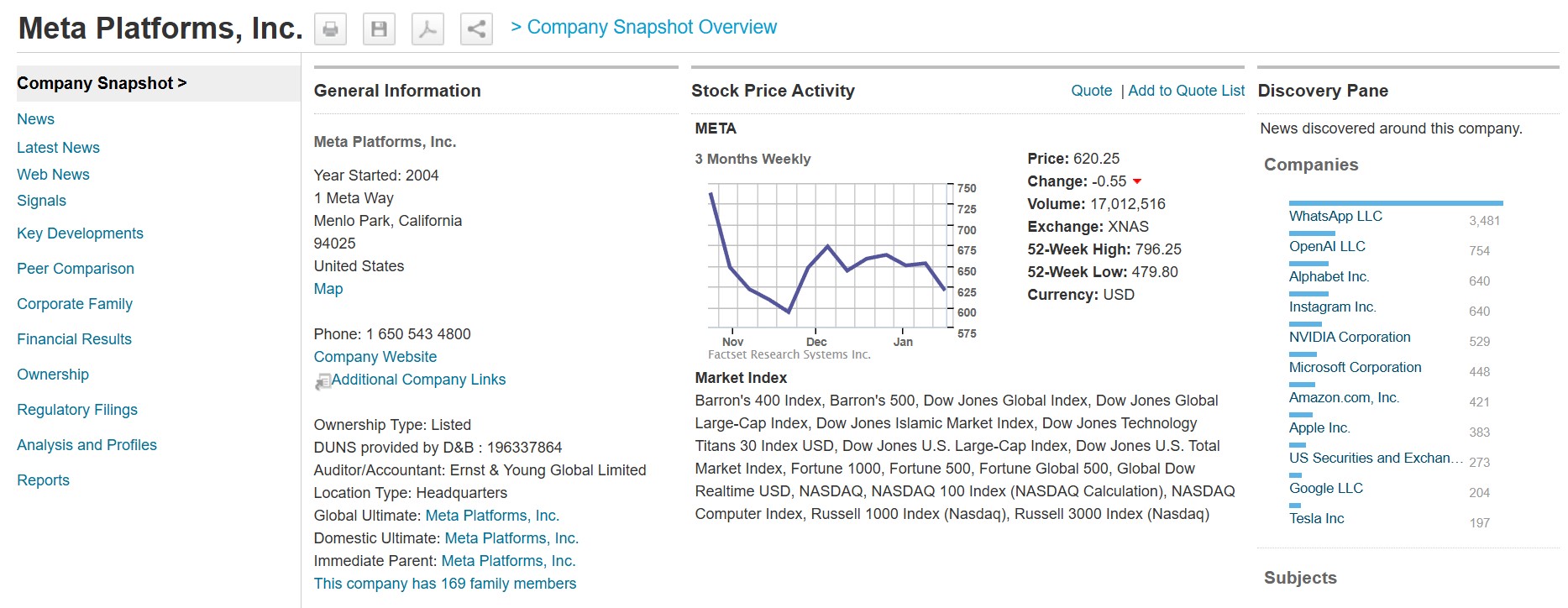
Within the company snapshot you’ll have access to company performance and segment information, including key financials. The menu on the left allows you to link through to additional information, including the latest news and key developments. If you require a more specific search on a company, we advise that you use the main Factiva search screen where you’ll have access to the full range of search filters.
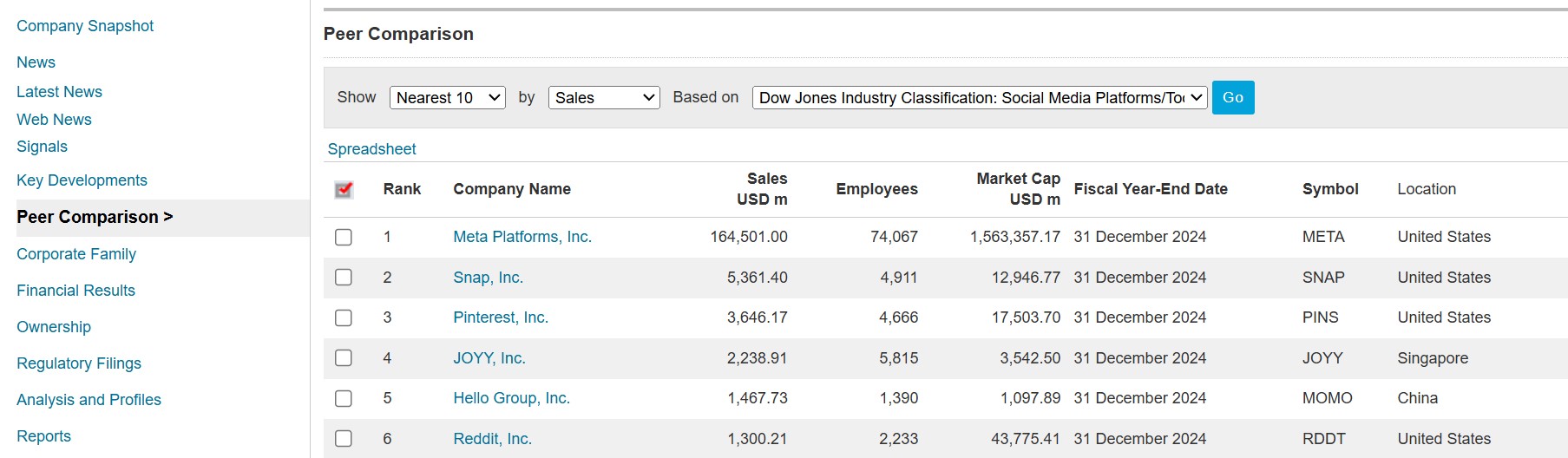
For larger companies, you’ll also see the peer comparison option on the left-hand menu. This option is useful if you want to customise your peers, and download a table of results to Excel.
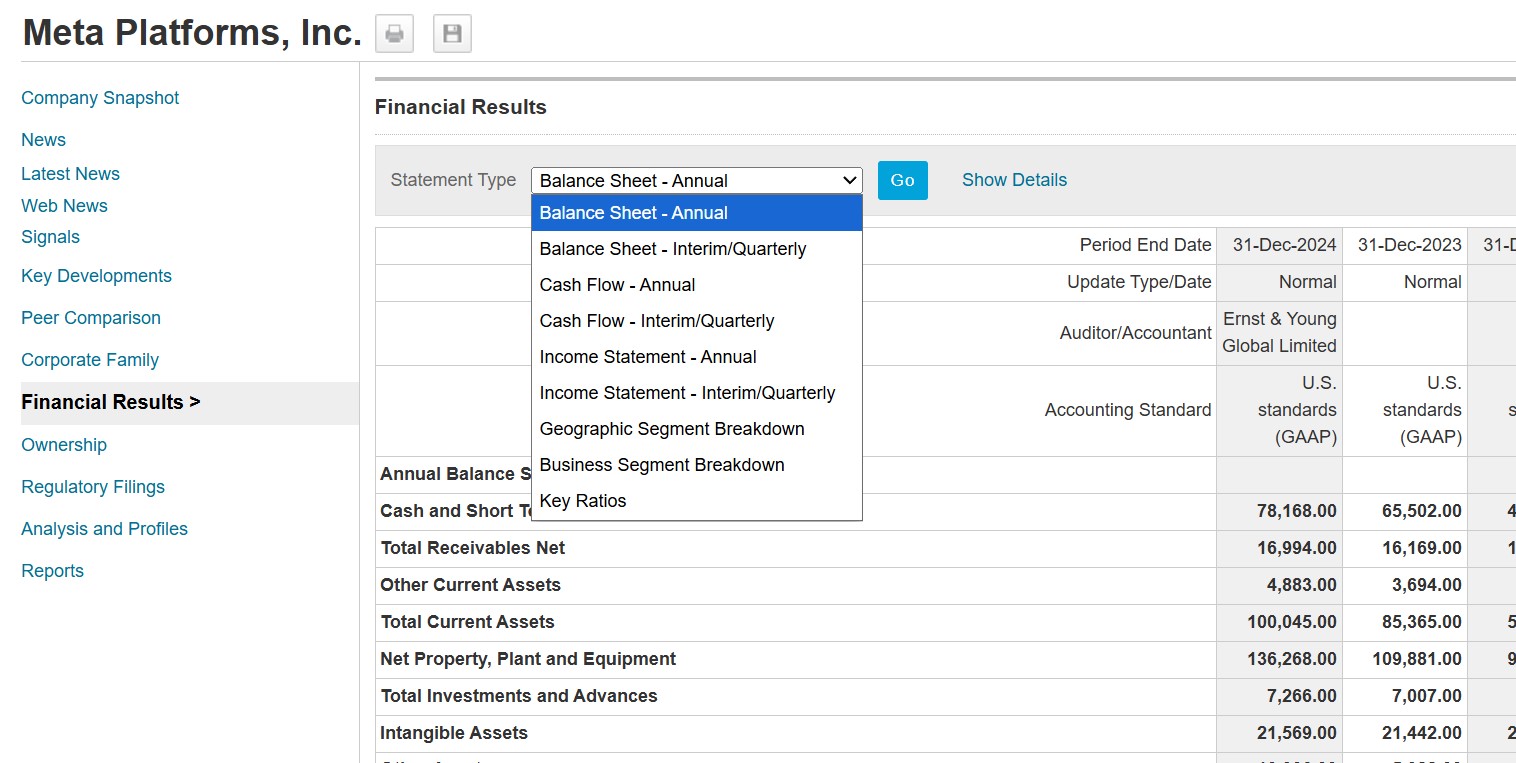
Using the links under ‘Company Snapshot’ on the left of the screen, you can take a more in depth look at any of the information under the headings. Financial Results, for example, can be broken down into different types.
To download a section, click on ‘spreadsheet’ (top right) to transfer data to Excel, use CTRL-C to copy the images directly, or use the printer icon to print.
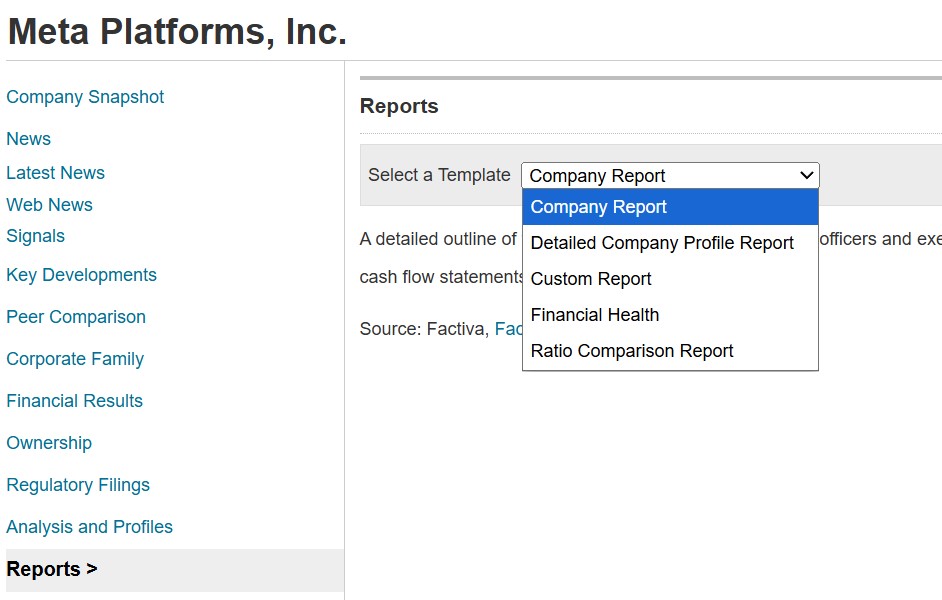
For some companies, you’ll also see the Reports option, where you can choose from a list of report templates.
If you have any questions about Factiva, please contact the Library. Alternatively, see our introductory guide here.
Feature image from Pixabay. Available at: https://pixabay.com/photos/skyline-skyscraper-skyscrapers-1925943/

Categories & Tags:
Leave a comment on this post:
You might also like…

Keen to develop your study skills?
Alongside the technical skills and academic knowledge that you will gain on your course, as a Cranfield student you have the opportunity to develop a range of other skills that can enhance your learning experience. ...

The V-conomy: powering the sixth wave of global economic growth
The world could be on the verge of a major surge in economic growth and development, driven by the convergence of AI and clean energy technology. Waiting to ride the K-wave The Russian ...

Need help using the Python programming language?
We know some of our students are currently trying to learn Python, so we wanted to make you aware of some great LinkedIn Learning videos that can help. But don't you have to pay for ...

What does it really take to become a Chevening Scholar?
Say “Turkmenistan” to most people and you’ll get a blank look. That was true when I left Ashgabat for the UK to study an MSc in Logistics and Supply Chain Management at Cranfield University ...

Get a head start on referencing and plagiarism
We offer a module on Referencing And Avoiding Plagiarism which you can find on your Canvas dashboard. It explains the role and importance of citing references and how to incorporate the work of other authors ...

How Cranfield shaped my journey as an Aerospace Engineer
If I'm being specific about the moment it clicked, it was reading a paper called "On the Role and Challenges of Computational Fluid Dynamics (CFD) in the Aerospace Industry" by two Boeing engineers, P. ...
Comments are closed.