


EBSCO databases – User interface changes
20/03/2025

EBSCO has recently introduced a new user interface which you will see when you access any of our EBSCO databases – Business Source Complete, EBSCO eJournals and eBooks, GreenFILE, PsycARTICLES and PsycINFO.
If you’ve used any of these databases before, it does look a bit different, so here’s a quick guide to the key changes.
You can still search as normal but when you want to refine, or limit your search, where you would have used the menu on the left of the screen, you should now use the buttons below the search box.
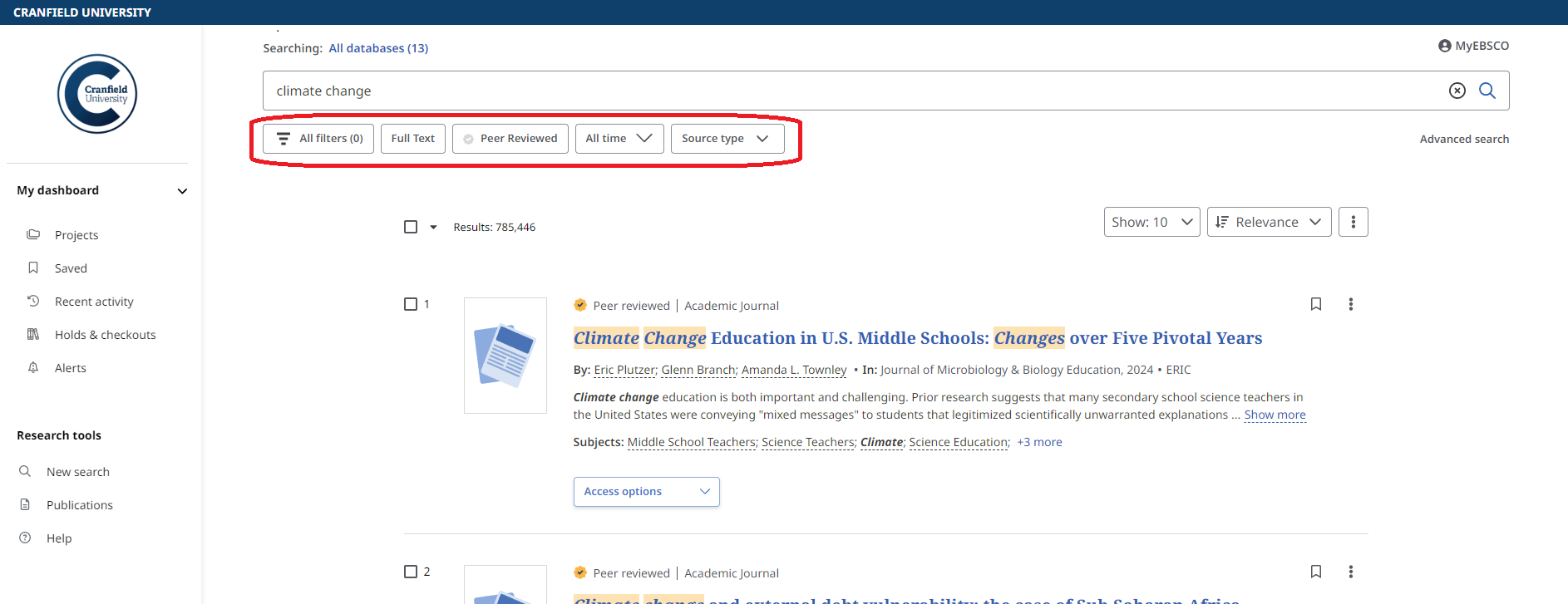
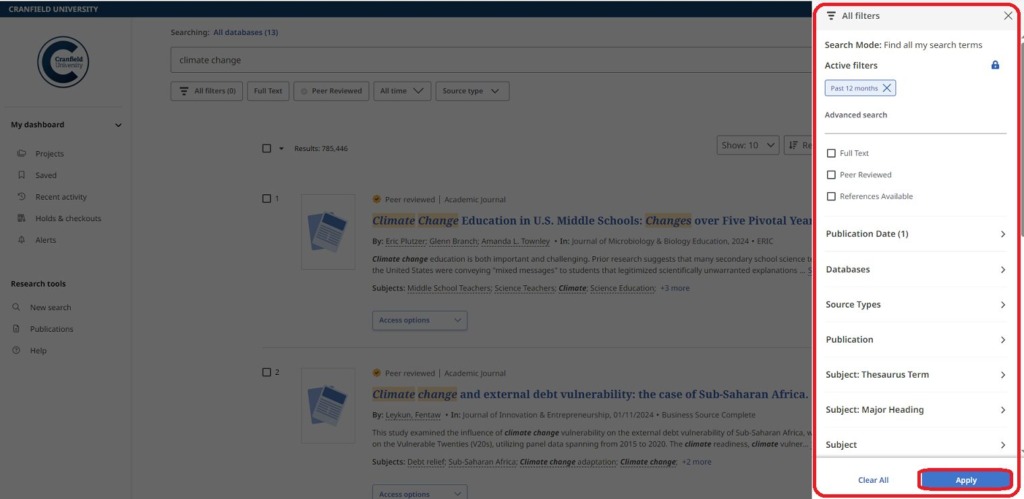
Click on the ‘All Filters’ button to open the full filters menu which opens on the right of your screen – you should recognise this from the old EBSCO interface. Set your choice of filters, then click the blue ‘Apply’ button.
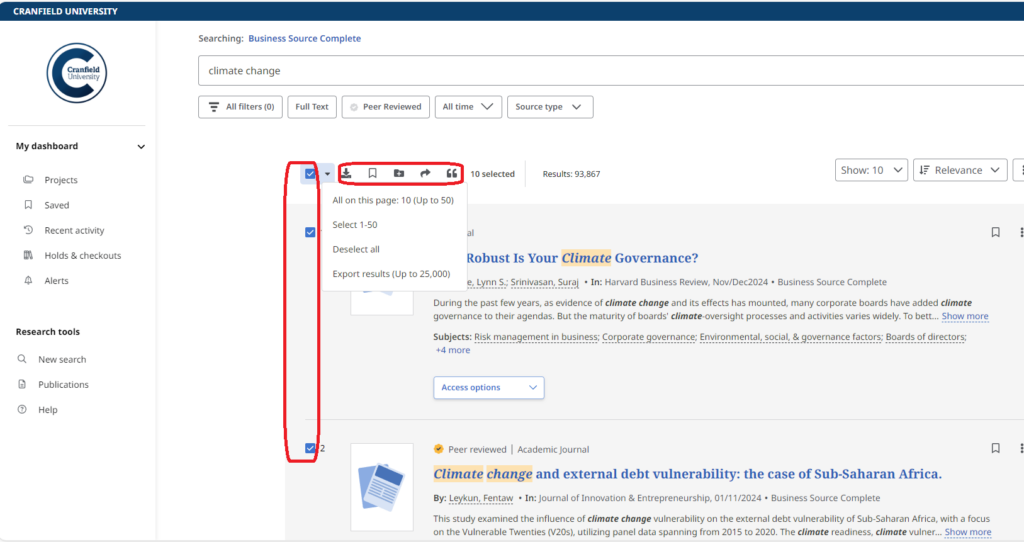
To manage multiple results, use the checkboxes to select individual articles in the result list or mark the checkbox at the top of the result list and click the arrow to select multiple records at once. Then use the tools above the article list to Download the article metadata, Save the articles to the dashboard, Add them to a project, Share them via email or Google, or Copy or Export citations for the articles.
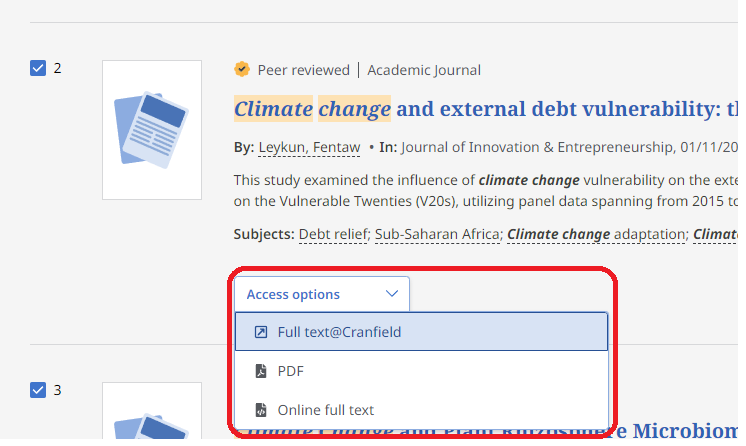
On your result list, select to read the full text of an article by clicking the Access options button and selecting a full-text option from the menu.
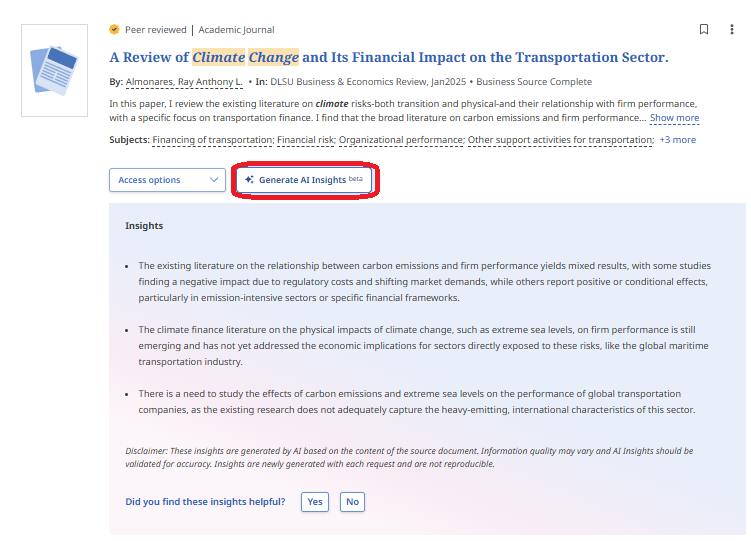
You may also see a button to Generate AI Insights. Another new feature, this is designed to help users assess the usefulness of the full-text article by highlighting 2-5 key points per document. It isn’t available for every article, as publishers have to give their permission for it.
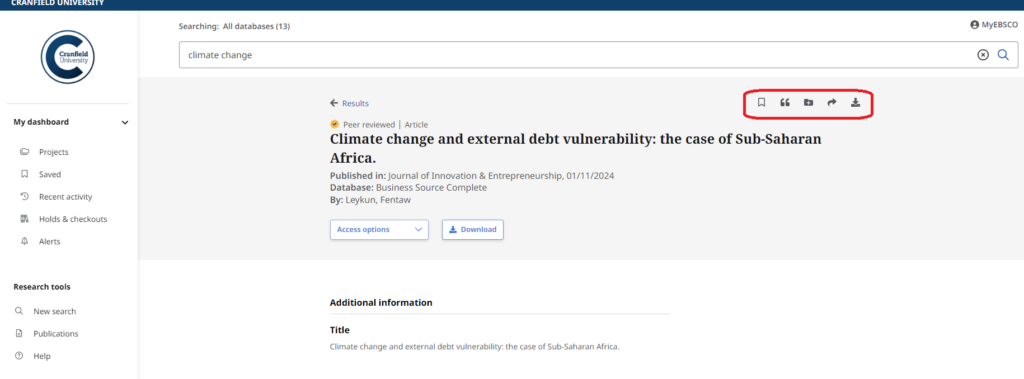
Click any article title to view more information about that article. Use the tools at the top of the record to add the article to your saved items, copy a citation for the article into one of several formats, add the article to a Project in your Dashboard, share a link to the article via email, or download the full-text or a file containing the article’s citation information in one of several formats.
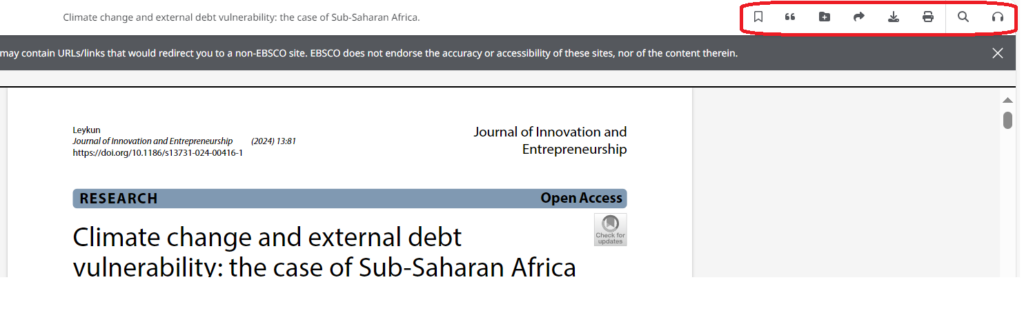
From the online full-text viewer, you can save or cite the article, add it to a project in the dashboard, share, download, or print it. You can also translate the full-text, open or close the table of contents, or listen to the article via text-to-speech.
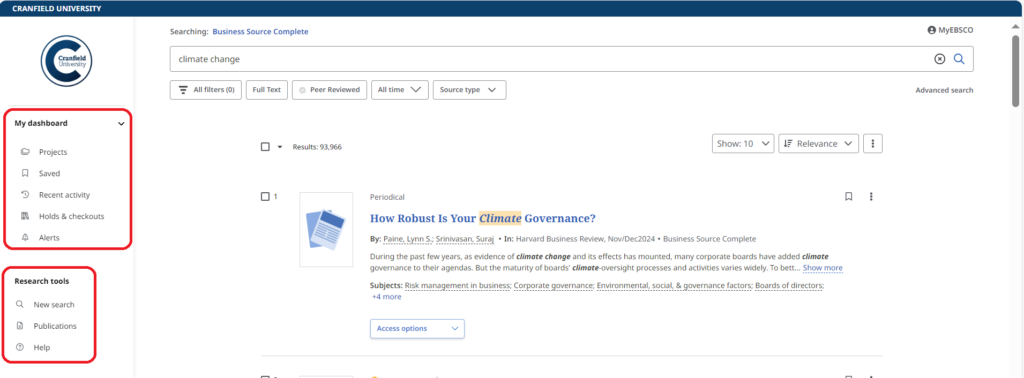
My Dashboard, in the left-hand menu, is where you will find your Saved items and Projects you have created. When signed in with your Personal MyEBSCO account (more information available here), items in your Dashboard are saved and can be accessed whenever you are signed in. If you Saved items in the previous version of EBSCO and are having trouble accessing those in the new version, please contact library@cranfield.ac.uk
Research Tools, also in the left-hand menu, is where you can start a new search, check Cranfield eJournal holdings, or access EBSCO Help pages.
This Help area also gives a Quick Start Guide to the new interface, including FAQs and a 3-minute video tutorial. EBSCO have also produced a guide with a quick view and explanation of the new interface.
If you still have questions, please contact the Library – we’re always happy to help.
Feature image from Pixabay. Available at: https://pixabay.com/photos/student-typing-keyboard-text-woman-849824/

Categories & Tags:
Leave a comment on this post:
You might also like…

Keen to develop your study skills?
Alongside the technical skills and academic knowledge that you will gain on your course, as a Cranfield student you have the opportunity to develop a range of other skills that can enhance your learning experience. ...

The V-conomy: powering the sixth wave of global economic growth
The world could be on the verge of a major surge in economic growth and development, driven by the convergence of AI and clean energy technology. Waiting to ride the K-wave The Russian ...

Need help using the Python programming language?
We know some of our students are currently trying to learn Python, so we wanted to make you aware of some great LinkedIn Learning videos that can help. But don't you have to pay for ...

What does it really take to become a Chevening Scholar?
Say “Turkmenistan” to most people and you’ll get a blank look. That was true when I left Ashgabat for the UK to study an MSc in Logistics and Supply Chain Management at Cranfield University ...

Get a head start on referencing and plagiarism
We offer a module on Referencing And Avoiding Plagiarism which you can find on your Canvas dashboard. It explains the role and importance of citing references and how to incorporate the work of other authors ...

How Cranfield shaped my journey as an Aerospace Engineer
If I'm being specific about the moment it clicked, it was reading a paper called "On the Role and Challenges of Computational Fluid Dynamics (CFD) in the Aerospace Industry" by two Boeing engineers, P. ...
Comments are closed.