


Finding consumer information in Passport
04/04/2024

So, you’re researching the Mexican consumer market. You’ll want to really understand what Mexican people are thinking and how they are living. One of the best places to look is Passport’s Consumer information, and its Consumer Lifestyles Reports are a great place to start….
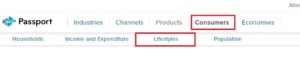
Want to know how to find these Lifestyle Reports?
Start at the Passport homepage. Click on ‘Consumers’ near the top of the screen, then click on ‘Lifestyles’ from the sub-menu that has appeared.
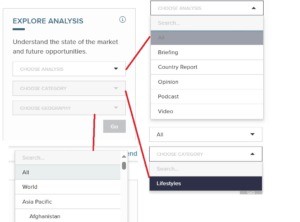
You now have some dropdown menus on the left of the screen in the ‘Explore Analysis’ box.
- In the ‘Choose Analysis’ dropdown box, pick All.
- In the ‘Choose Category’ dropdown menu pick ‘Lifestyles’
- In the ‘Choose Geography’ dropdown menu you can either search for Mexico in the search box then pick it off the list, or scroll down the list – Mexico will be under Latin America – and pick it.
- Click ‘Go’.
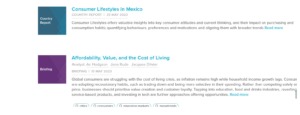
You’ve got a list of reports. Scroll down to find, and click on, ‘Consumer Lifestyles in Mexico’ report.
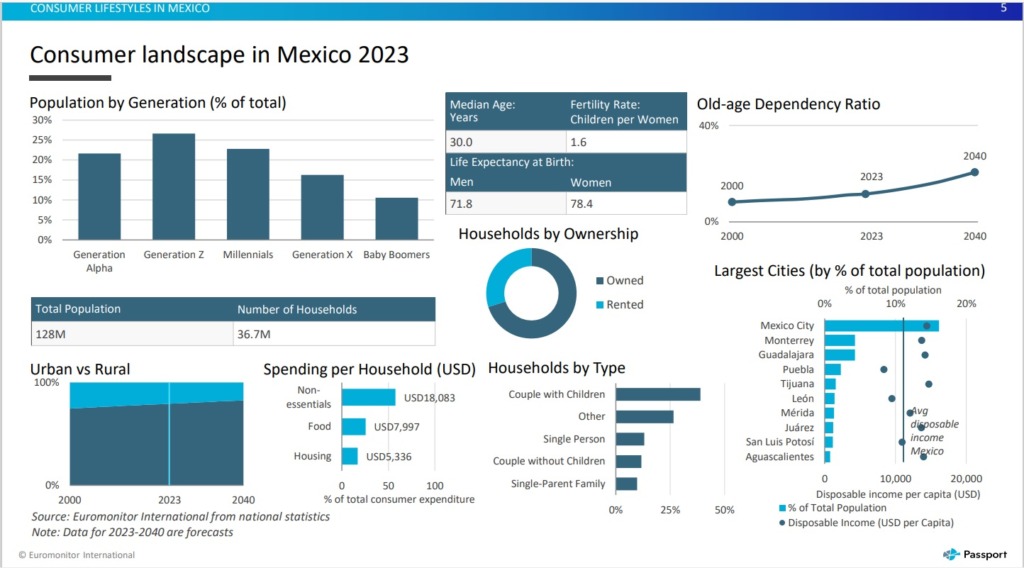
Generally published on an annual basis, Consumer Lifestyles reports start off with the latest Consumer Landscape datagraphic and move on to report on the following key areas:
- Personal traits and values
- Home life and leisure time
- Eating and dietary habits
- Working life
- Health and wellness
- Shopping and spending
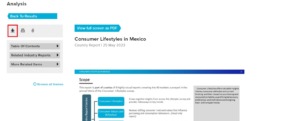
You can view the report on screen, or download it as a PDF or Powerpoint. You can also choose to print it.
Do you need consumer income and expenditure information too?
Passport can help with this as well! Using Passport, you can explore how spending on consumer goods and services varies across households’ income levels.
Start in the same place by clicking on ‘Consumers’ in the top menu. This time click on ‘Income and Expenditure’.
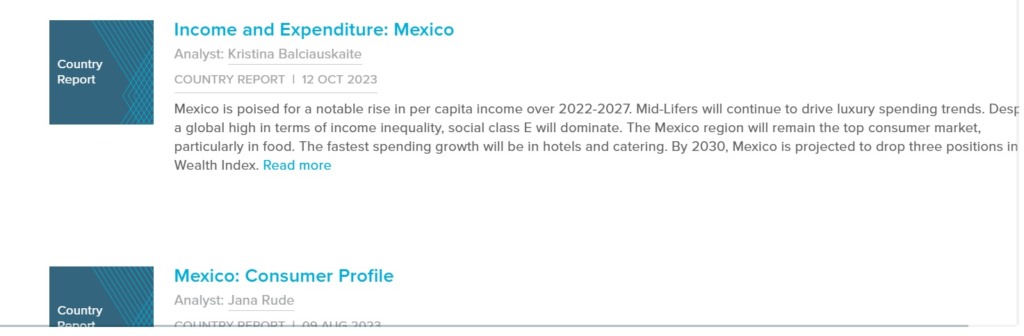
You will see the dropdown menus again. Instructions remain the same except pick ‘Income and Expenditure’ from the ‘Choose Category’ menu. Now you have a list of reports, click on ‘Income and Expenditure: Mexico’ report.
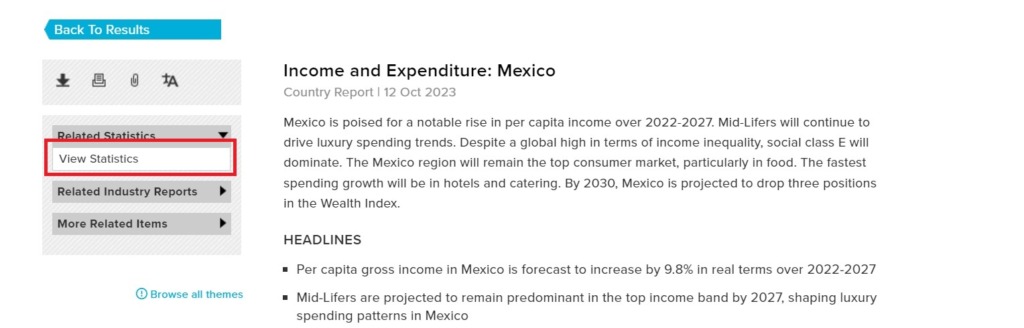
For this report, you can also view income and expenditure statistics – just choose ‘view statistics’ from the menu on the left.
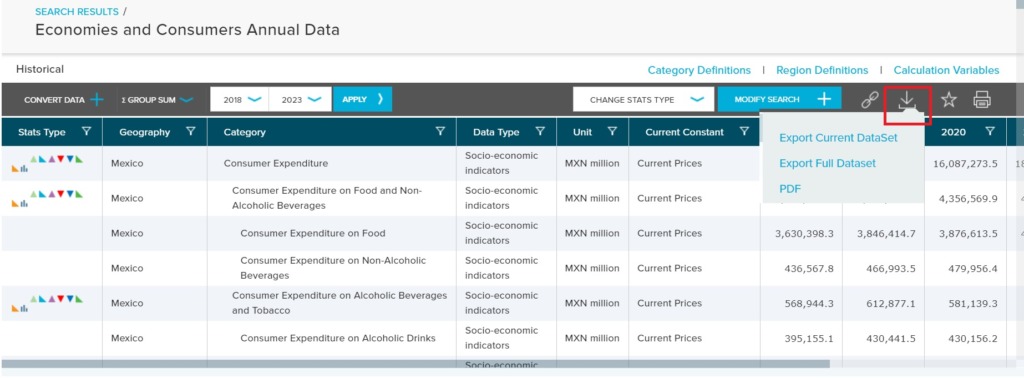
You can make a number of changes to the statistics being shown, including changes to currency, date range, and type of statistics. You can download these statistics to PDF or export them to Excel.
What about population data?
Yes, you’ve guessed it, Passport has that too! This time, once you’ve clicked on ‘Consumers’ in the top menu, you need to click on ‘Population’.
Again you will see the dropdown menus on the left and, again, the instructions remain the same with the only change being to pick ‘Population’ from the ‘Choose Category’ menu.
You may not see a report with population in the title, but a ‘Consumer Profile’ report will include population information.
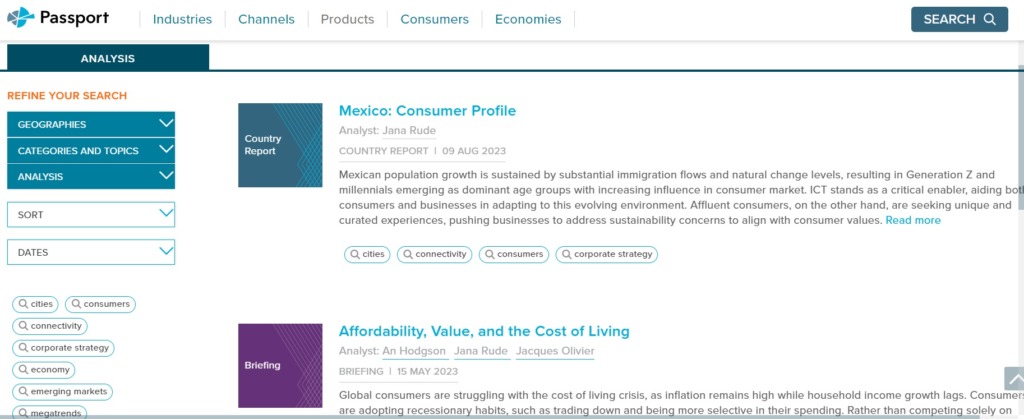
It may also have some statistical data, which can be chosen from the menu on the left. You will be able to change some aspects of the data that you see and download it to excel, if that’s what you require.
Passport is a market research database which provides detailed data and analysis on industries and consumers, across 1200 cities, 210 countries. It uses advanced analytics and data science to identify and measure the effect of disruption to the economy, industries, costs and prices.
Passport is our main source of consumer information, but other sources include Mintel and Statista
If you have any questions about Passport, then please contact the Library.

Categories & Tags:
Leave a comment on this post:
You might also like…

Introducing Barrington Library
Welcome to all our new students! Barrington Library supports all the students and staff at Cranfield Defence and Security on the Shrivenham site. We are looking forward to meeting you all soon, in person or ...

About to start your journey at Cranfield? We’re here to help!
Congratulations on accepting your offer to study at Cranfield! If you’re keen to get a head start before your course begins, our Library Services team is here to support you every step of the way. ...

Bank holiday hours for Library Services: Monday 31 August
Library Services staff will be taking a break on Monday 31 August for the bank holiday. You will still be able to access all the resources and help you need via our library website. The 24/7 ...

The real cost of studying in the UK – what international students need to budget for
Moving overseas to pursue a postgraduate degree is one of the most exciting investments you can make in your future. It's also one of the most significant financial commitments you and your family will ...

Seven things you should definitely prepare for before studying at Cranfield University
You're thinking about Cranfield. Maybe you've done the virtual tour, read through the course pages, spoken to the course director or attended a webinar. Now, you're trying to figure out what life here is ...

From insurance to aerospace: why I chose to study a PhD with Cranfield
My path to studying for a PhD wasn't exactly a straight line. I had just graduated with an MEng in Aerospace Engineering from the University of Surrey and, like a lot of people, wasn't ...
Comments are closed.