

Using AI tools for your literature review
27/07/2026

There are a proliferation of AI tools that can help you organise your life, work and study. This post focuses on academic or scholarly tools that have been developed to enhance the literature searching process, whether for independent research, an assignment or thesis. Bear in mind that these predominantly relate to finding journal/research papers, and not technical, business or trade sources such as standards, market research, industry reports or financial data. So if you are looking for these types of technical, business or trade information, use our specialist library databases. Library staff have published guidance on the tools available to support your studies, as well as key considerations when using AI.
Using AI tools
See Figure 1 for the do’s and don’ts of using AI.
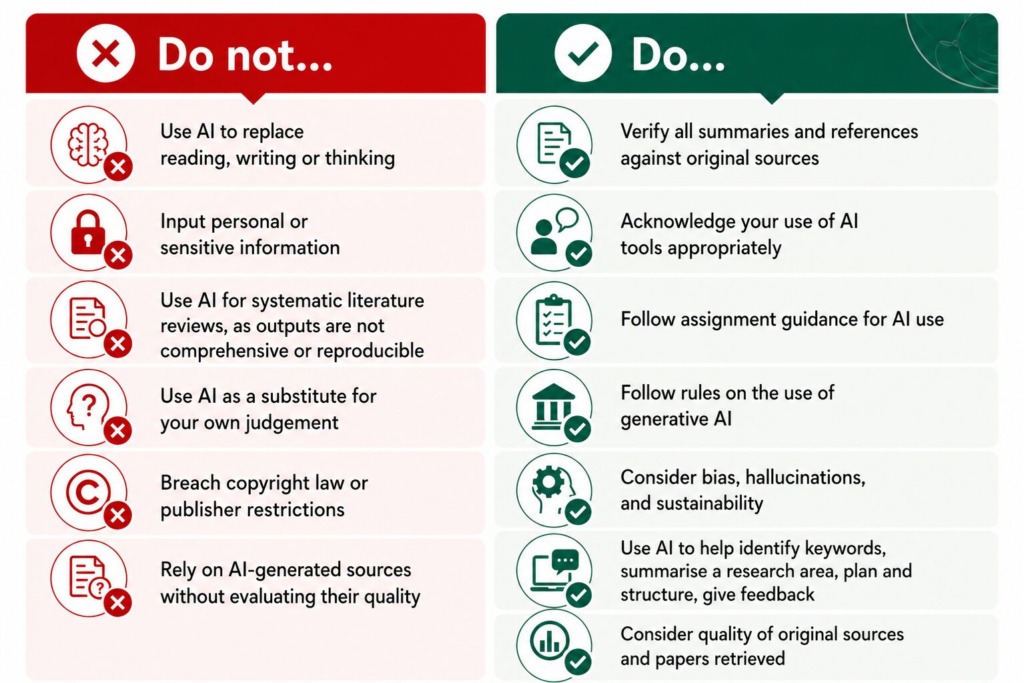
Figure 1: Do’s and don’ts of using AI. Note: Image generated using ChatGPT 5.5. The image was generated in response to this prompt: ‘See the uploaded table covering do’s and don’ts of using AI. Please make it a more visually interesting image. Don’t change the text or meaning.’ Then uploading text in a table which the author had created in Word.
Always use AI as a tool, not an author. Further guidance on these areas can be found in the AI and Generative AI section of the Library website.
Examples of some AI research tools
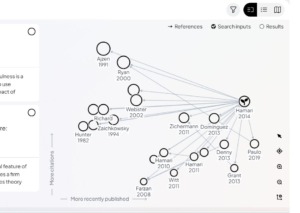
Research Rabbit – a free tool which maps out connected papers, allowing users to group research papers into shareable playlist-style collections for which the tool can then make recommendations.
- Free to access – just create an account
- Quickly finds relevant papers from a single starting paper
- Visual maps show connections between studies
- Reveals research trends over time
- Helps organise your sources
- Allows collaboration with others
- Keeps you up to date with alerts
- Core data providers: Semantic Scholar, OpenAlex, Crossref
SciSpace – a tool for exploring academic literature, offering chat-based interaction, summarisation, and insight generation. Can also support writing and research output development.

- Free version with restricted number of answers, uploads and reviews
- type a research question and receive a synthesised answer with citations.
- add papers to your library and run AI extraction columns that compare methodologies, conclusions, and limitations
- Chat with PDF function lets you interrogate individual documents in natural language, with citations
- Can convert research papers into AI-narrated video summaries
- Core data providers: Semantic Scholar, OpenAlex, Google Scholar
Consensus – a tool that brings you a yes/no ‘consensus’ of the literature in your research area, or in response to a closed question. 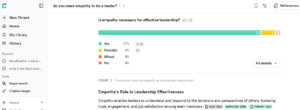
- Free version with limited ‘pro’ questions allowed
- Ask a yes/no question or for research in a particular area
- Summarise research with links to source articles
- Create a dialogue about the research by asking follow-up questions
- Can draft tables, diagrams and literature reviews
- Integrate with ChatGPT, Claude
- Has a ‘medical mode’ for medical research
- Literature review support including search strategy using ‘deep search’ mode
Keenious – a tool to help find literature, as well as get summaries of uploaded or selected articles, notes and an interactive chat.
- Free version with limit to questions
- Upload an article, draft or notes to get a summary and find related content
- Ask follow-up questions in chat
- Doesn’t store uploaded files or train on your data making it a good option for copyright issues.
For further AI research tools, see AI tools for research
If you decide to use one of these tools, remember to use them alongside the Library databases. Only the Library databases have access to journal articles that are behind pay-walls.
And if you are undertaking a systematic literature review, these tools might help with preliminary research and idea generation, but should be used with care as they are often non-transparent and non-reproducible, making it difficult to demonstrate a rigorous, auditable methodology that meets systematic review standards. We recommend you always check with your supervisor before using them.
Other useful links
- Referencing the use of Generative AI in your work (full advice)
- Referencing the use of generative AI in your work (short version – blog post)
- Generative AI guidance from the University
- Digital Skills Hub: Artificial Intelligence (AI)
Still got questions about using AI in your literature review? Contact library@cranfield.ac.uk and we’ll be happy to help you.
Banner image by Brian Penny from Pixabay.

Categories & Tags:
Leave a comment on this post:
You might also like…

When AI gets it wrong, who answers? Bridging the ‘confidence gap’ for tech-enabled transformation
Ask AI why it exists and it will tell you it was developed to enable machines to perform ‘human-like intellectual tasks’ including reasoning, learning and problem-solving. We seek out AI to help find answers: ...

Reducing your costs as an international student (without missing out)
Moving to another country to study is exciting, and it's also a big financial step. The good news is that budgeting doesn't have to mean missing out. We asked Dr Lakshmy Subramanian, Course Director ...

Need some help settling in? Wobble Week 2026
Whether you’re finding it hard to settle into your course or accommodation, you arrived late and are struggling to catch up, you feel overwhelmed or you can’t remember everything you’ve already been told, we can ...
Moving to the UK to study? How to plan for banking, exchange rates and transfers
Currency and banking are two of the most practical parts of financial planning for international students. They are also often the most overlooked. We asked Dr Lakshmy Subramanian, Course Director for Cranfield University's Banking, ...

Cranfield: an environment where innovation thrives
The latest Knowledge Exchange Framework rankings from UK Research and Innovation (UKRI) gives an insight into the real and meaningful impact that UK universities have. The seven categories that make up KEF6 cover everything ...

How Cranfield accelerated my career in Logistics and Supply Chain Management
After graduating from the MSc in Logistics and Supply Chain Management at Cranfield University, I've been reflecting on the experiences that made my journey so valuable and the impact it has had on my ...