


Getting Started with Workspace
05/02/2024
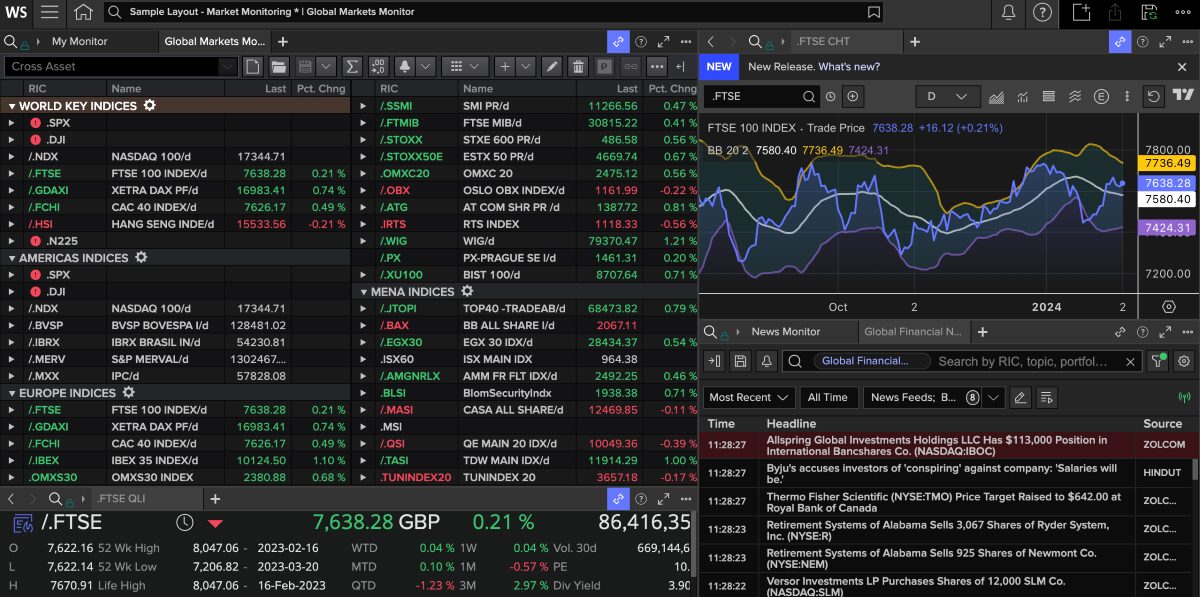
Workspace is the new platform for LSEG data (previously known as Refinitiv). It provides access to the data formerly available in Eikon and is one of the world’s largest financial databases.
It provides both current and historical data across the full range of financial instruments globally – from companies, markets and economic indicators to commodities, foreign exchange and derivatives, access to deals and news stories. It also offers a wide range of reporting and charting tools. Data previously available in Datastream and SDC Platinum can also be selected as add-ons to a Workspace account.
Accessing Workspace
You will first need to register for a LSEG Workspace account but once completed you will be able to access Workspace online.
Workspace can also be downloaded to a Windows laptop or PC for full access to the Excel add-in.
Workspace command bar
Once logged in, you will see the Workspace command bar across the top of your screen. Use the built-in search box to find apps and data or type in a question and Workspace will try and match what you are looking for.

The Workspace toolbar
Help, support and training
Click on the ‘?’ in the top right hand corner to access Help. This includes ‘Get Started’ and ‘Get Training’ with access to guides and videos on how to use Workspace.
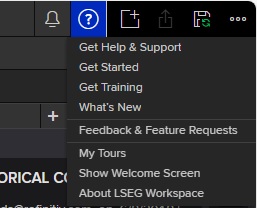
Help menu in Workspace
Searching for data
In the search box, you can search for equities (companies), indices, bonds, foreign exchange or even type a question. To look for a company, simply type in the company name, as in this example for Tesla Inc.
From our results, we would select EQ Tesla Inc with the RIC (Reuters Instrument Code) TSLA.O which identifies it. The RIC is similar to Bloomberg’s Ticker function.
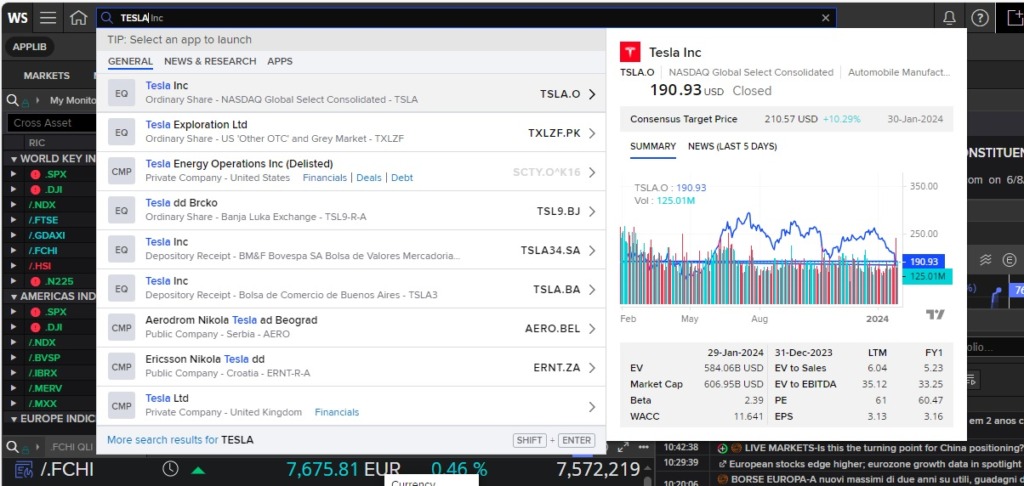
Searching for a company options
The ‘Overview’ page (see below) provides a comprehensive summary and includes several tabs which provide access to real time and historical data – including share prices, financials, news and estimates.
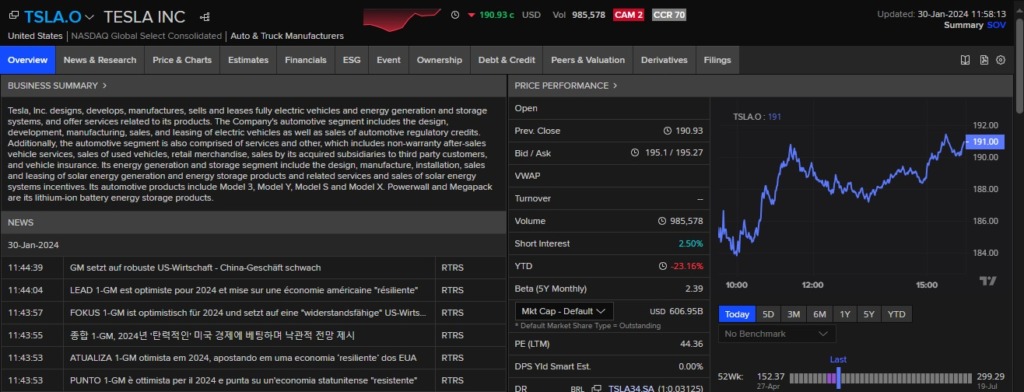
Company overview page with tabs
Company financials
Let’s take a closer look at the Financials tab. Here you can view various parts of a company’s financials, including the income statement, balance sheet and cash flow. Five years of data is shown as standard. To change this, select ‘Number of Periods’ from the left hand menu, choose the appropriate time period, and click the ‘update view’ button on screen.
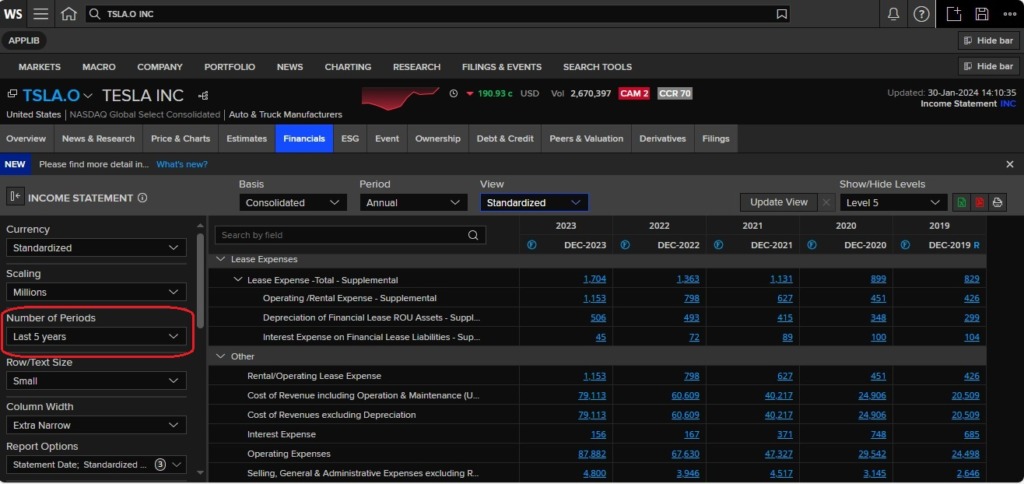
A view of the income statement for Tesla Inc.
Charting
Charting is simple in Workspace. Choose the ‘Price & Charts’ tab from the company toolbar and select ‘Chart’ from the options or type ‘Chart for Tesla’ into the top Search bar. This will automatically generate the share price chart for the chosen company but other values can be chosen by selecting from the available chart options and settings.
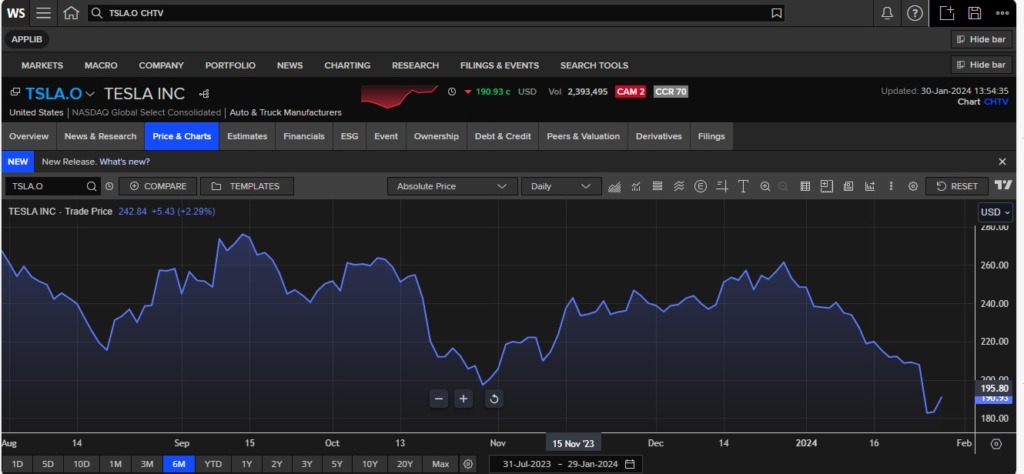
Price chart for Tesla
Screener
Type ‘Screener’ into the search toolbar to open the screener tool.
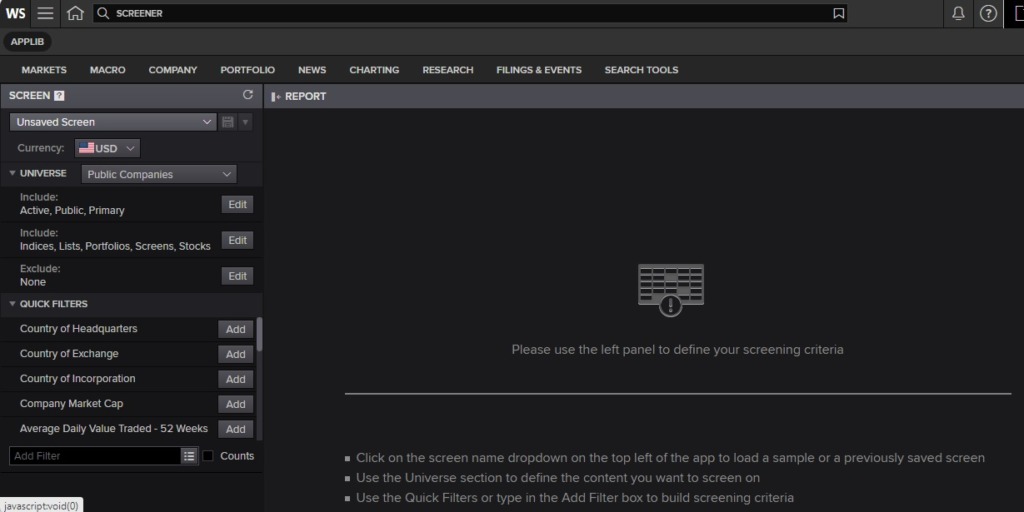
This tool allows you to find companies using a variety of criteria. On-screen instructions lead you through the steps to define your search criteria and also to specify your report output. Both the screening criteria and any reports generated can be saved for later use. Alternatively, predefined screens and report outputs can be used. Below is one created on UK utility companies (public and private). Output can be exported to Excel, Word or to pdf.
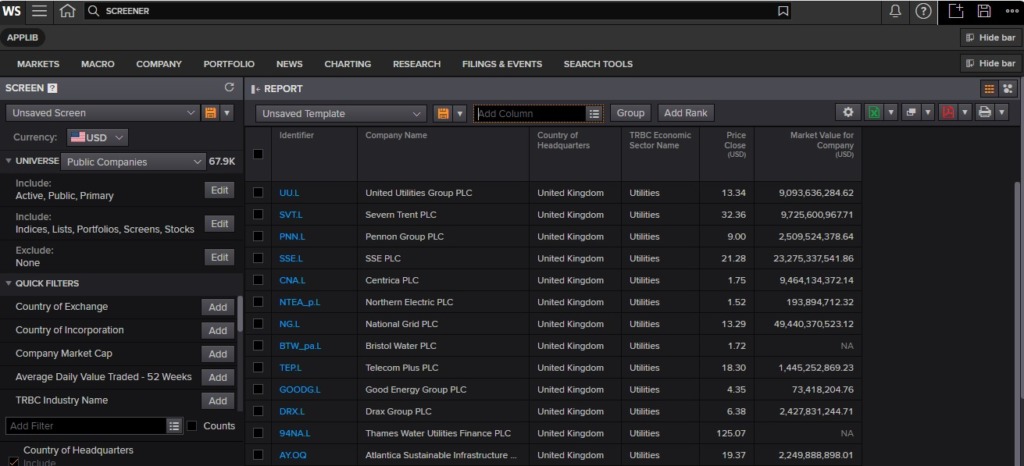
Results from Screener search
If you would like to know more about LSEG Workspace or any other financial resource, please contact the Library team.

Categories & Tags:
Leave a comment on this post:
You might also like…

Setting your research on the right course: Four questions every researcher should ask
Whether you are just beginning your doctoral journey or are already well into your research career, successful research rarely happens by accident. Like any successful mission, it depends on good planning, informed decisions, and getting ...

5 budgeting mistakes students make (and how to avoid them)
Good financial planning isn't about how much money you have. It's about the habits you build. We asked Dr Lakshmy Subramanian, Course Director for the Banking, Economics and Finance MSc, about the budgeting mistakes ...

Finding your reading materials
Use Library Search Library Search is the first place to start when you are trying to find academic sources for your work. This is the search box on the library website homepage. It allows you ...

Formula 1 was the dream and Cranfield was the conduit
I still remember the exact moment Formula 1 (F1) got its hooks into me. I was in my first year of an aerospace undergraduate engineering degree when I watched a video about the sport ...

Introducing Barrington Library
Welcome to all our new students! Barrington Library supports all the students and staff at Cranfield Defence and Security on the Shrivenham site. We are looking forward to meeting you all soon, in person or ...

About to start your journey at Cranfield? We’re here to help!
Congratulations on accepting your offer to study at Cranfield! If you’re keen to get a head start before your course begins, our Library Services team is here to support you every step of the way. ...